
Swipe to see the 9 modules

Capture, sell, sign and operate with a single platform
REPLAI unifies Chatbot, Sales, Booking, Sign, Recruit, People, Surveys, Learn and Automations in a single operational architecture.
- CRM, e-signature, HR, ATS, booking and AI within a single operational architecture.
- Data shared across modules to sell, execute and follow up without duplication.
- Fewer external integrations, more traceability and more control for teams in Spain and LATAM.
Companies around the world trust us
REPLAI has been part of projects in corporate, educational and service environments. This accumulated trust lets us support real operations with a solid, proven foundation.

Explore the REPLAI suite module by module
Switch between modules and discover the real screens your team will see every day.
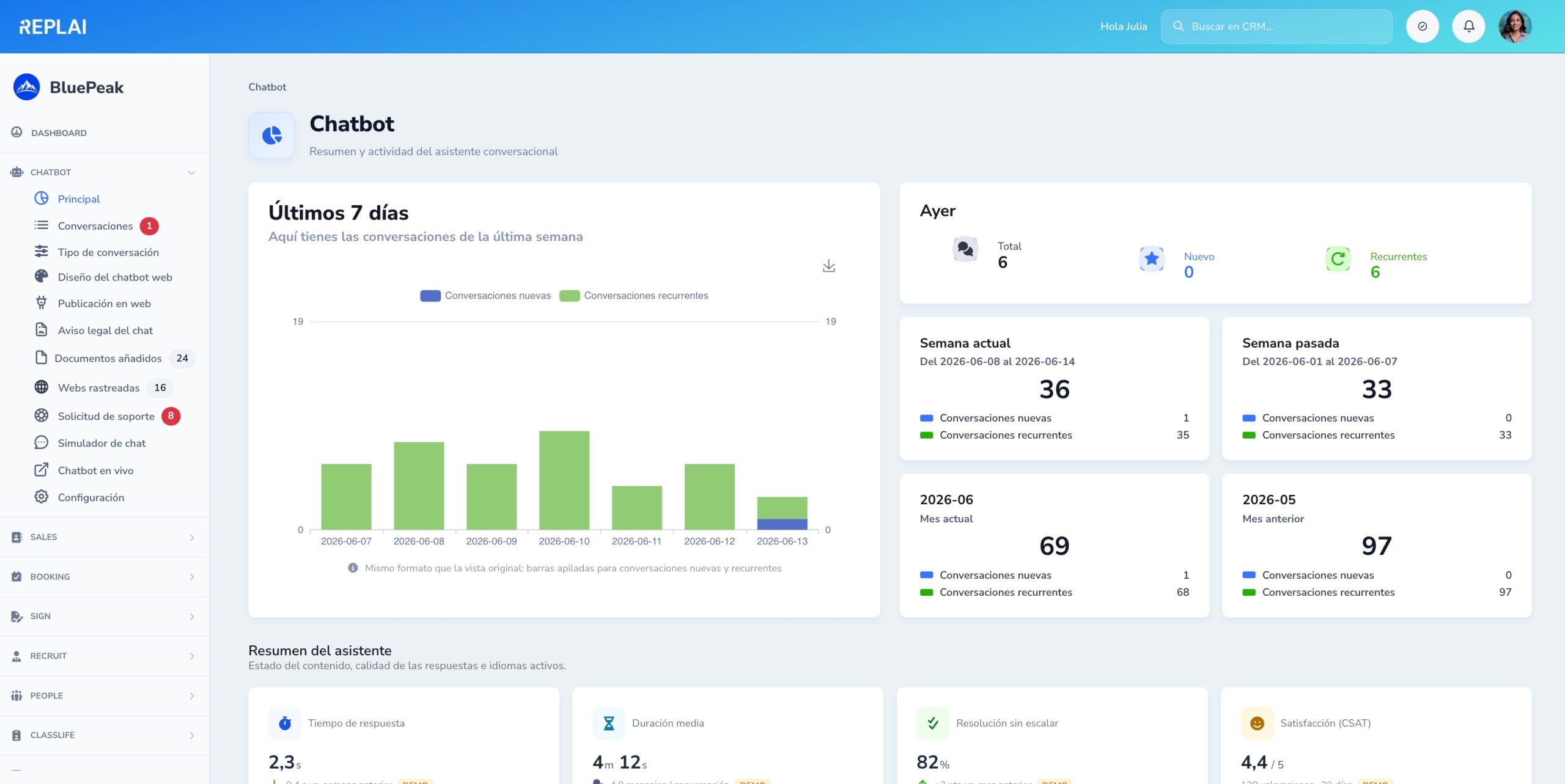
Assistant overview and activity
New and recurring conversations of the week, quality KPIs, detected languages and content status — all at a glance.
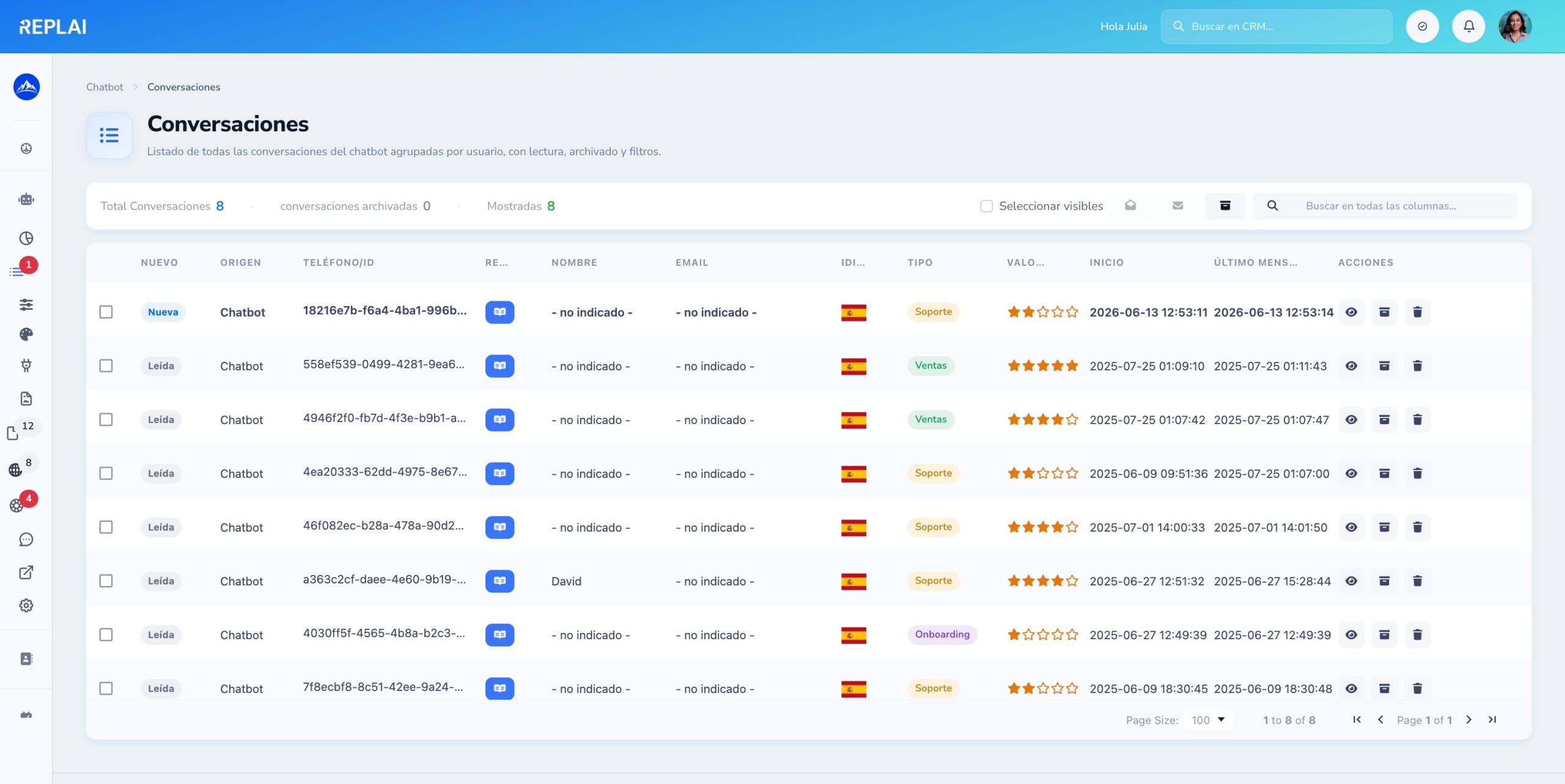
Every conversation, filterable
Grouped by user, with source (web/WhatsApp), language, type, rating and filters — find any conversation in seconds.
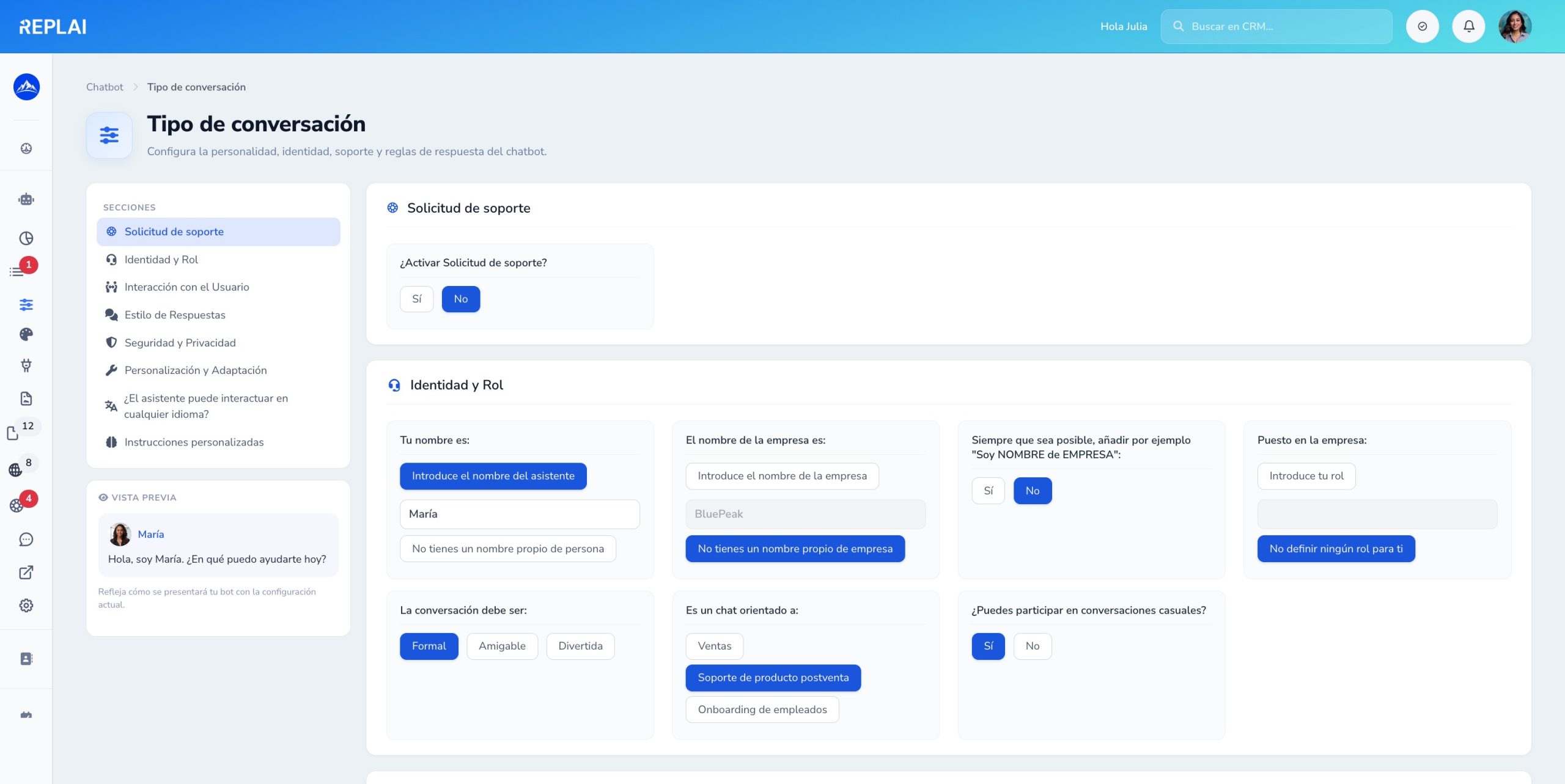
Define how the bot behaves
Identity, tone, languages, support rules and personalization — from a clear form with a live preview.
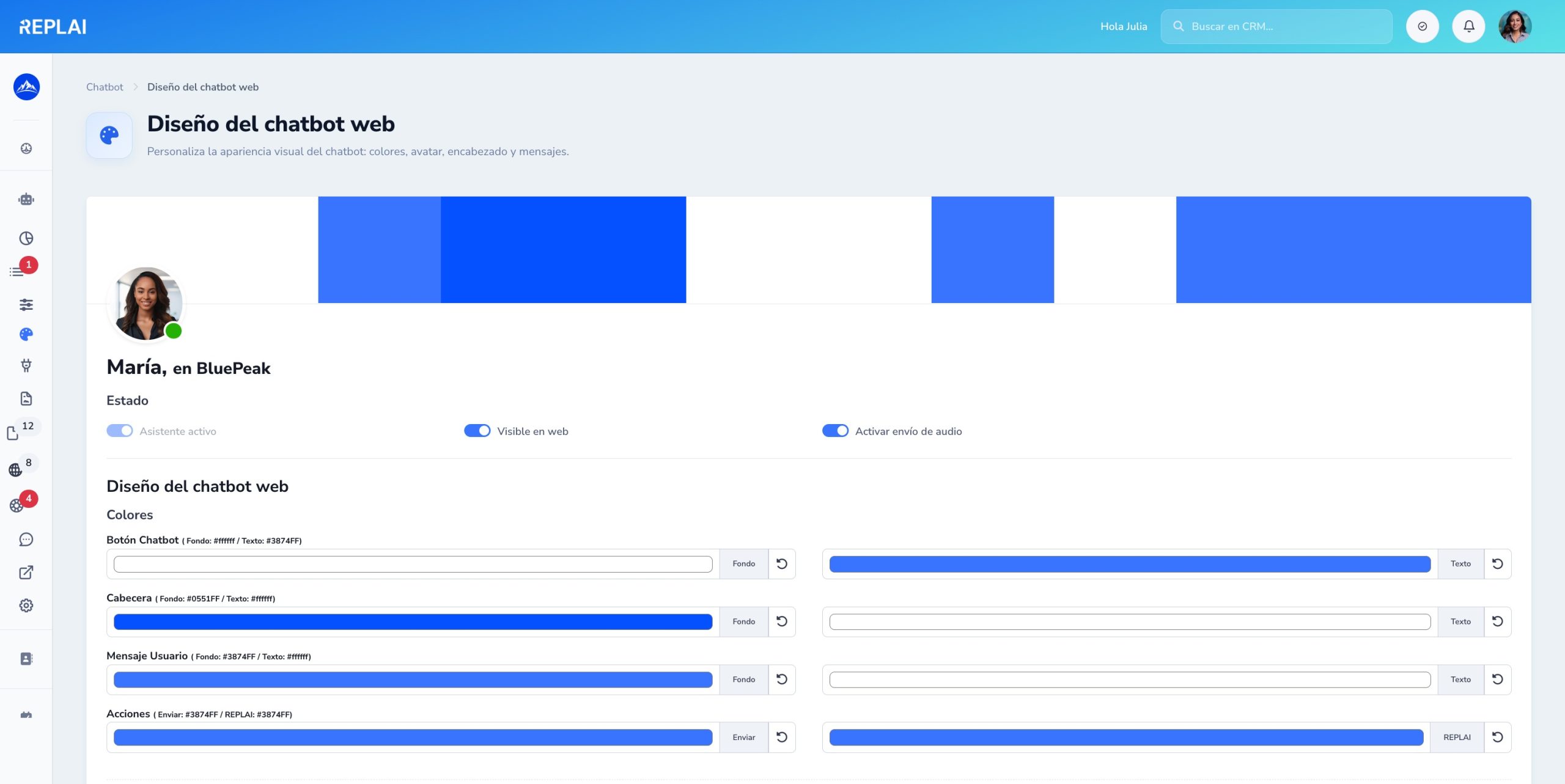
Match the chatbot to your brand
Colors, avatar, welcome messages and position on the page. Instant changes, without touching any code.
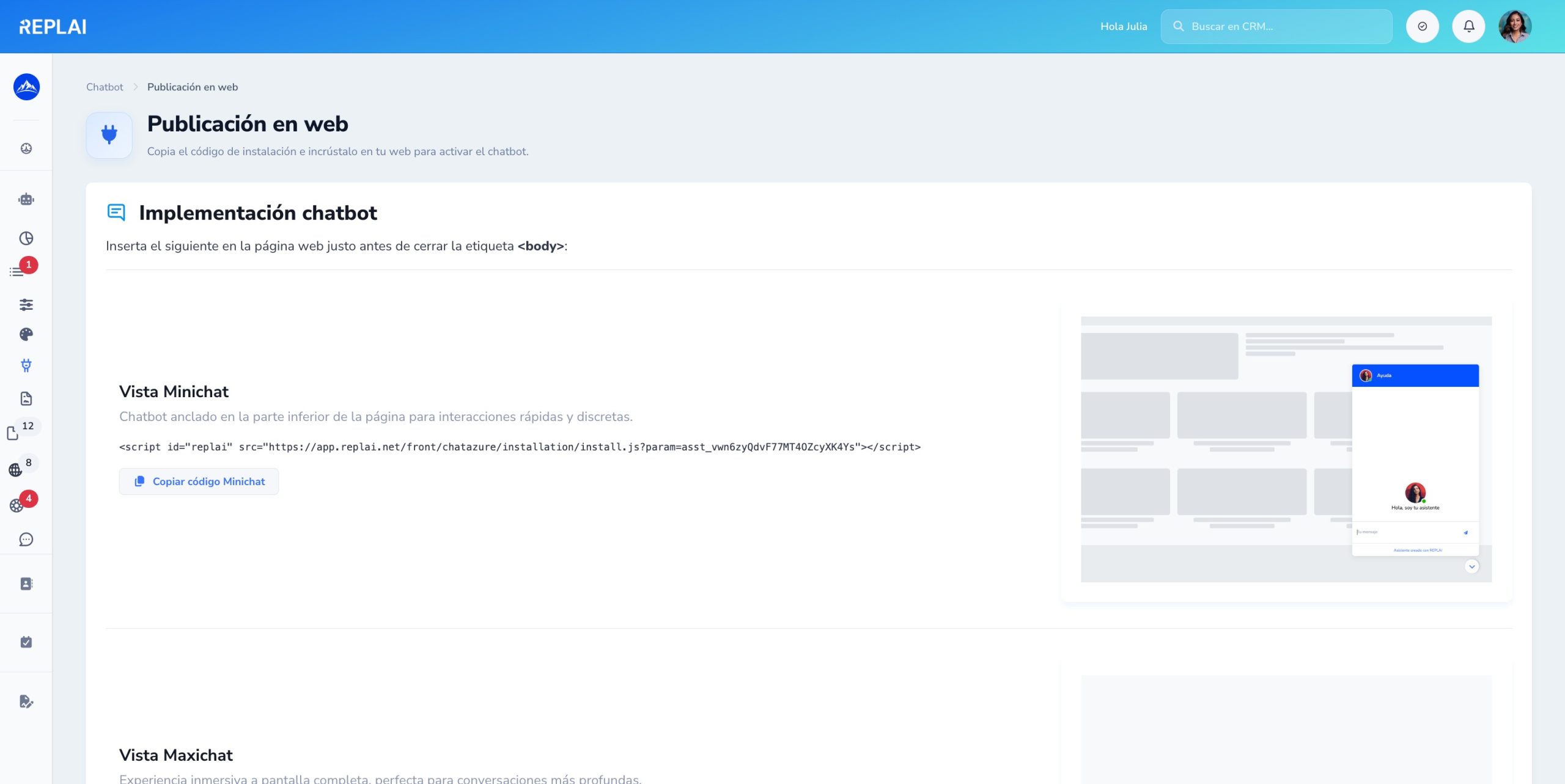
One snippet and you are live
Copy the install <script> and paste it into your website. Mini format (docked chat) or maxi (full screen) — you decide.
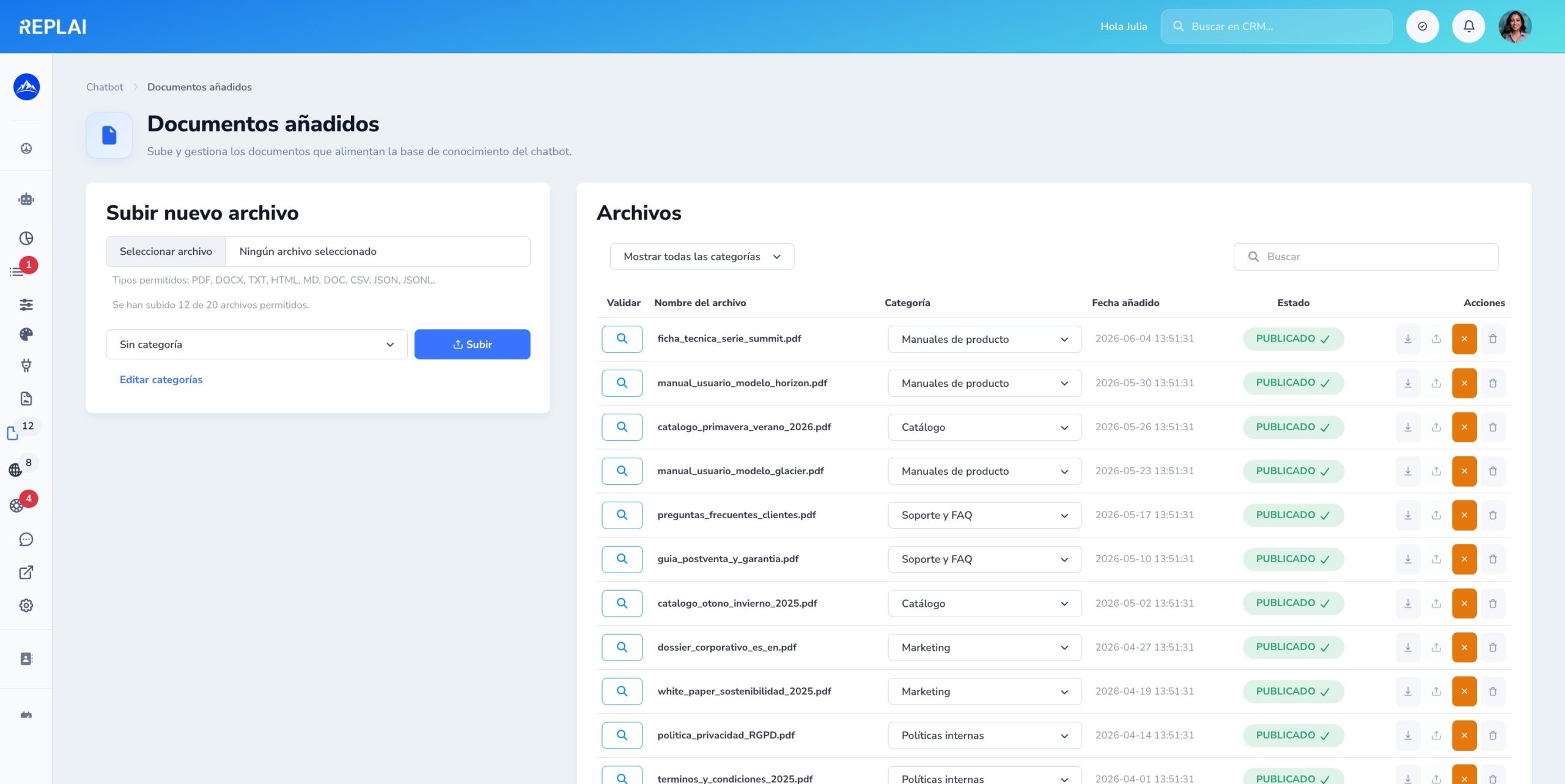
Your documents are the source
PDFs, Word, manuals, FAQs, catalogs — the assistant answers accurately using your own documents.
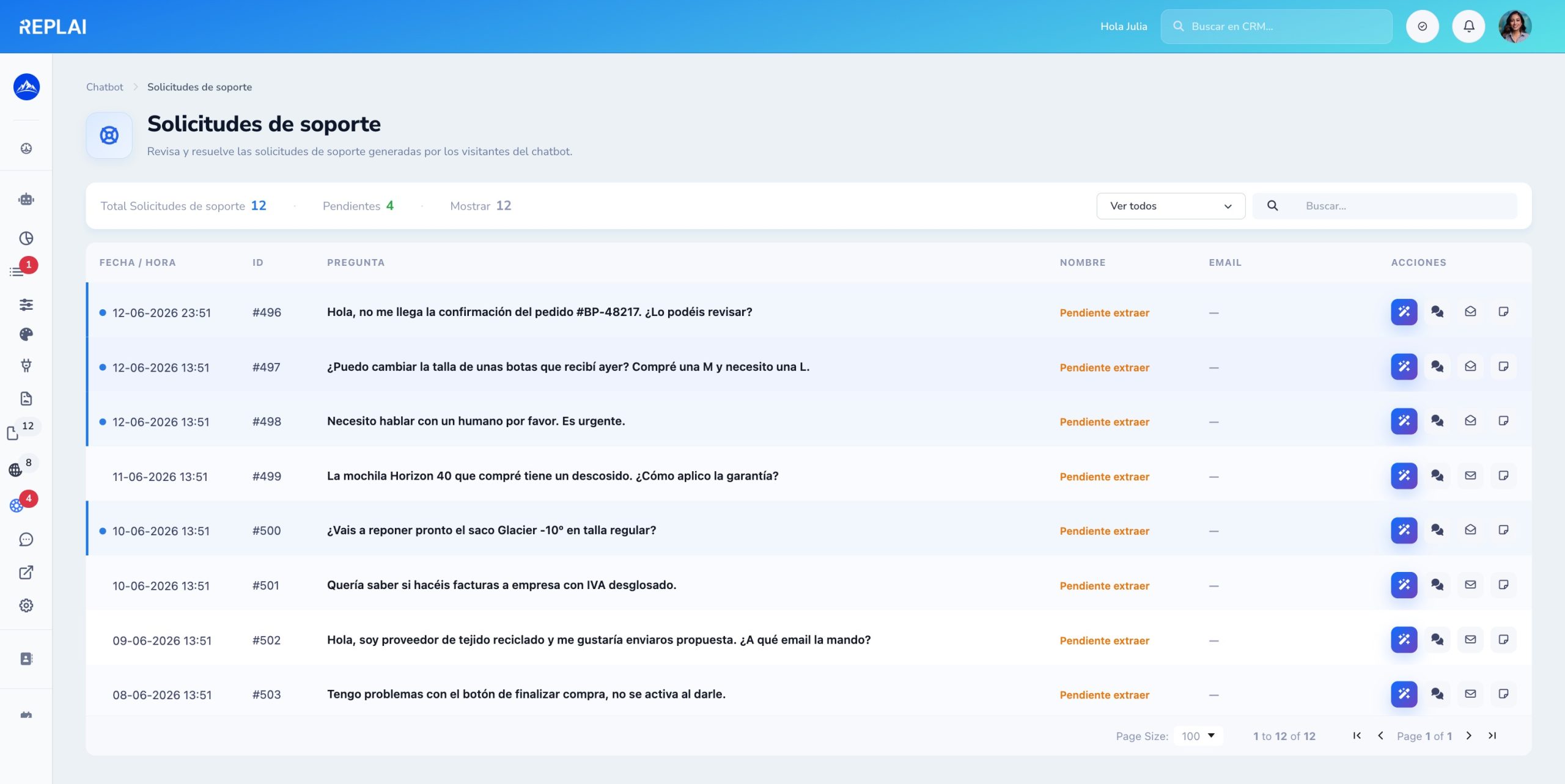
When the bot can't help, it captures the ticket
If the visitor asks to talk to a human, the chatbot logs it as a support request. Your team sees it and replies without losing context.
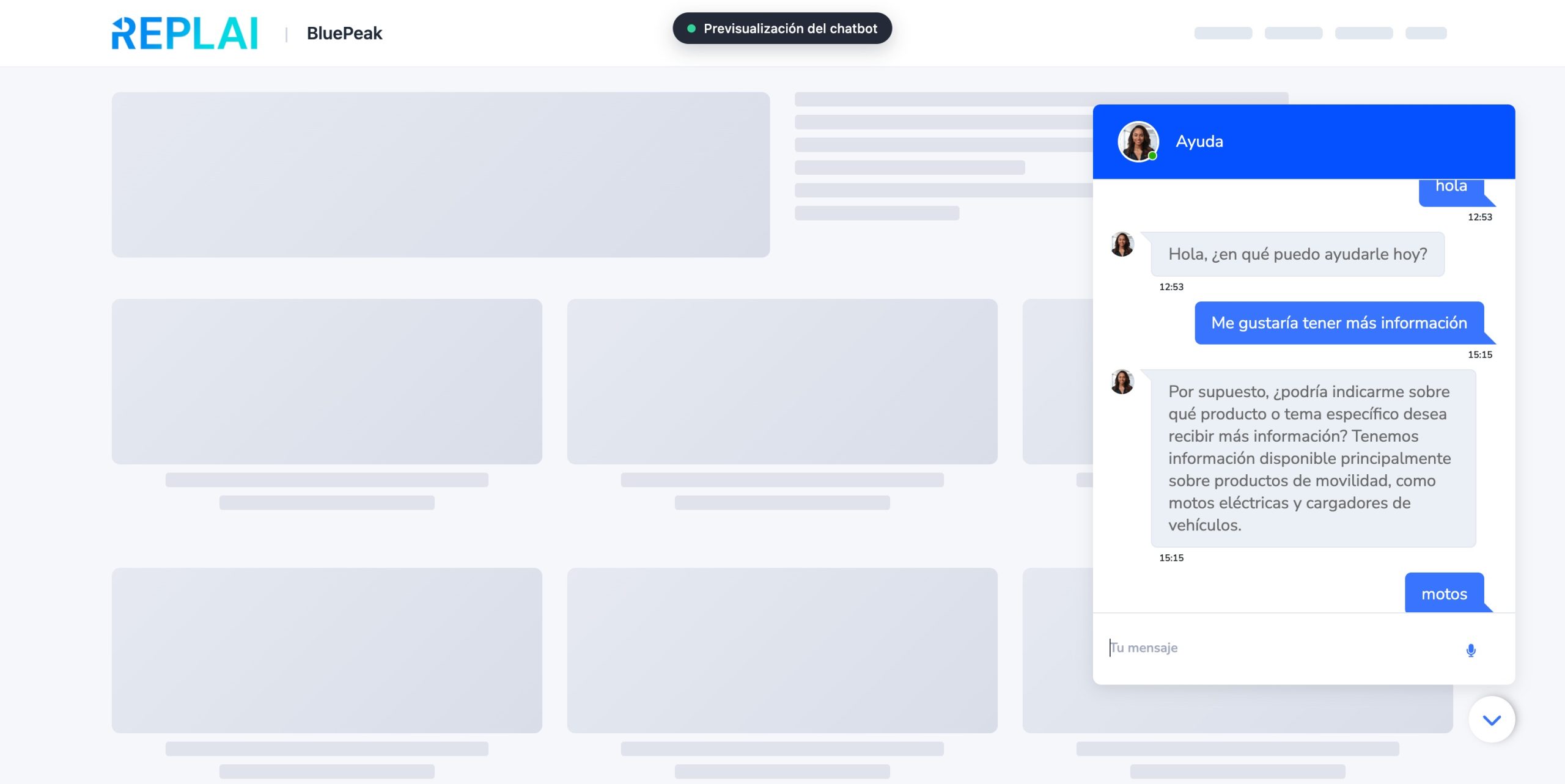
A public link to show off the bot
Each project has its own /preview/{slug} URL with a sample web page and the embedded chatbot. Share it with clients without installing anything.
Your sales CRM at a glance
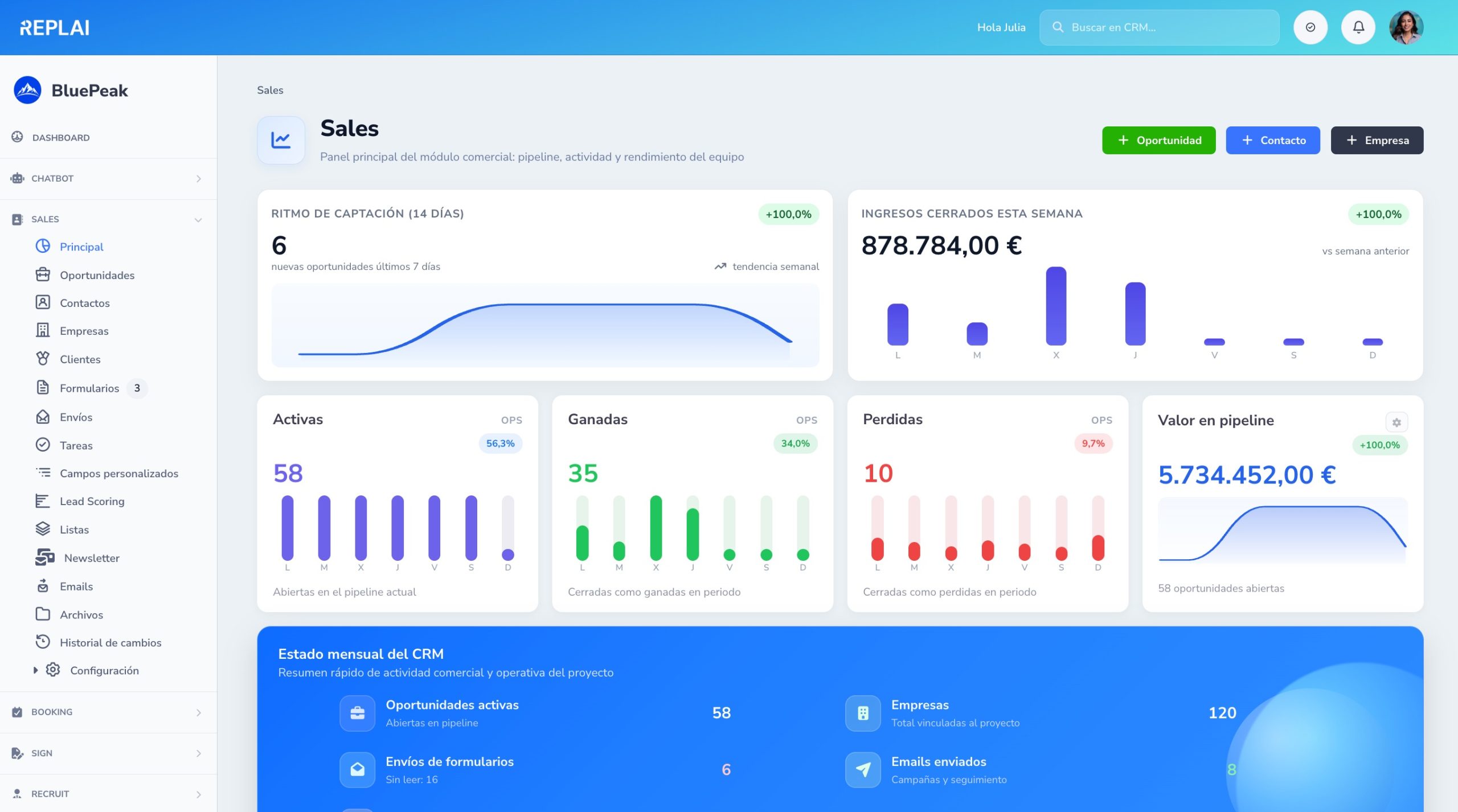
Pipeline, tasks, opportunities and key metrics on a single screen. Start the day knowing where to focus.
Sell with a visual Kanban
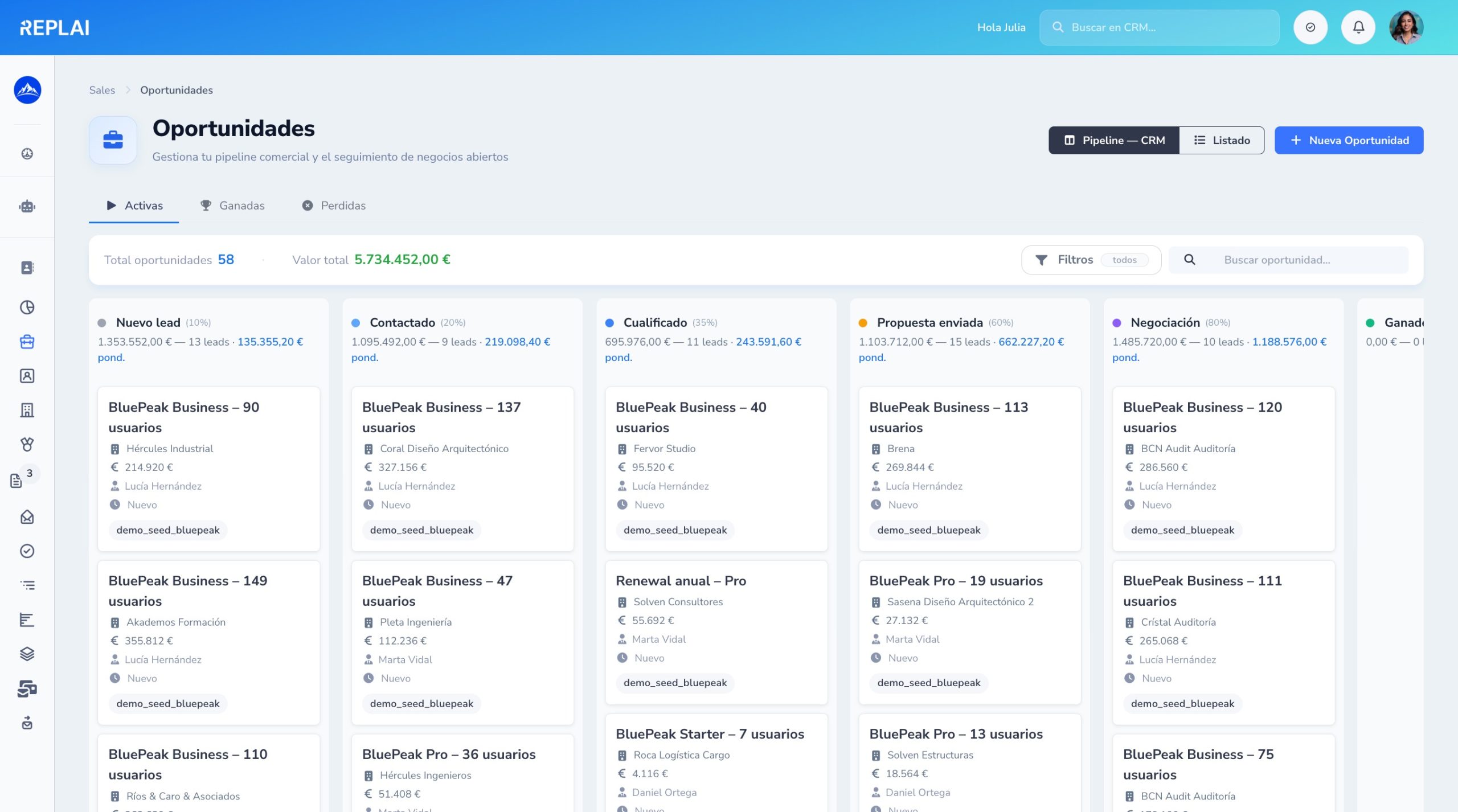
Move opportunities between stages with drag & drop. Each stage shows the pending value and aggregate probability.
Table view with powerful filters
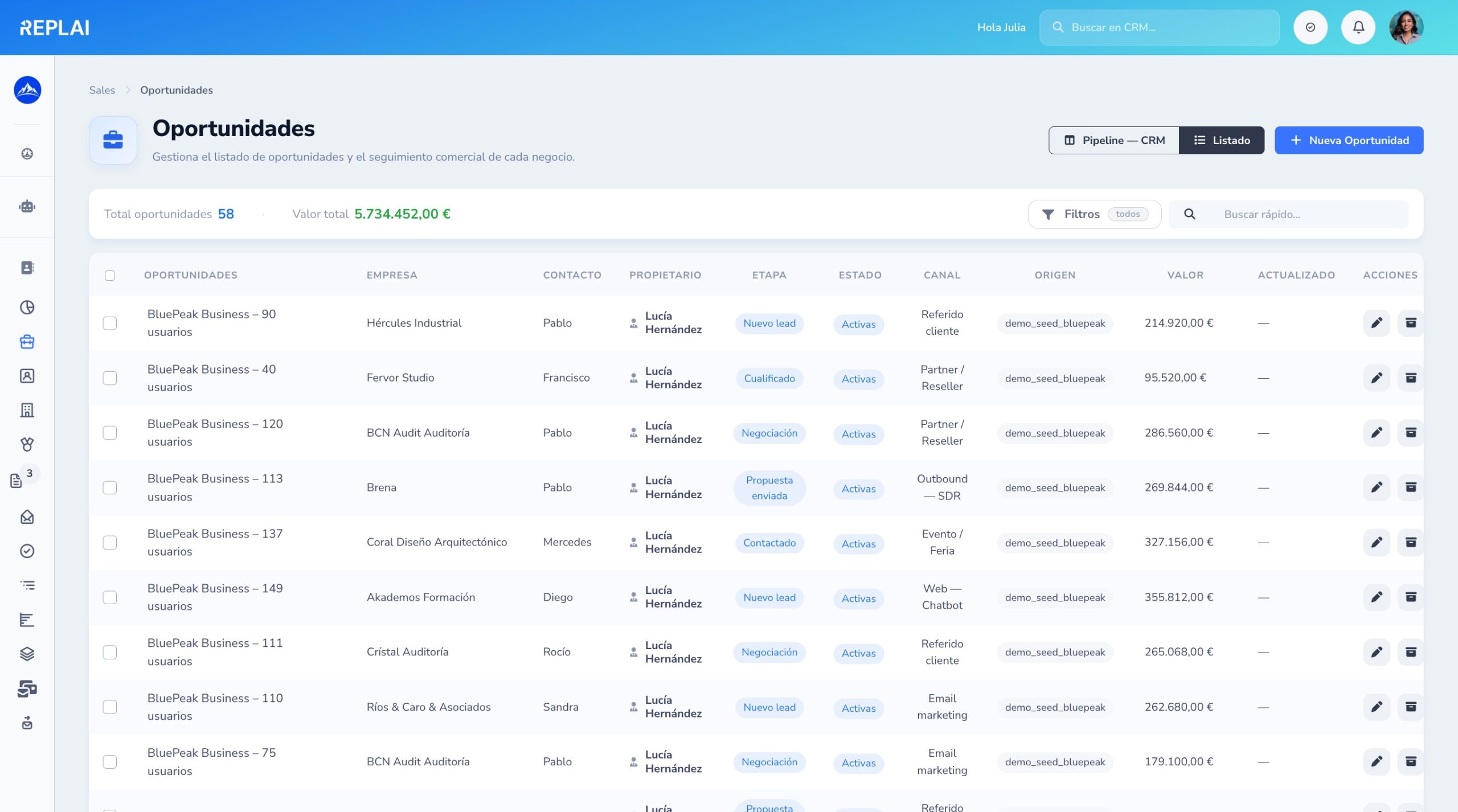
Filter by stage, owner, amount, close date, lead score and custom fields. Save views for your team.
360º record with all the context
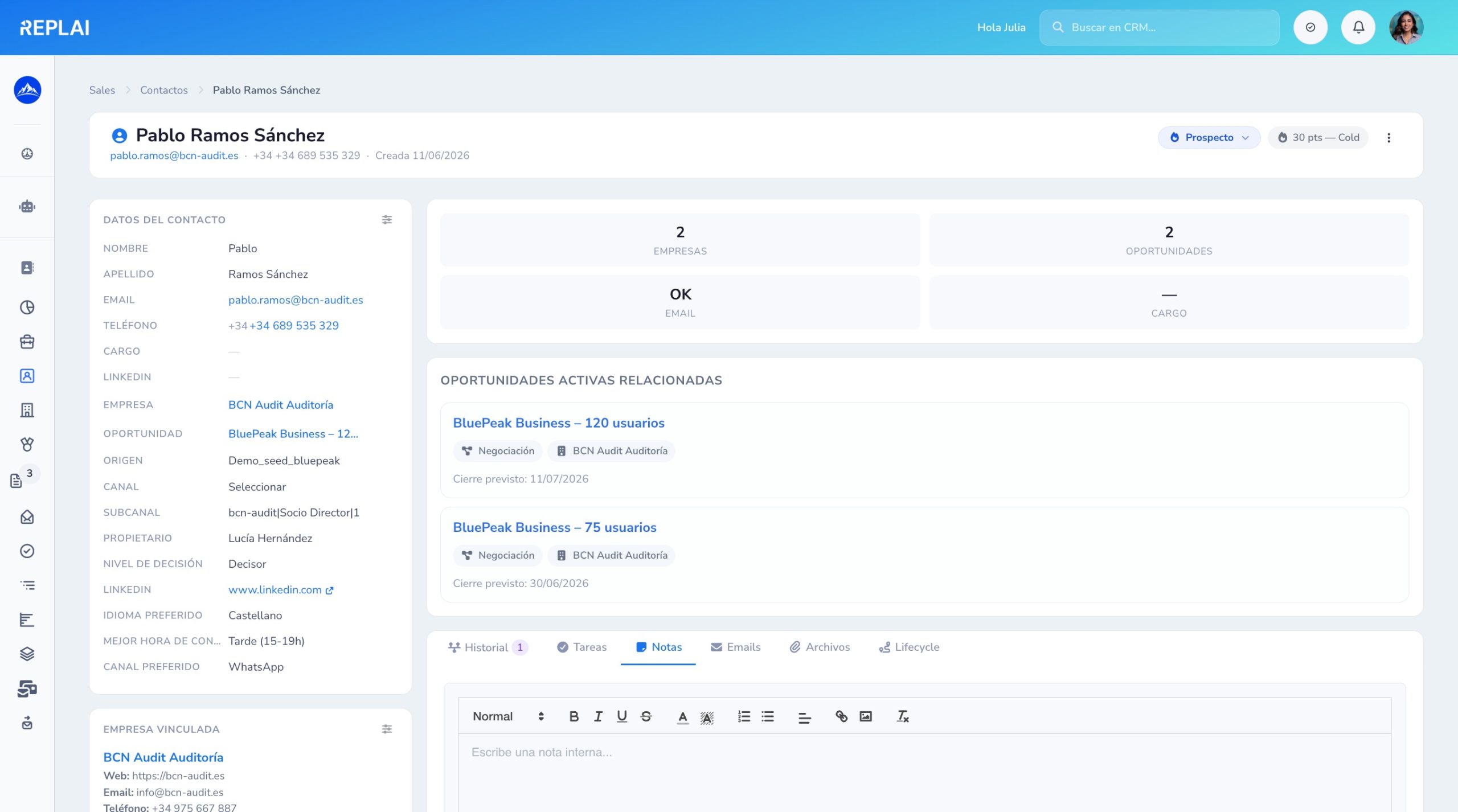
Activities, opportunities, emails, submitted forms, lead score and custom fields — everything you need for a better call.
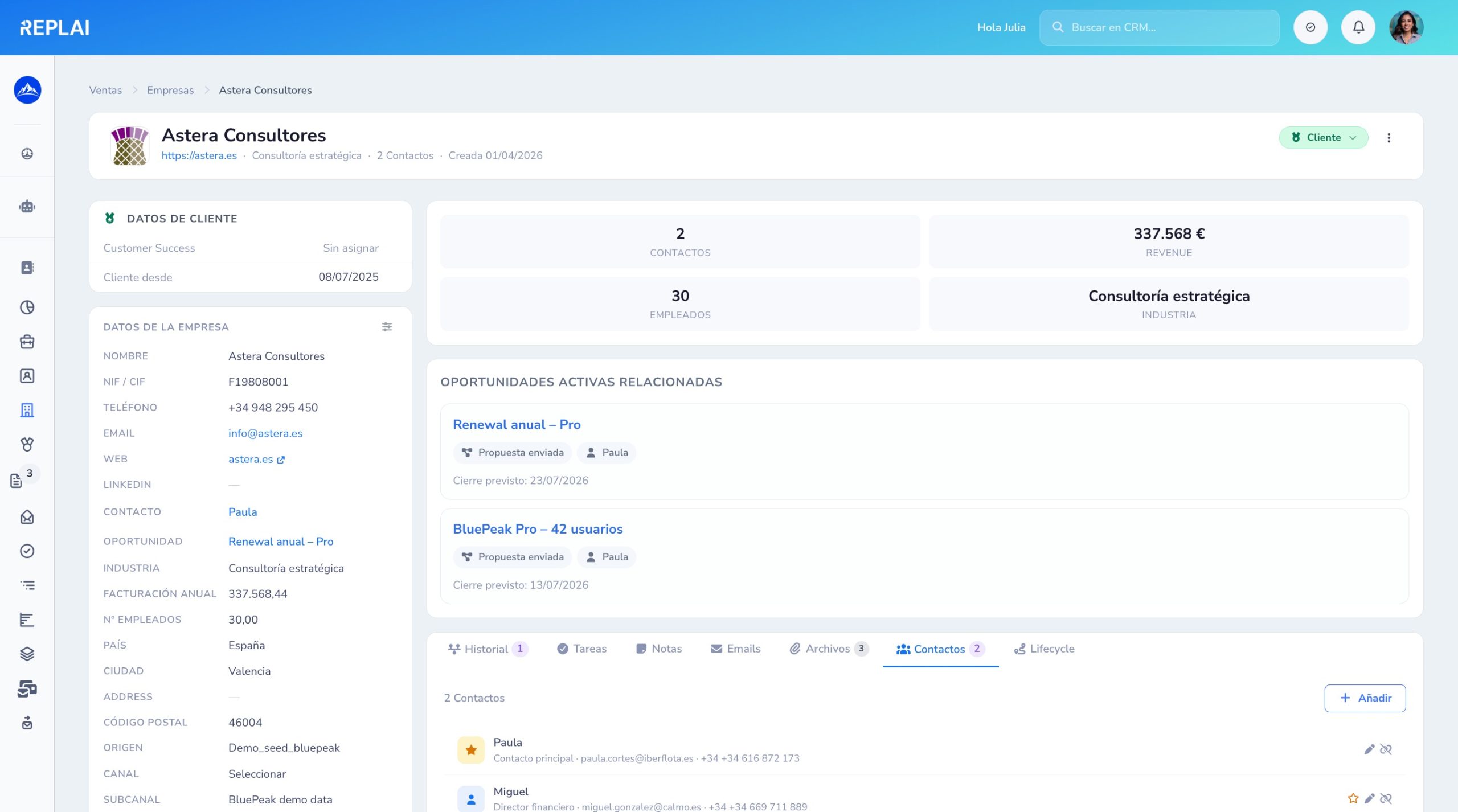
Accounts and all their contacts
Linked contacts, open opportunities, customer data, lifecycle and automatic logo from the domain.
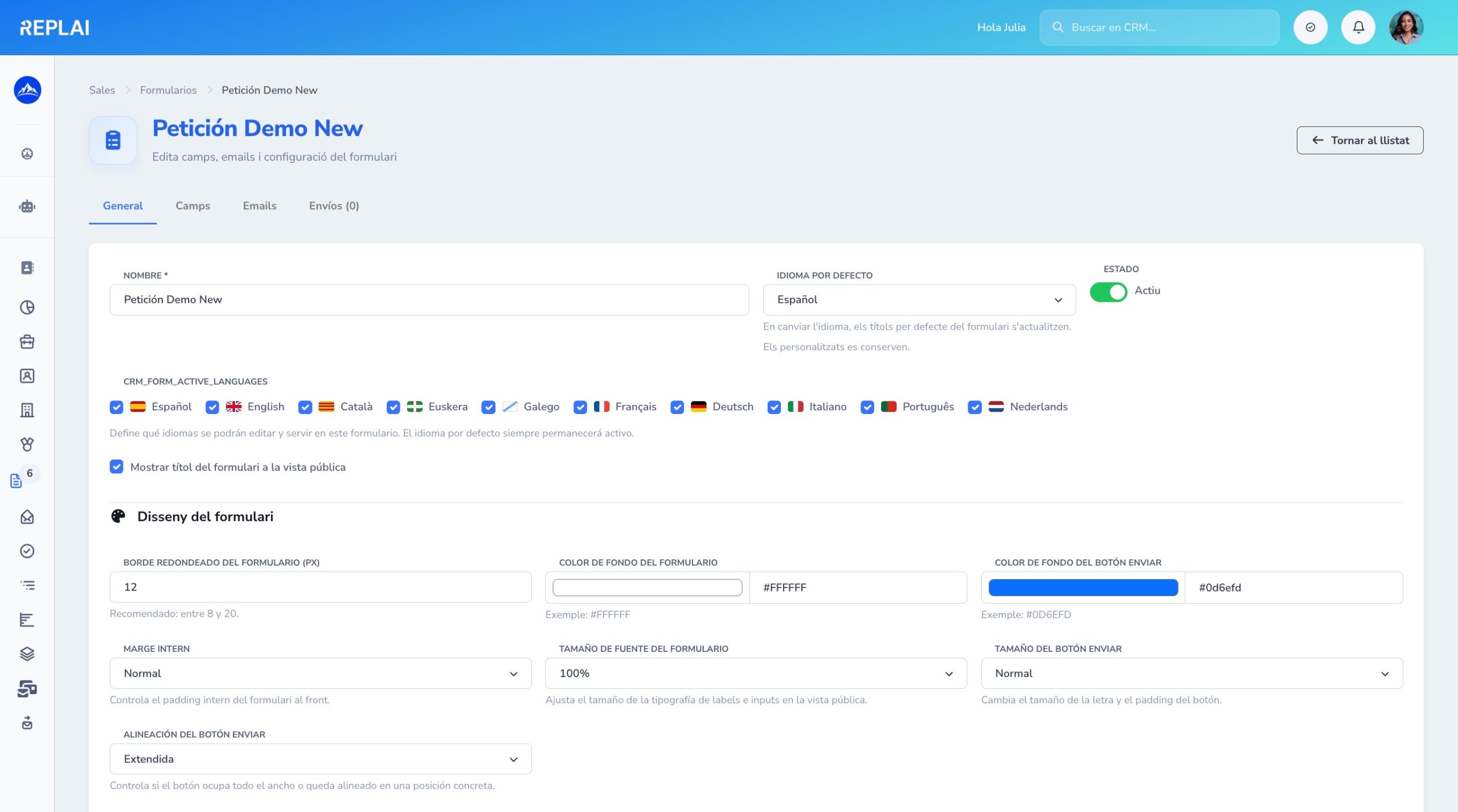
Visual web form editor
Multi-language, automatic mapping to contacts and opportunities, Pipedrive integrations and plug & play embed.
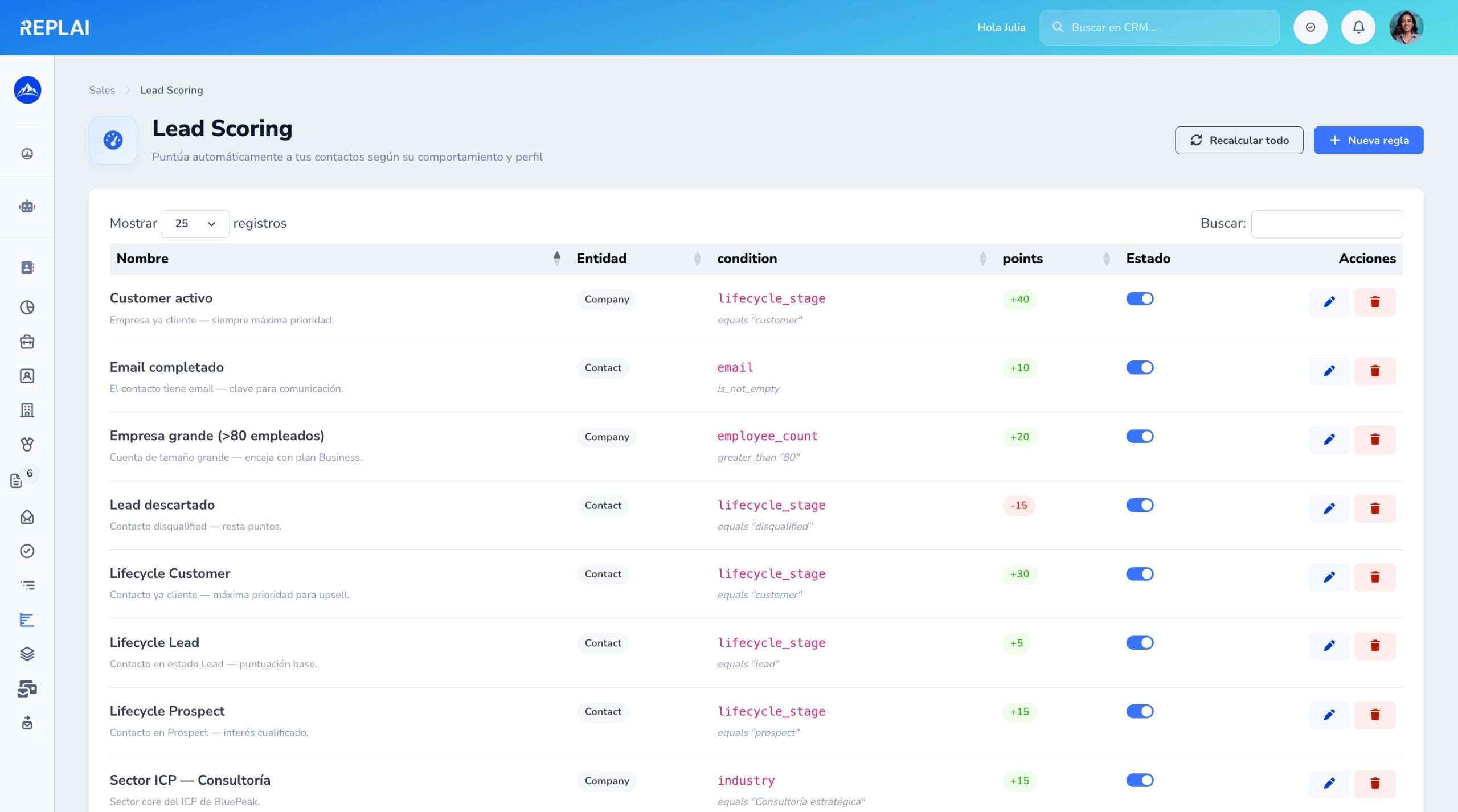
Lead scoring with per-entity rules
Add or subtract points by activity, attributes or segment. Combinable rules that trigger automations based on the score.
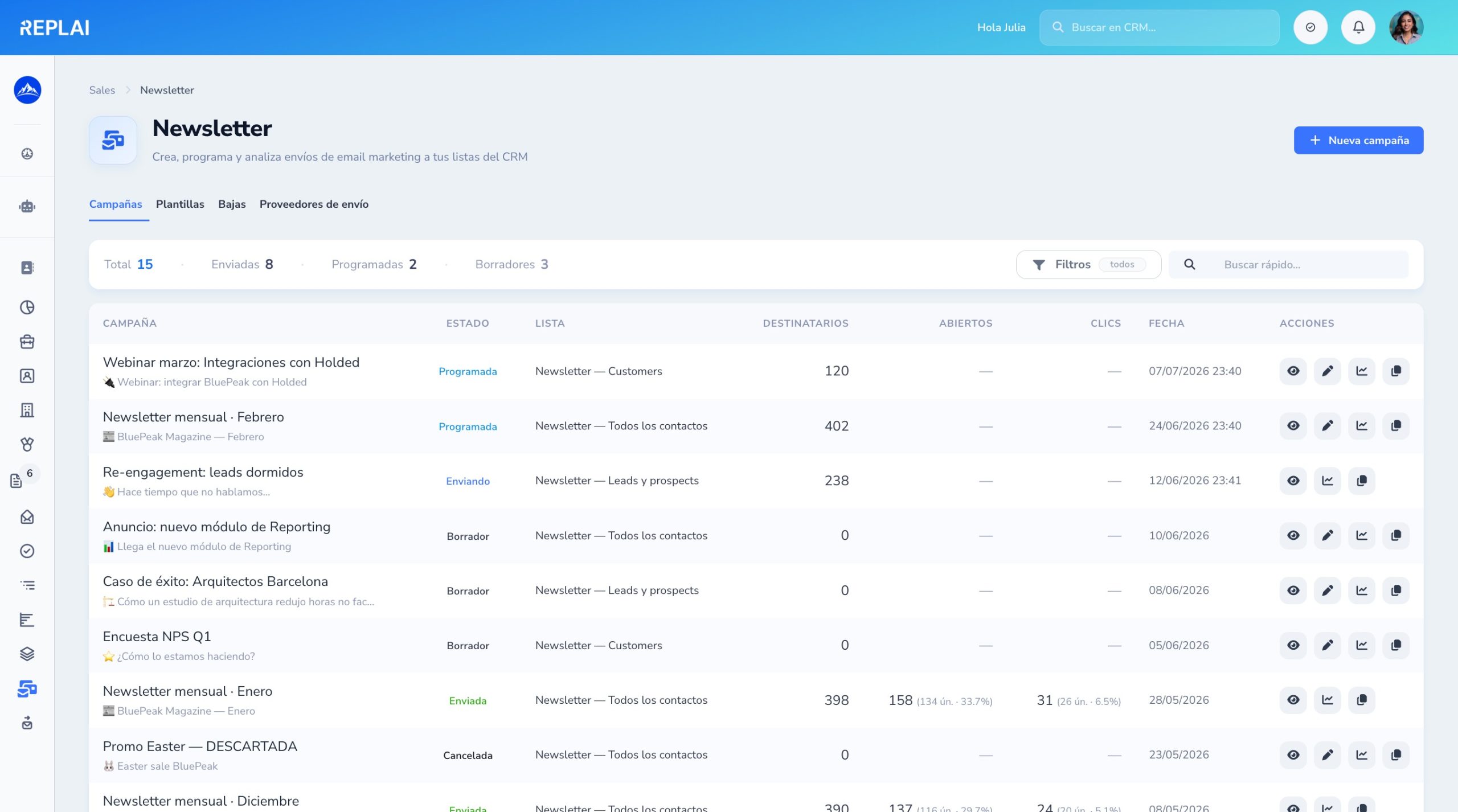
Campaigns with actionable metrics
Opens, clicks, unsubscribes and replies — all tracked per contact and connected to your pipeline.
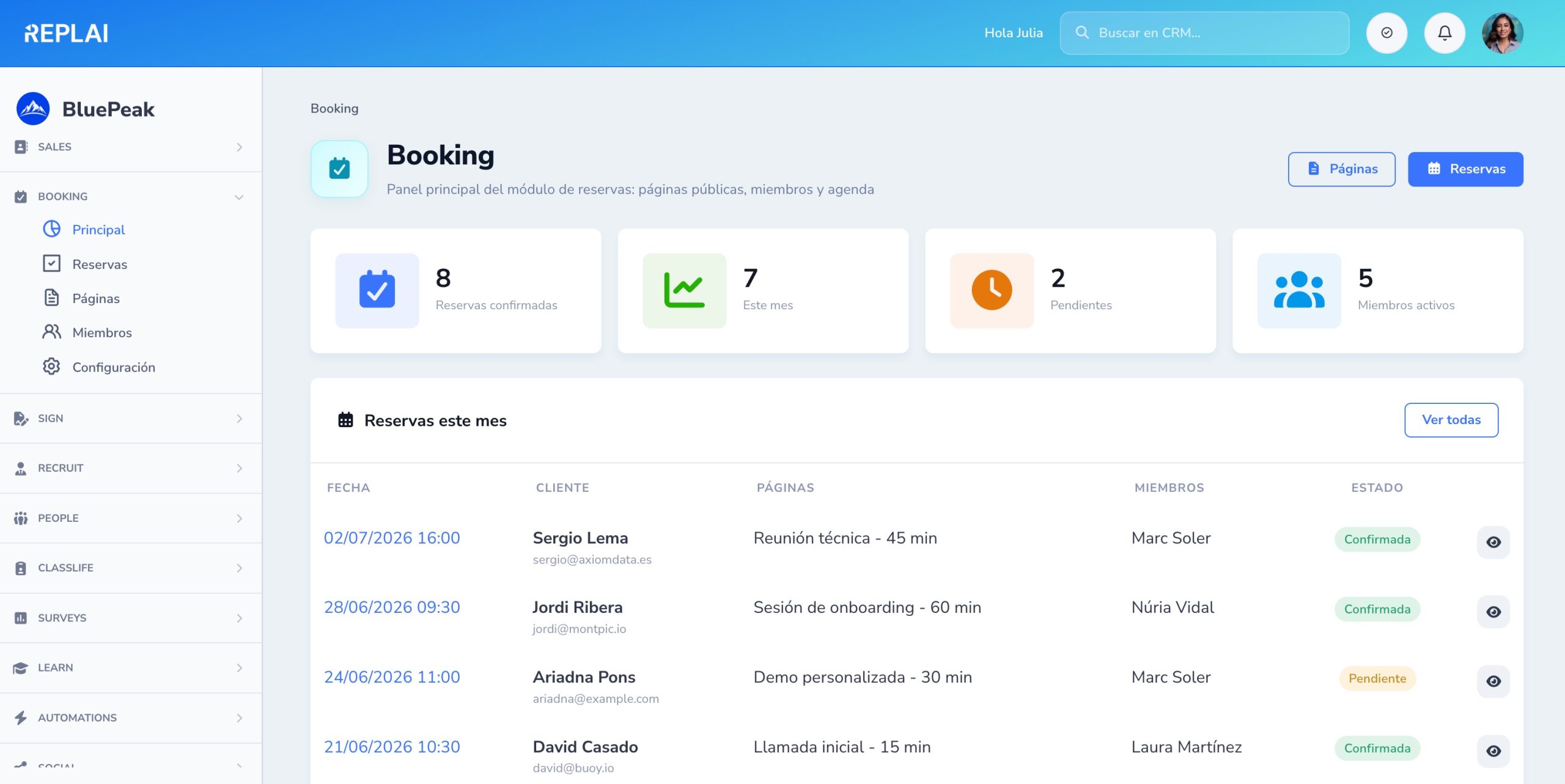
Bookings and schedule at a glance
Confirmed bookings, upcoming appointments, monthly KPIs and quick links — everything the team needs to start the day.
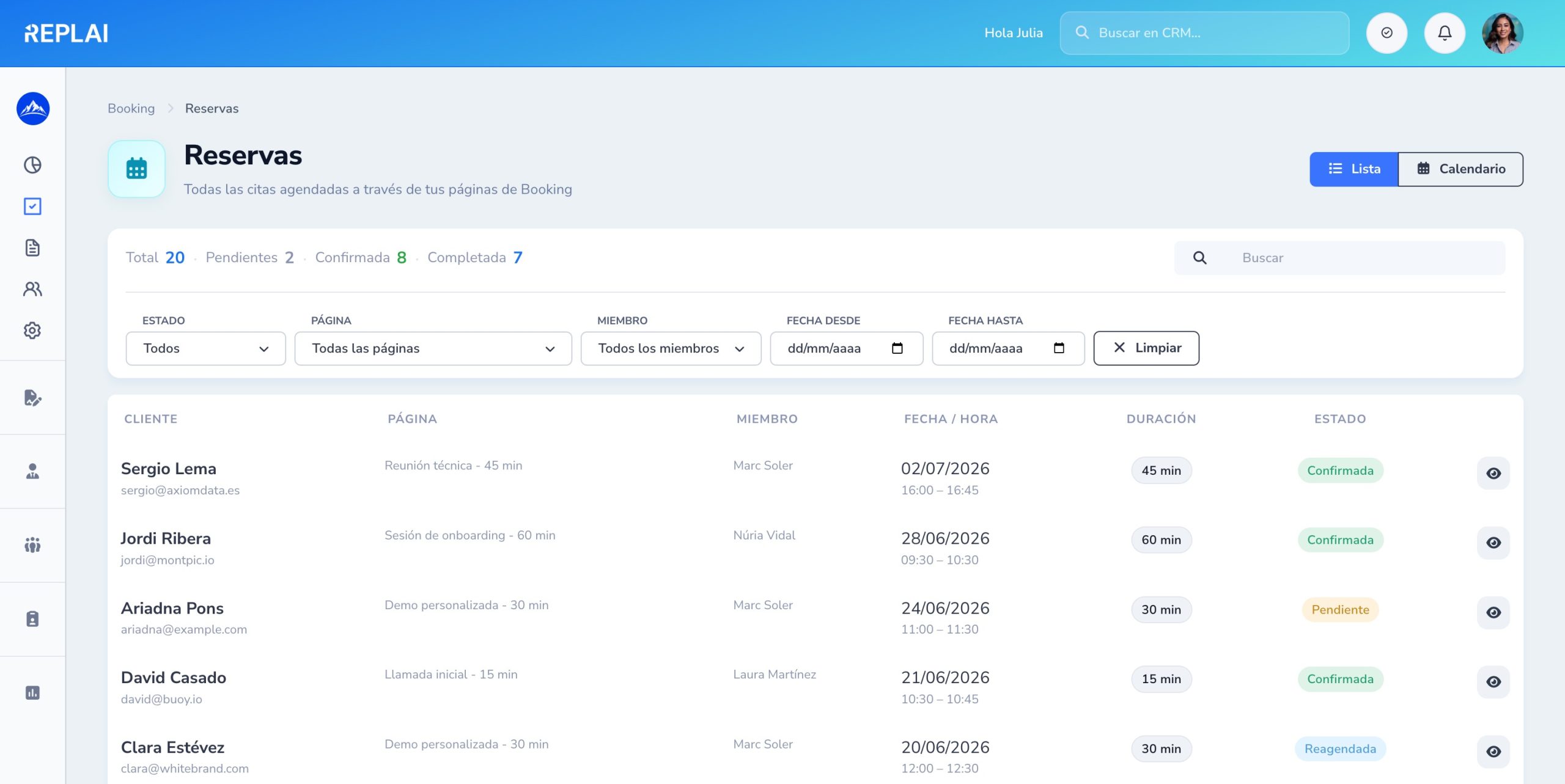
Filterable history of all your appointments
Filter by status, page, member or client. Each booking with the key information and access to the detail.
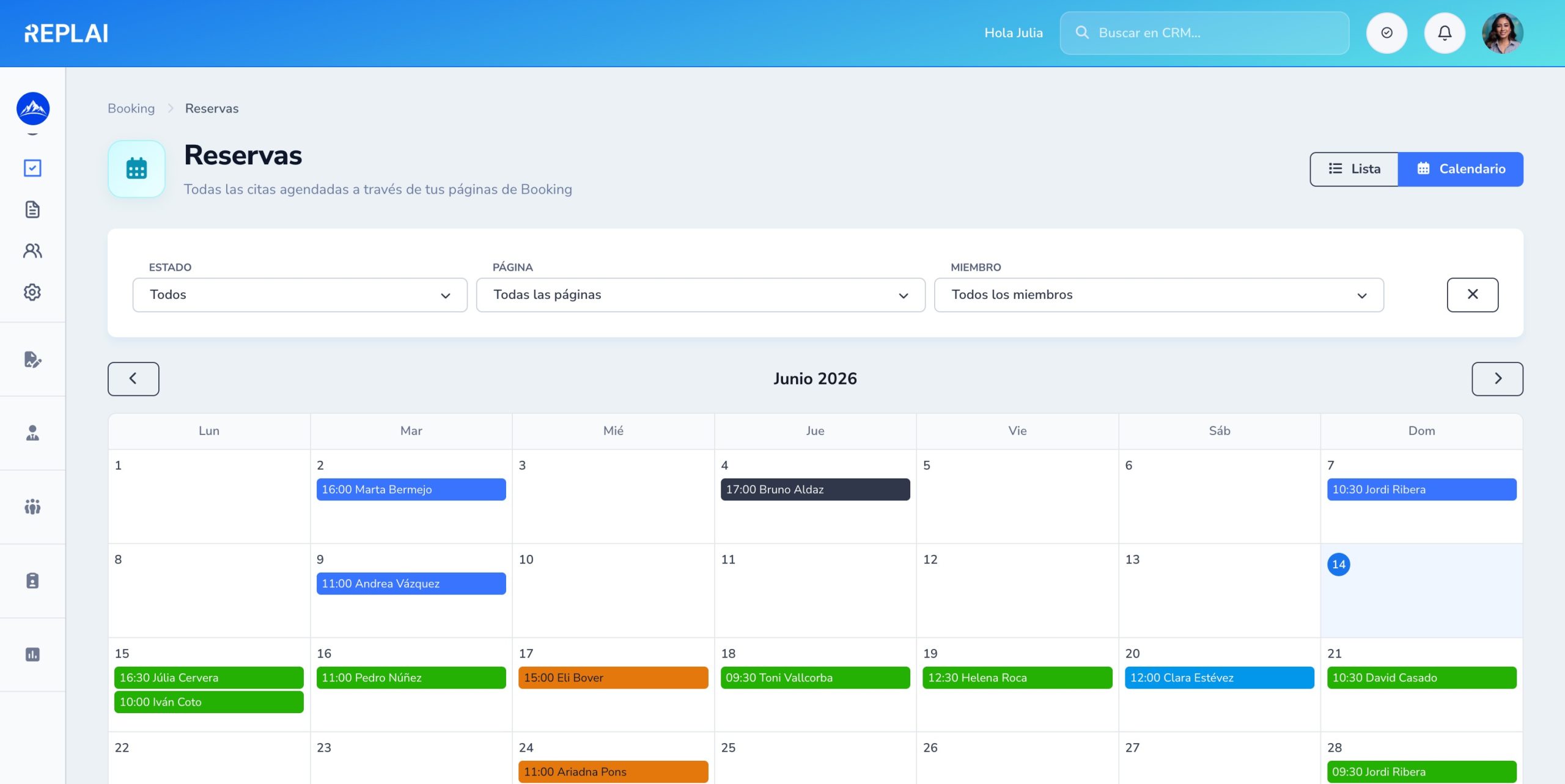
Your bookings in calendar view
All appointments just like in Google Calendar — color by status, week navigation and a full day view.
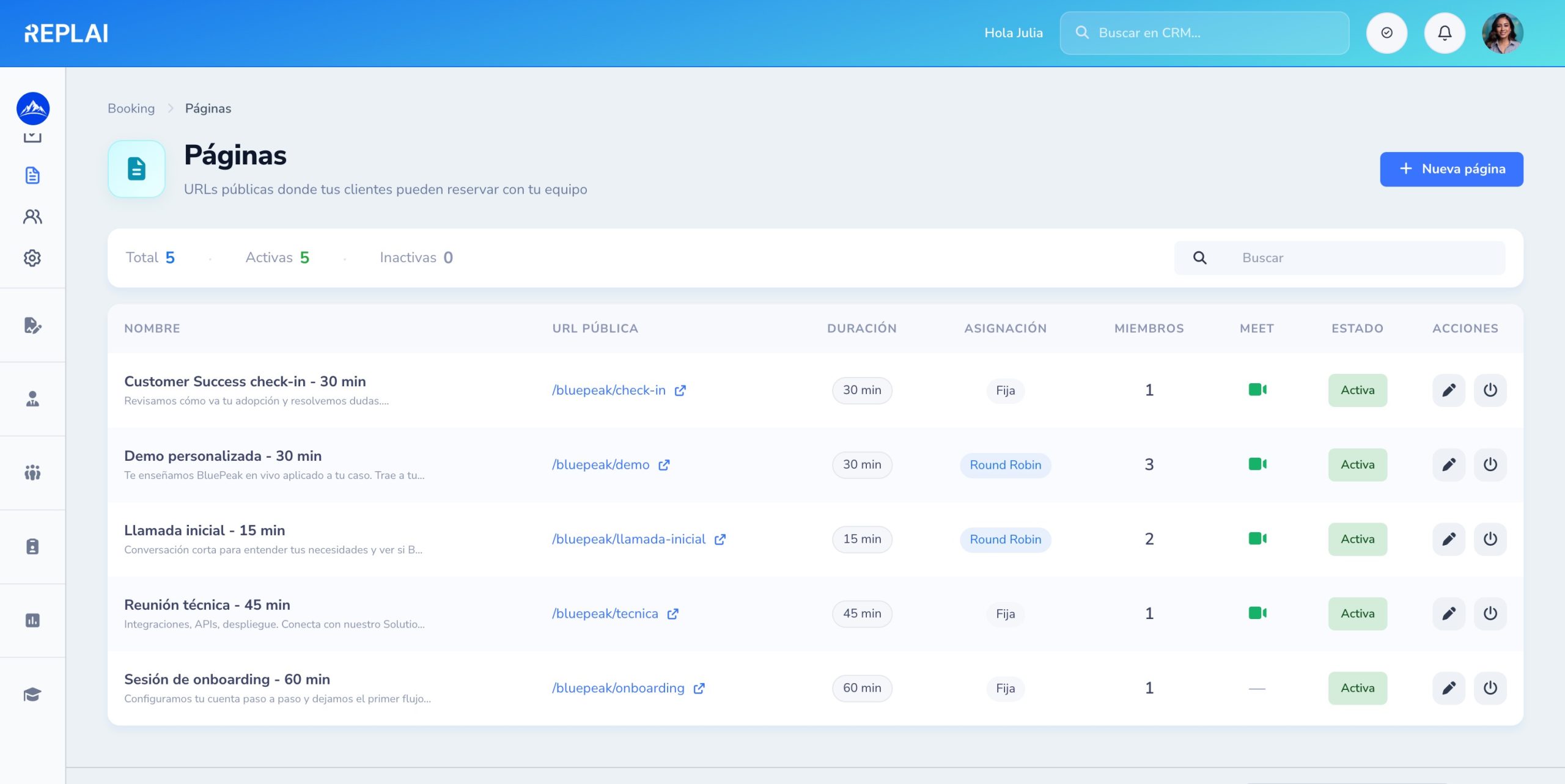
As many meeting types as you need
Quick call, demo, onboarding, technical, check-in… Each page with its own duration and meeting mode.
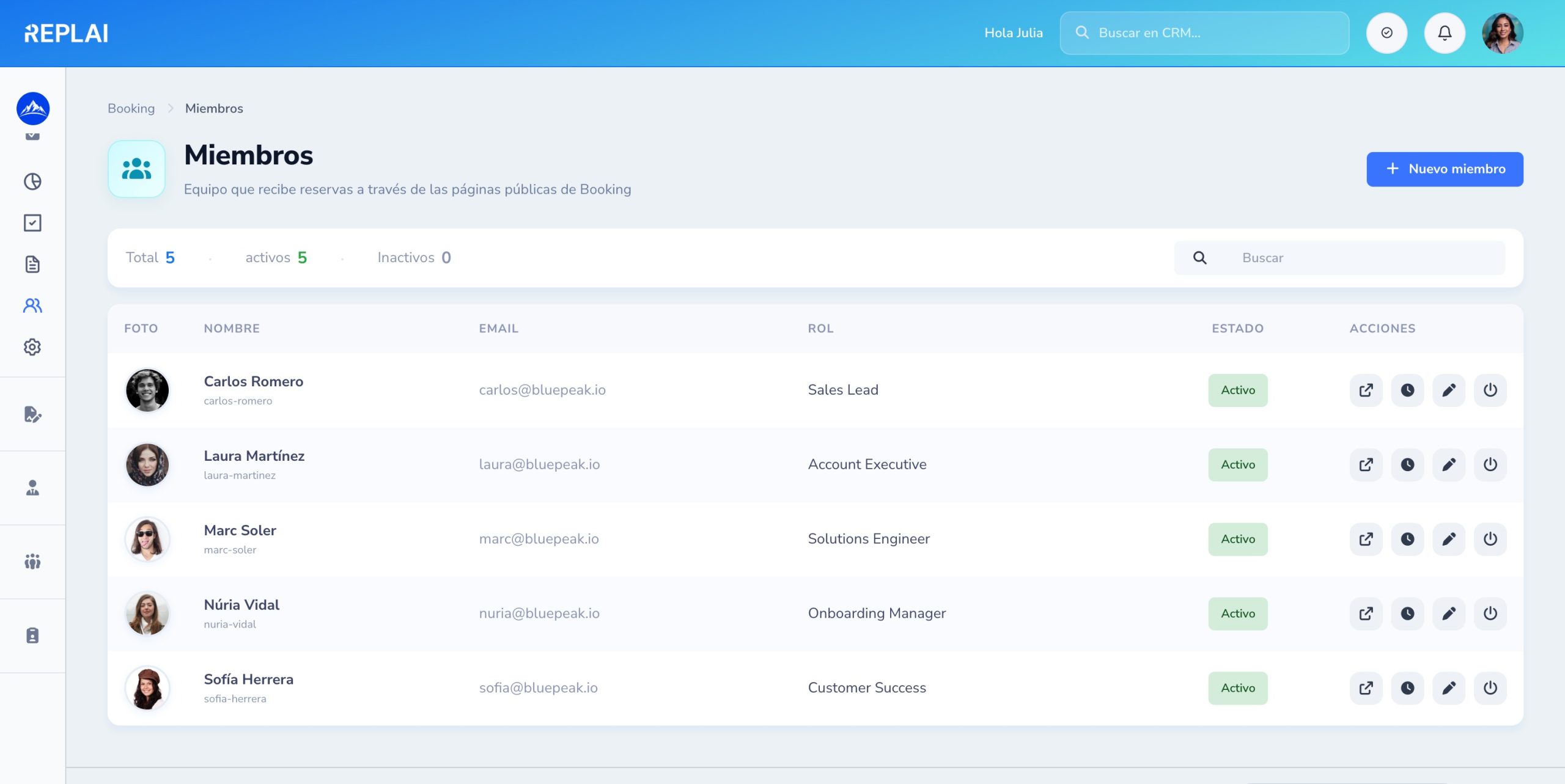
Your team, photos and roles
Each person with buffers, role and status. Assign to pages in round-robin or fixed mode.
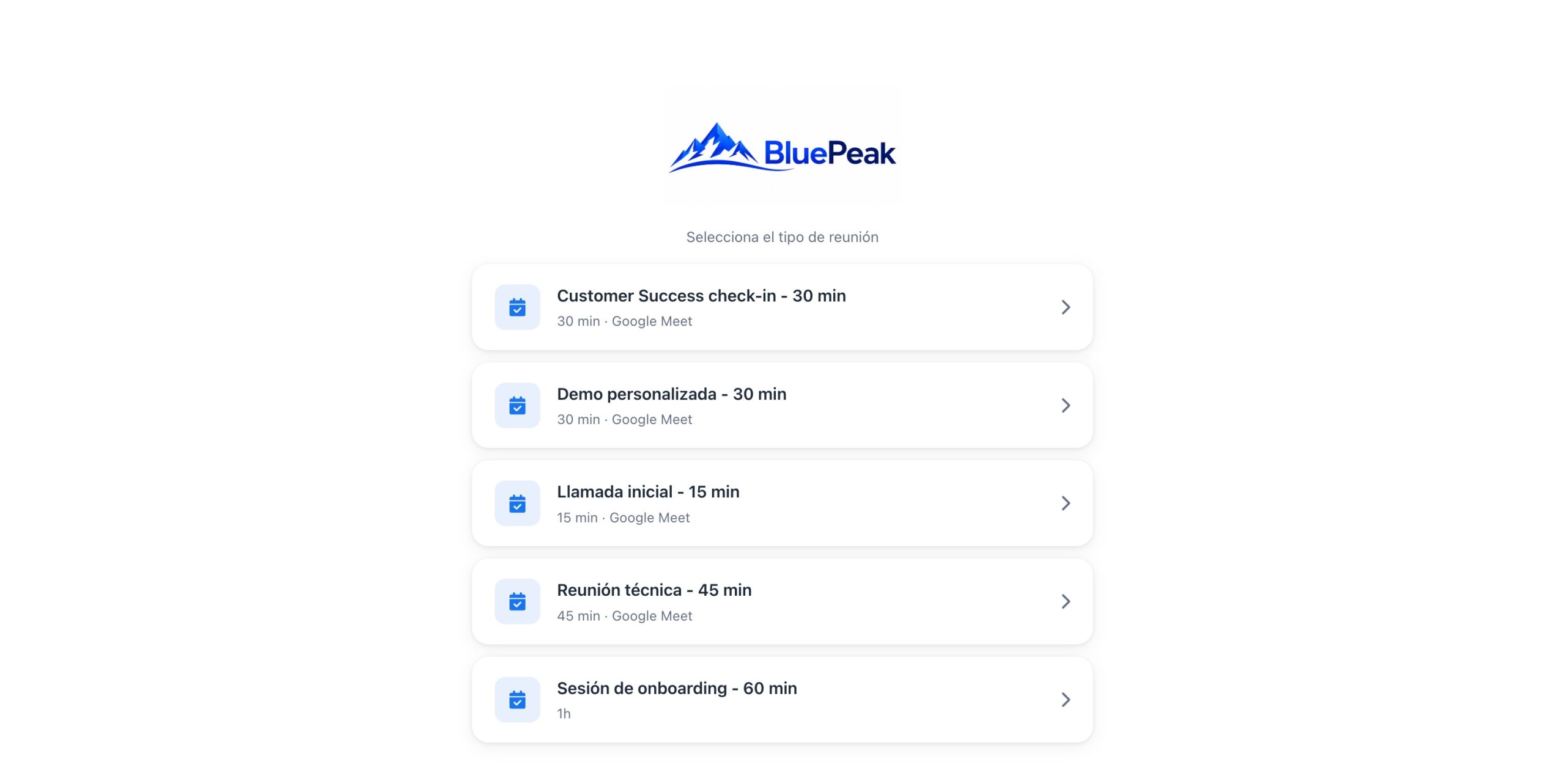
Your live booking workspace
What your client sees: a list of appointment types with your logo, color and brand. Plug & play, without touching code.
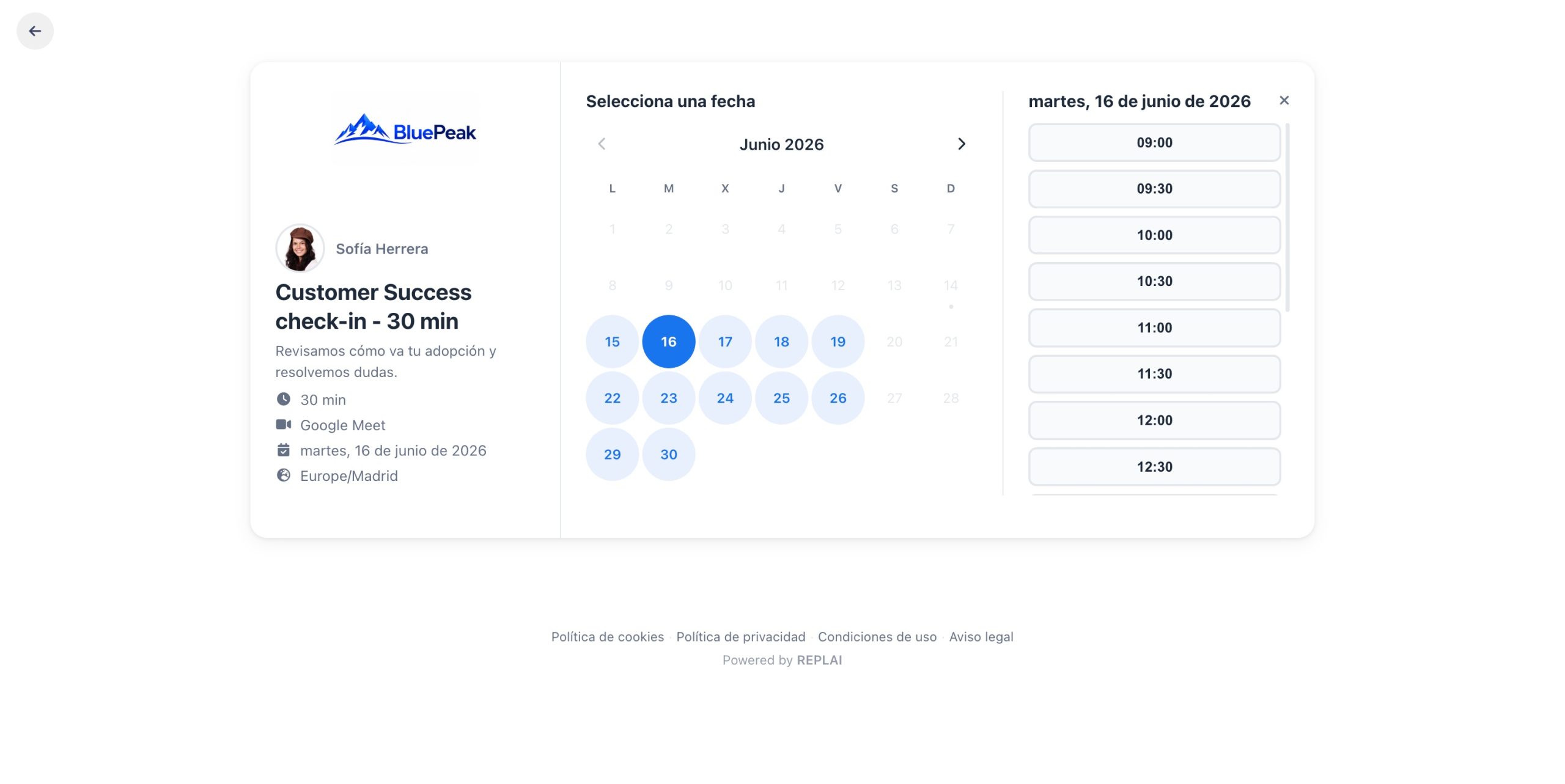
Your client picks day and time
A calendar with the members' real availability, respecting rules, buffers and exceptions. No double bookings.
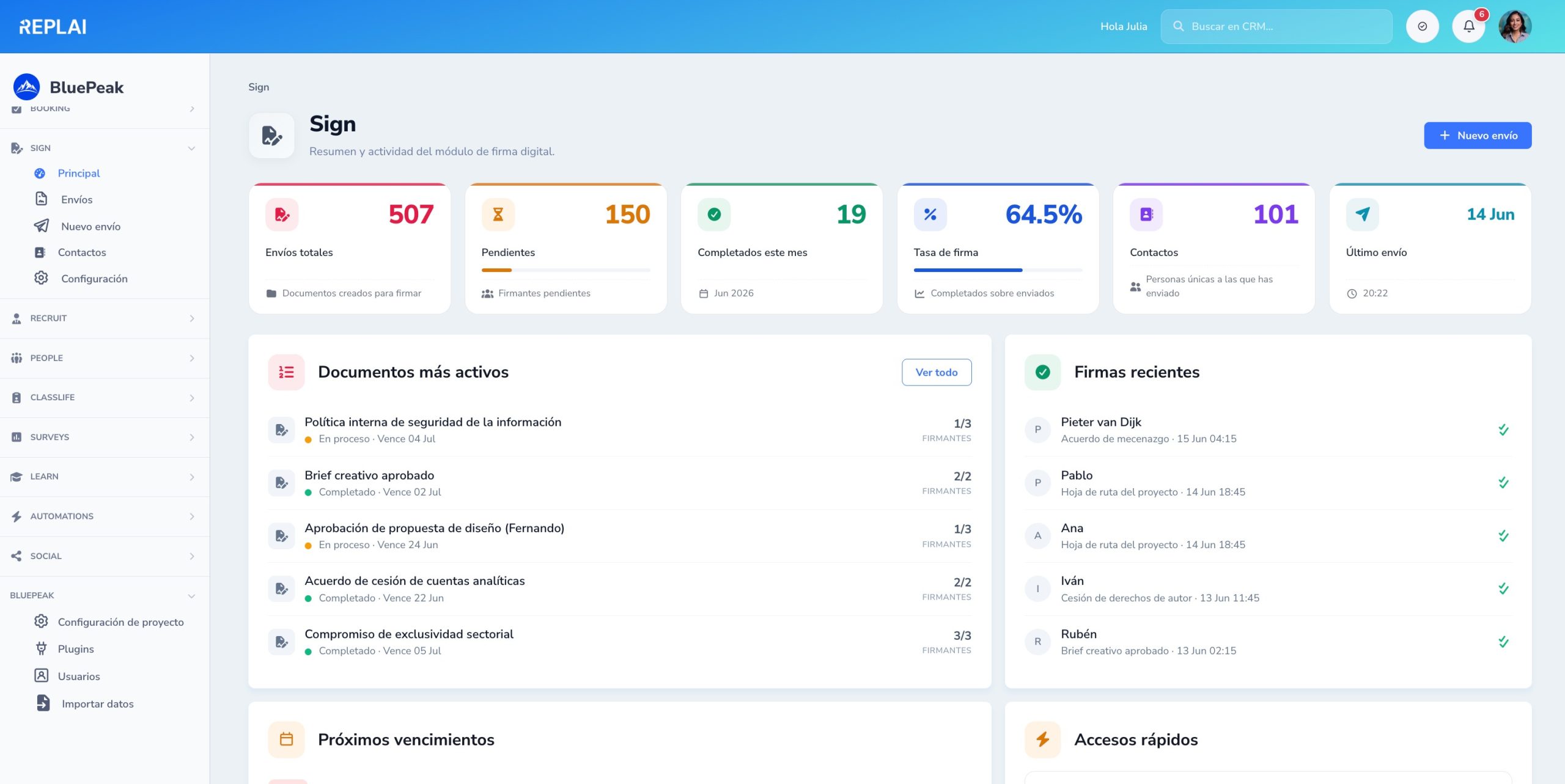
The status of your digital signing at a glance
Total, pending and completed envelopes this month, signing rate and contacts. Most active documents with signer-by-signer progress and recent signatures with name, document and time.
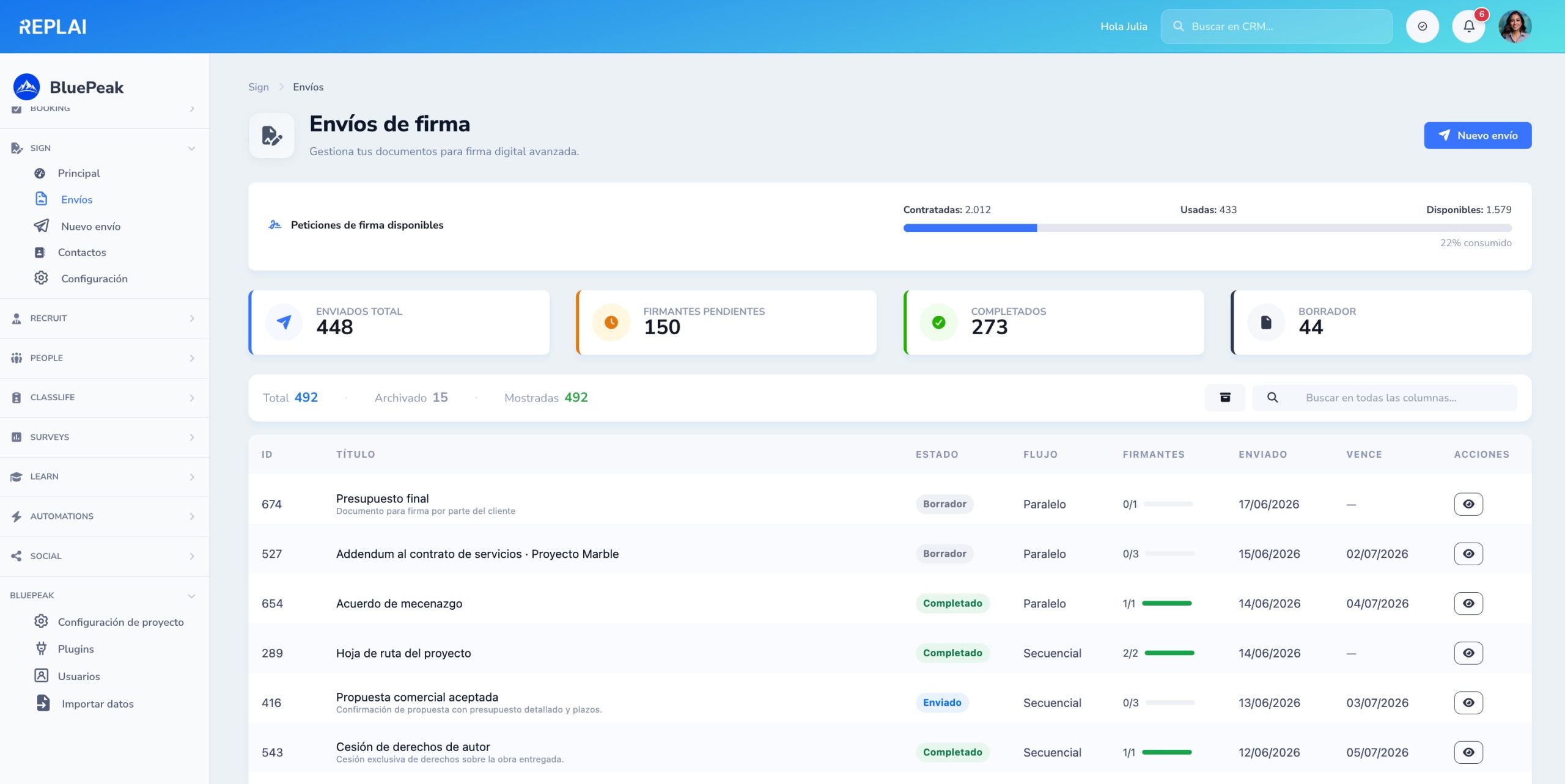
All your envelopes in a single table
Available quota, KPIs by status, global search and a table with title, status, parallel or sequential flow, signer bar, sending date and due date.
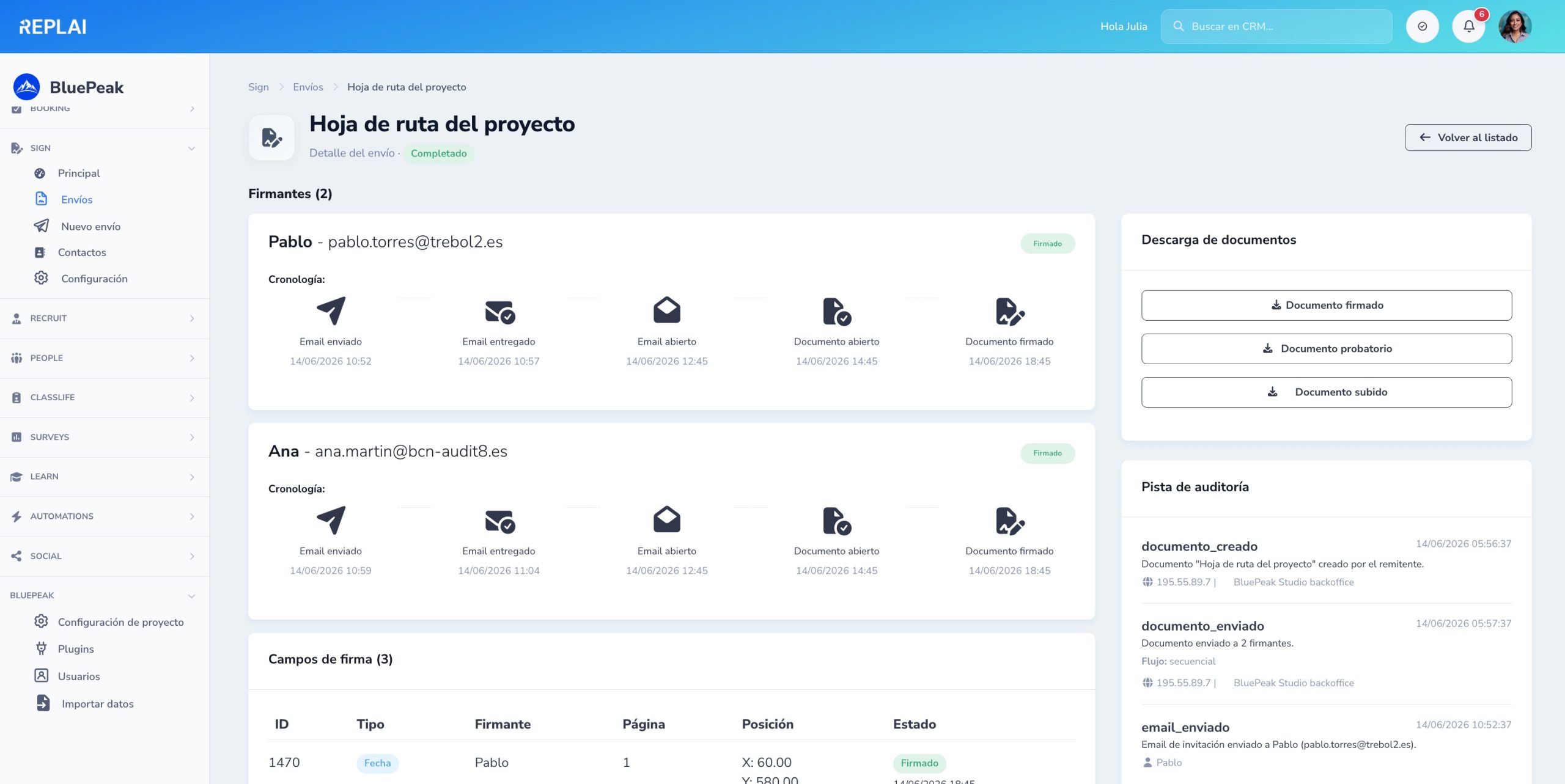
Per-signer timeline and audit trail
For each signer you see email sent, delivered, opened, document opened and signed. Audit trail with IP, browser and download of the signed document and evidence file.
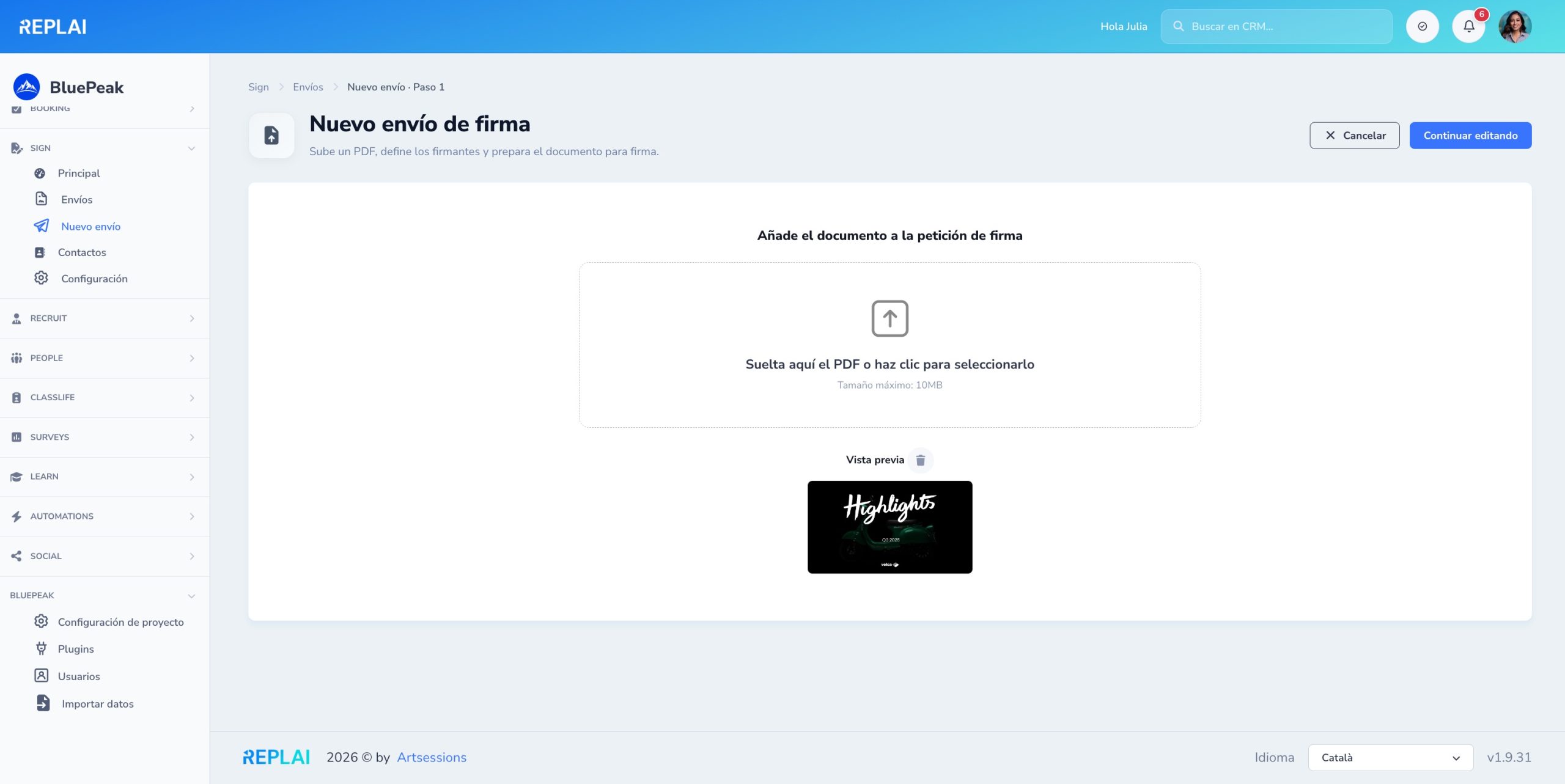
Upload the PDF to sign
Drop the PDF or click to select it. Automatic preview of the first page. No page limit within your quota.
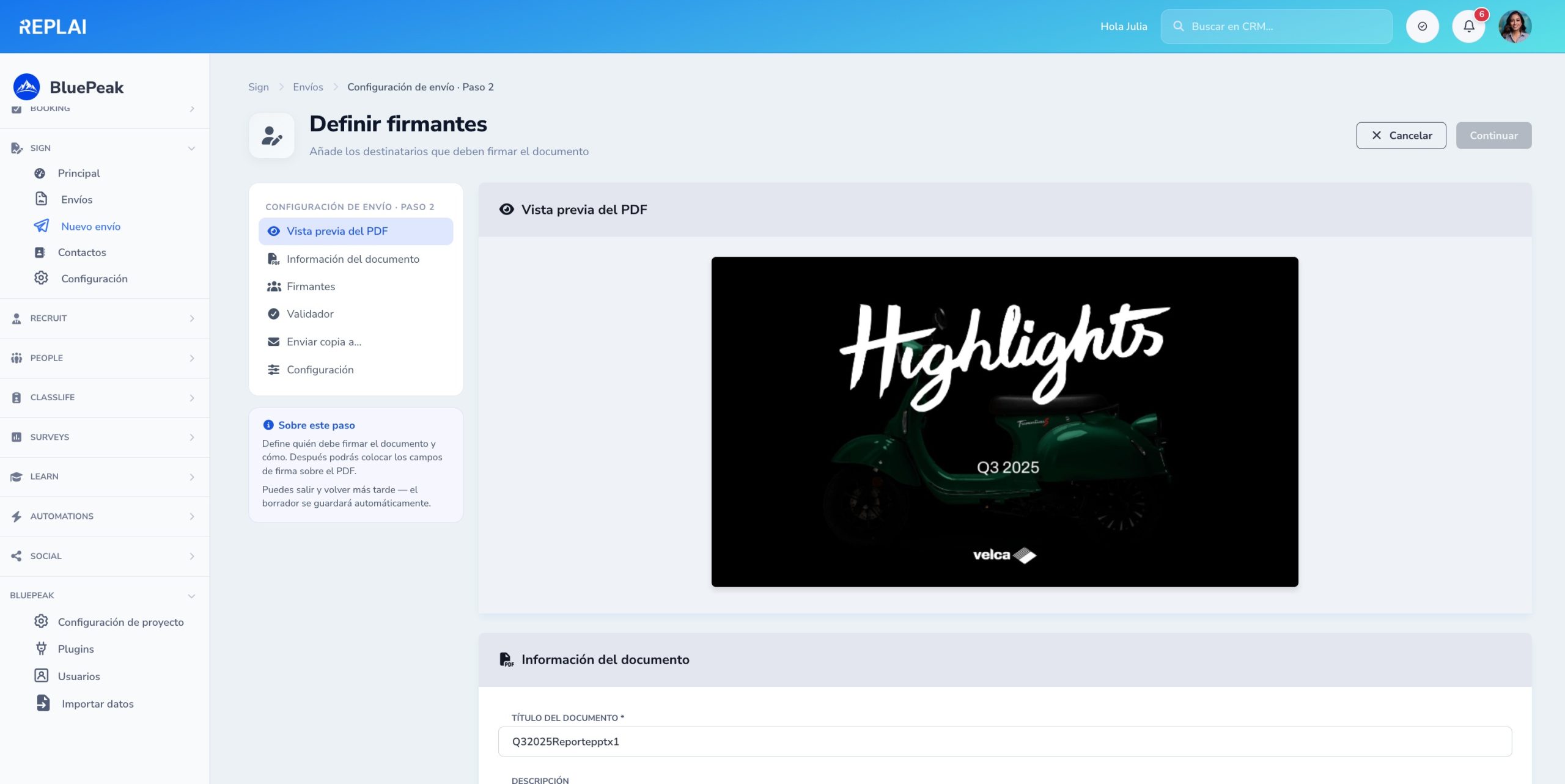
Define who signs and how
Side menu with preview, document information, signers, validator, copies and settings. Parallel or sequential flow, reminders and an optional access code.
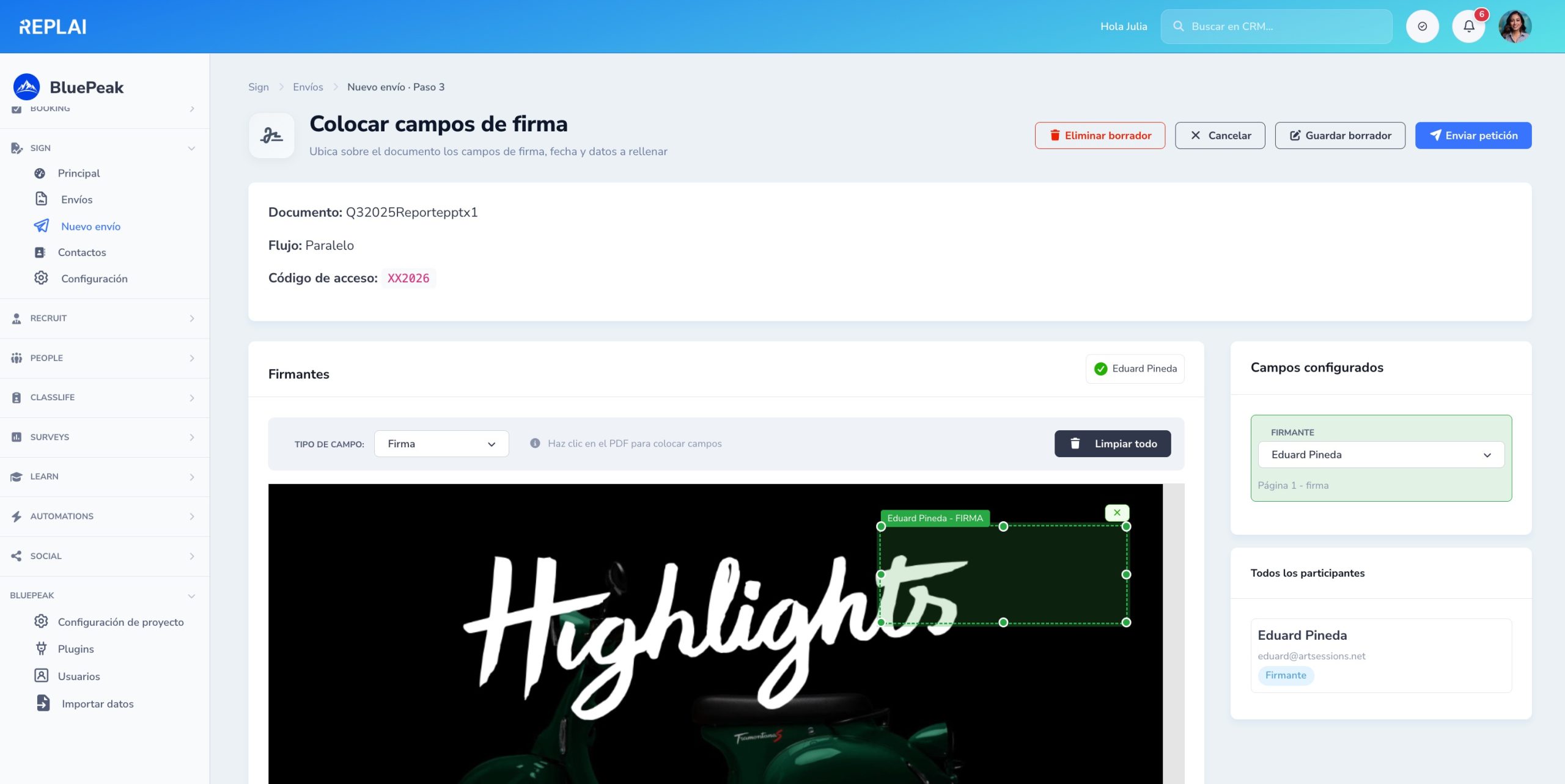
Place the fields on the PDF
Type selector (signature, date, text, certificate), click on the PDF to position it, drag to move and grab a corner to resize. Side panel with the configured fields.
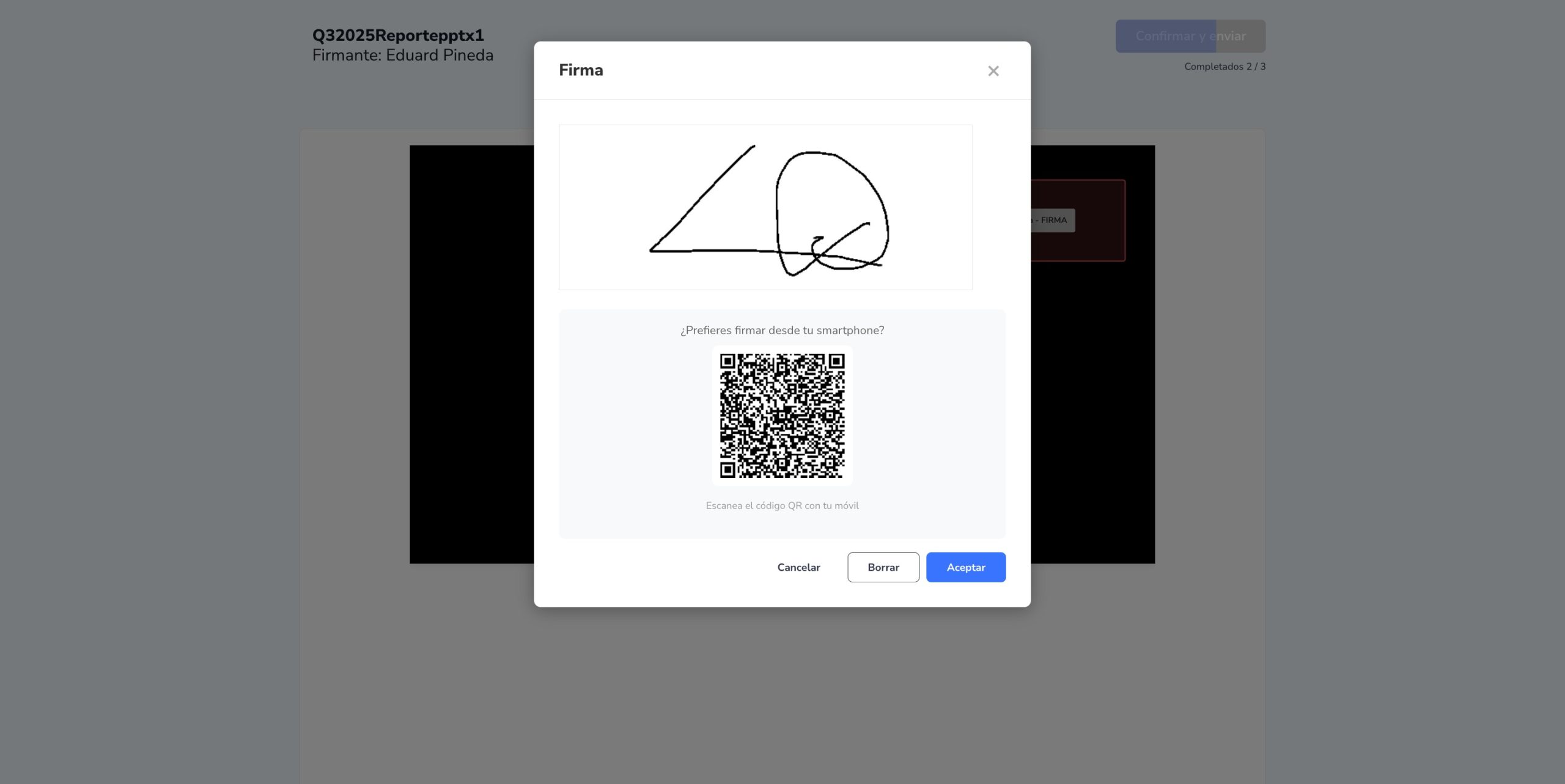
Sign from the browser or on mobile
A canvas to draw the signature directly. If the signer prefers mobile, they scan the QR and sign with a finger: the result syncs instantly.
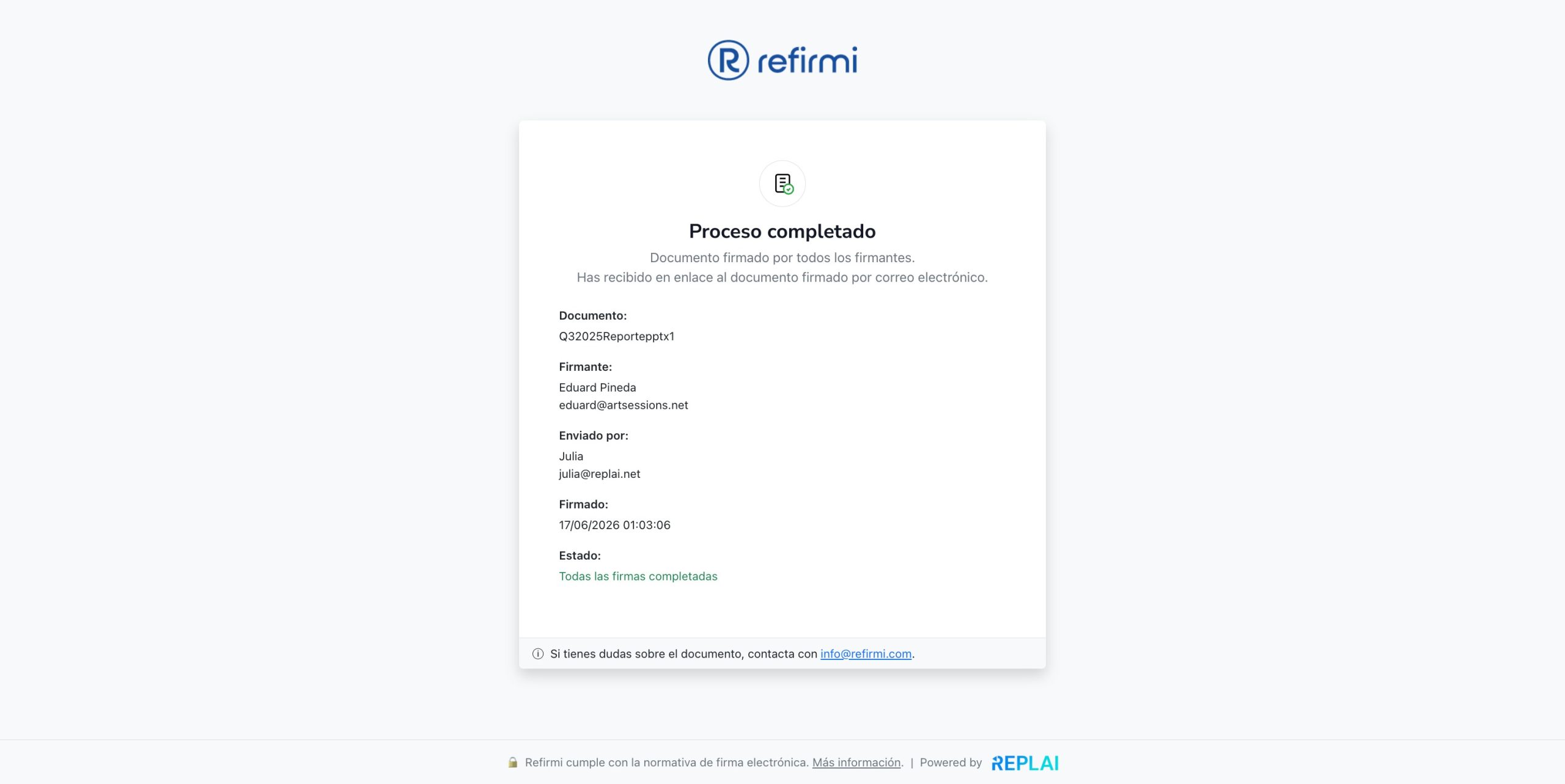
Process completed and notified
When everyone signs, the signer sees a public confirmation with the document details, who sent it and when it was signed. They receive the link to the signed document by email.
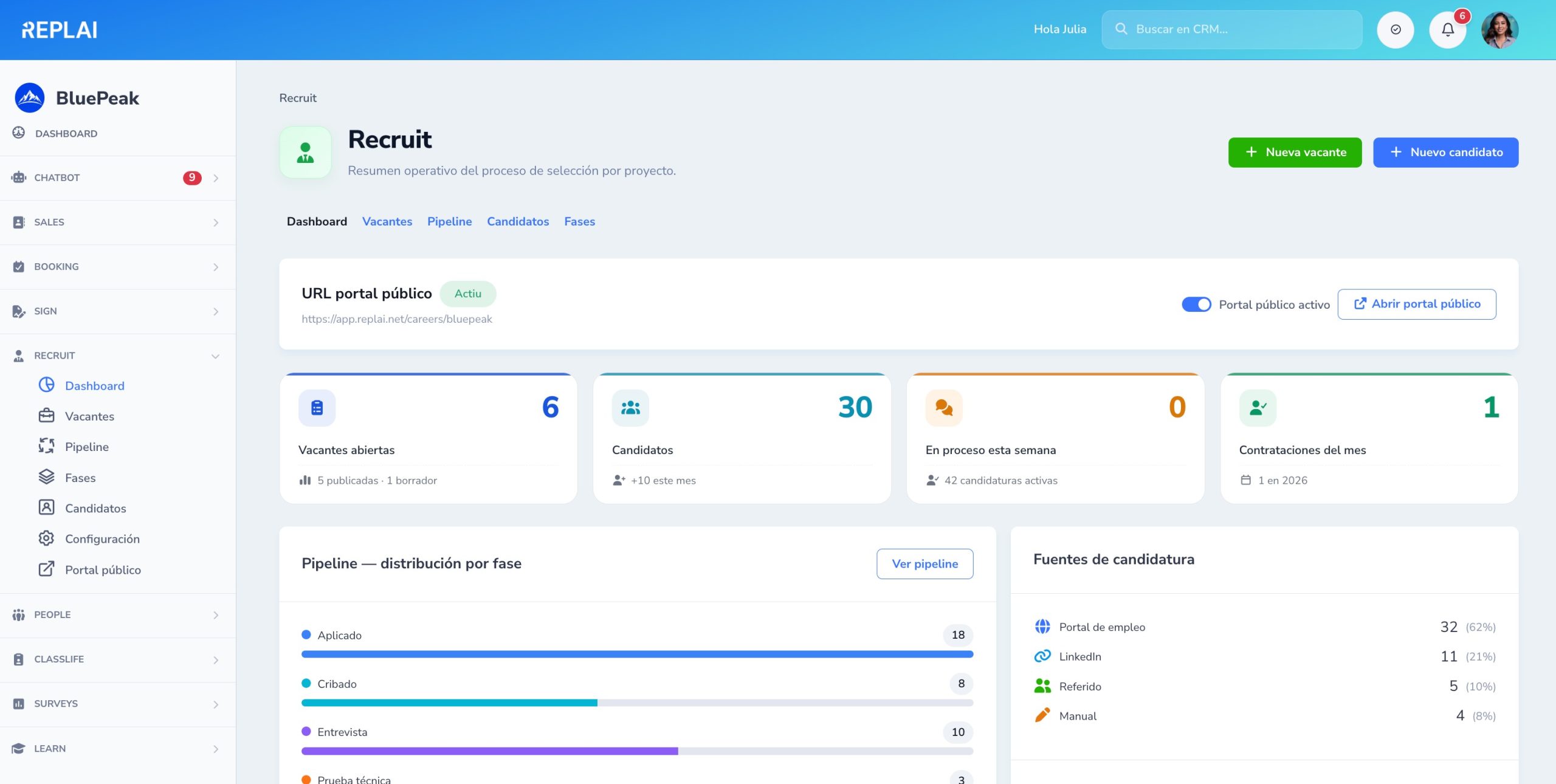
Your hiring process at a glance
Active openings, new applications, upcoming interviews and team KPIs — all in a single home screen.
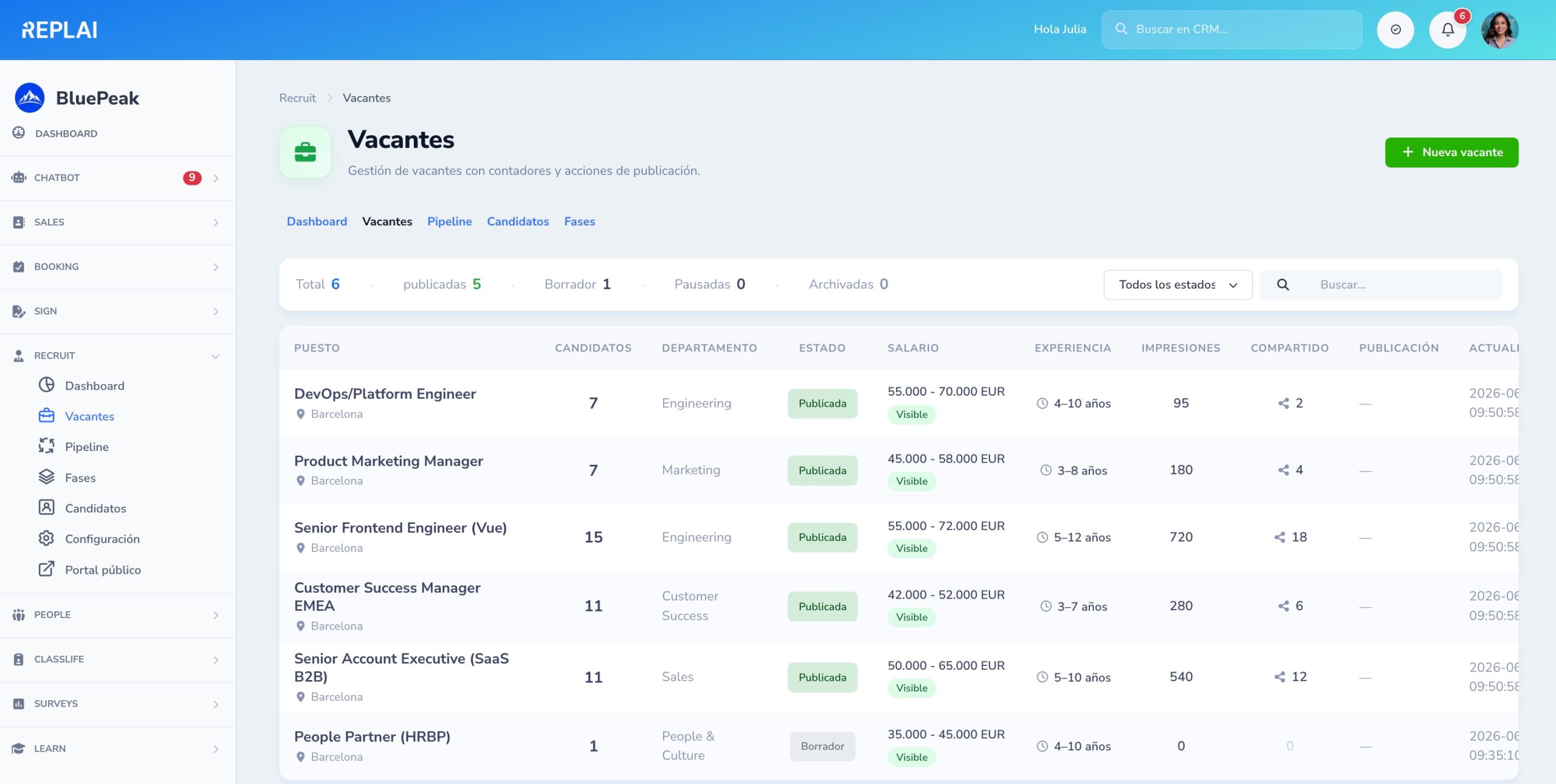
All your open positions
A list with department, location, hiring manager, applications received and status. Filters and search to manage at scale.
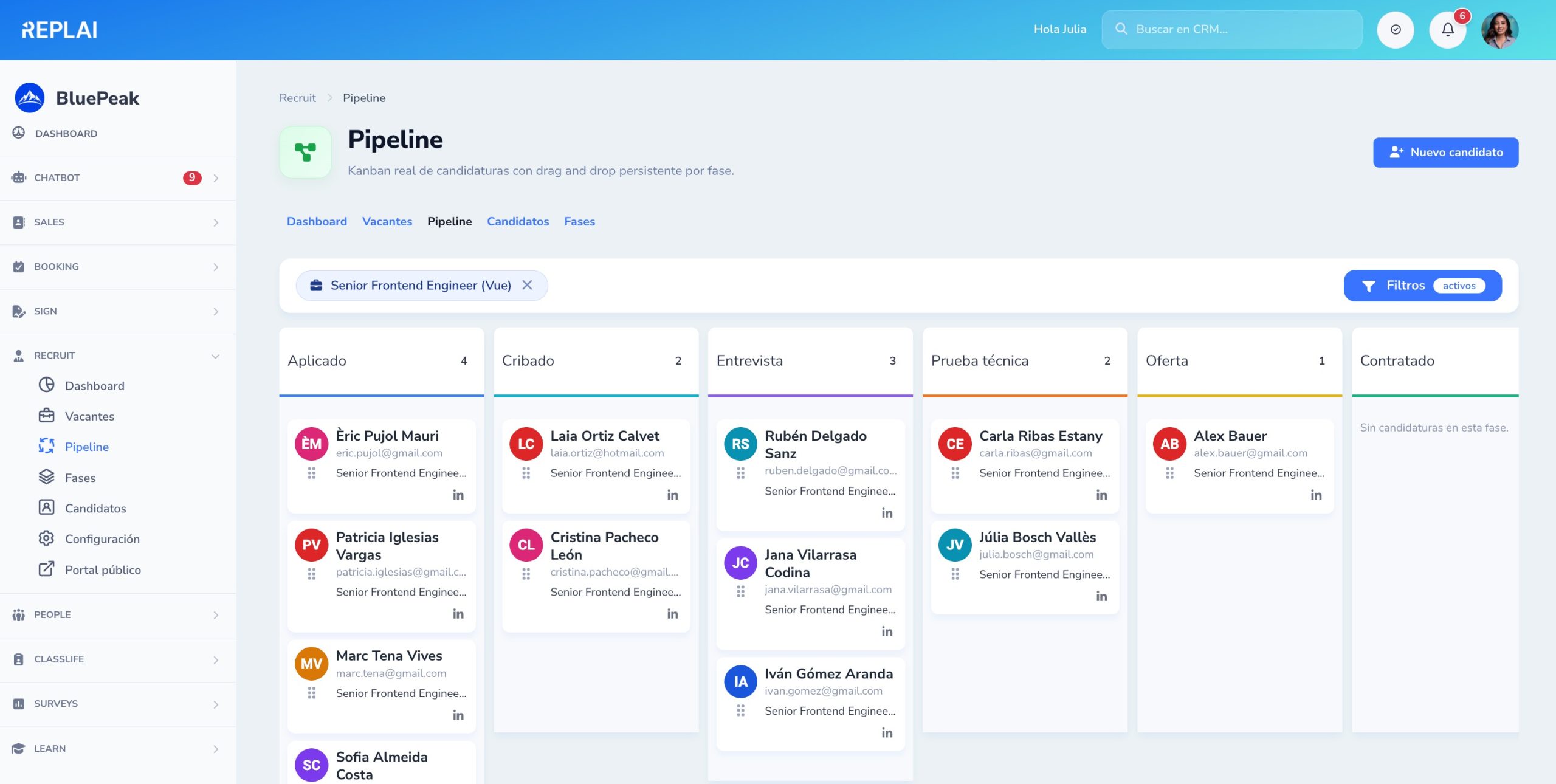
Visual candidate Kanban
Move each candidate between stages with drag & drop. Each column shows the count and the average time in that stage.
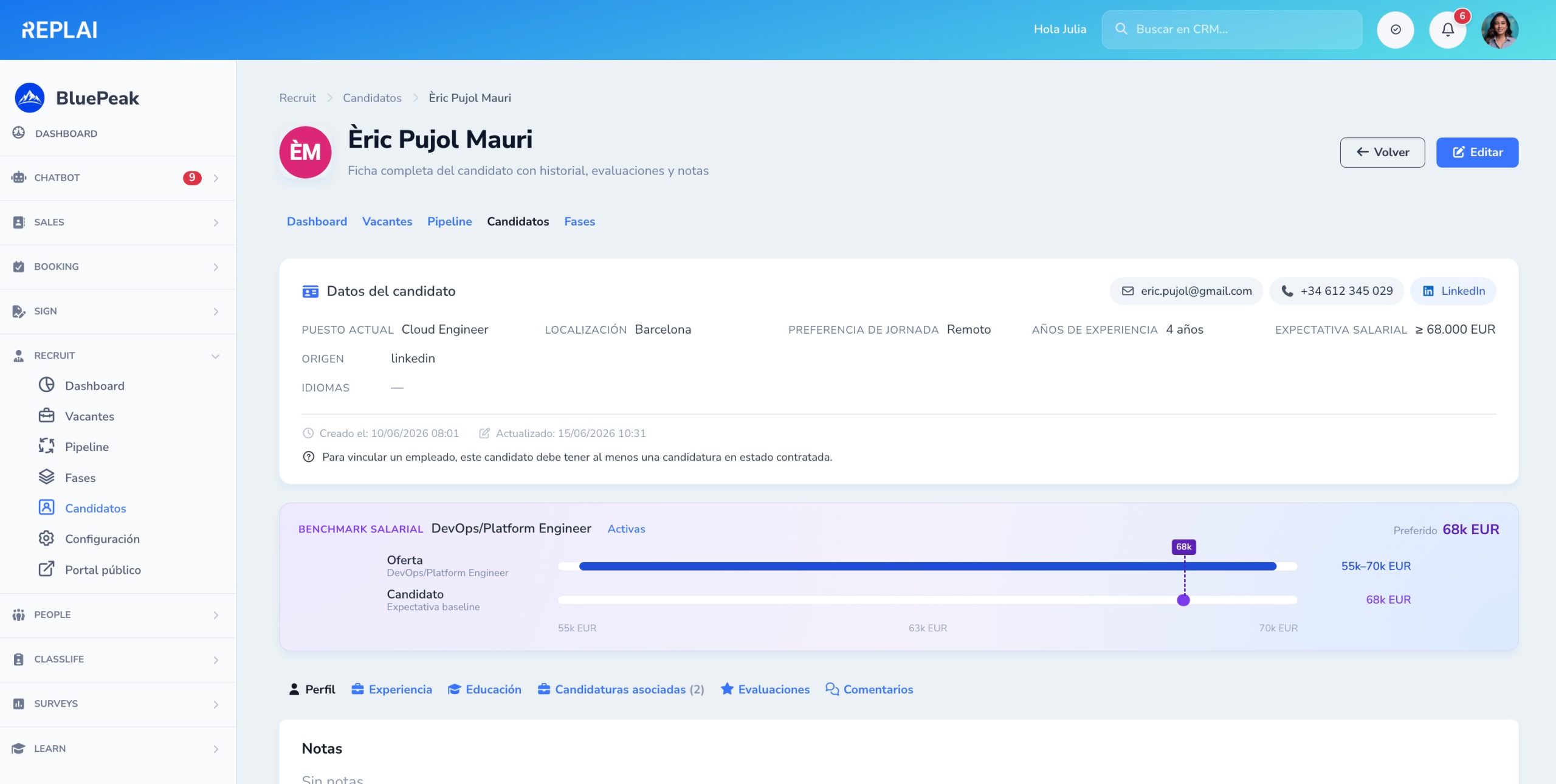
Candidate record with salary benchmark
All the profile information next to the benchmark of salary expectation vs. offer. Spot the fit before investing time.
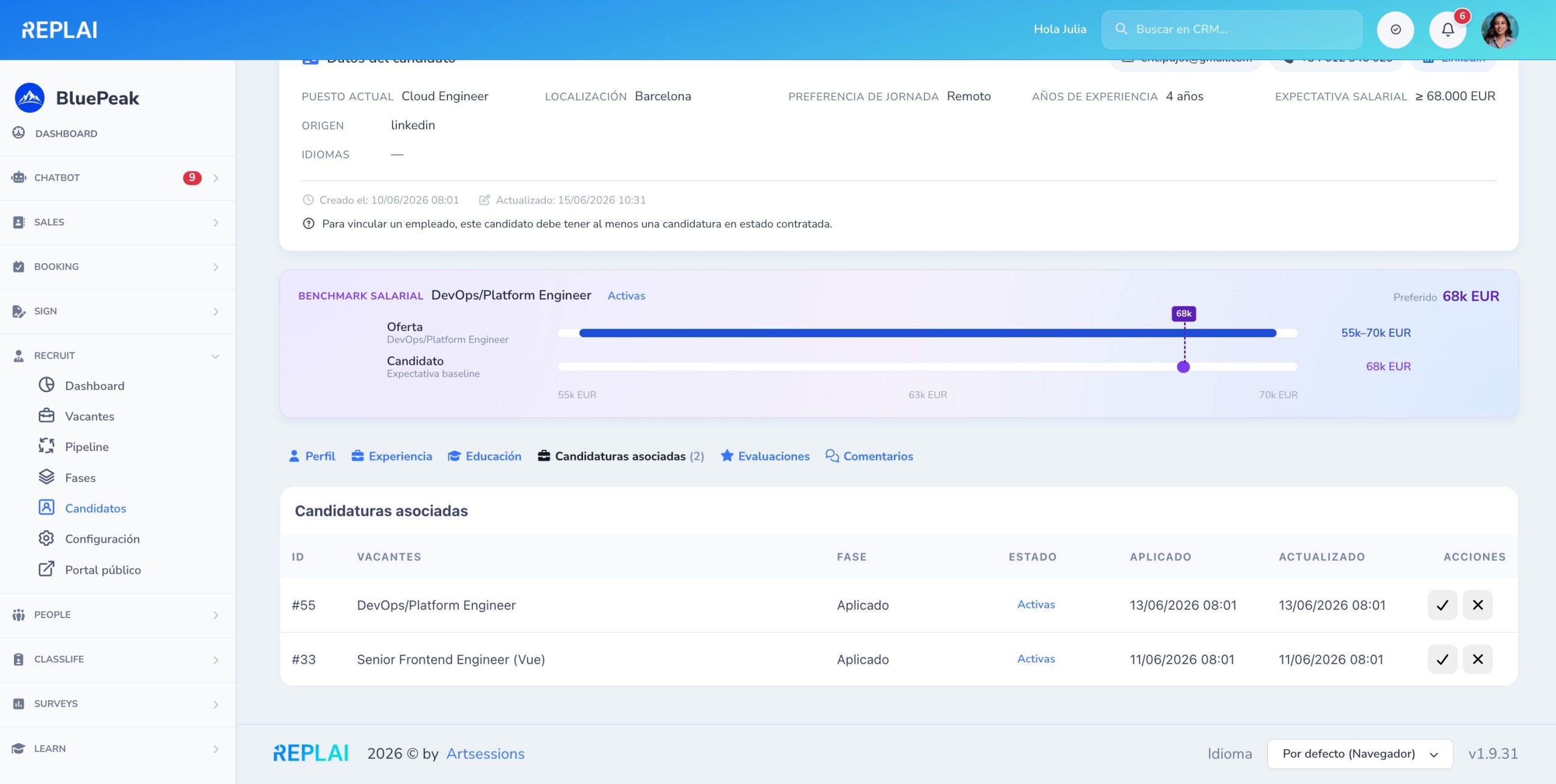
Application history
A candidate can apply to several openings over time. You see their whole journey at your company in a single timeline.
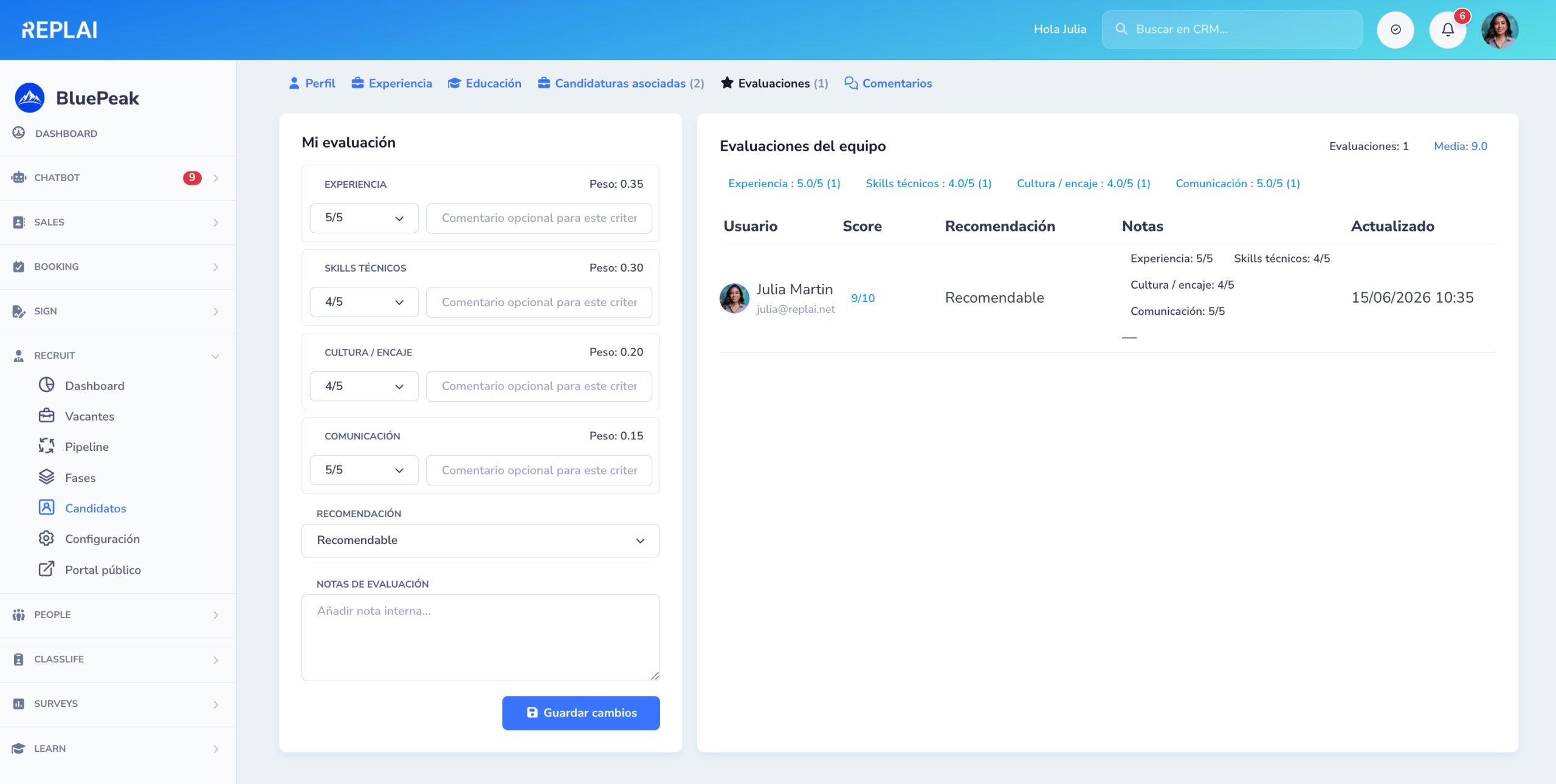
Collaborative team evaluation
Each team member leaves their rating by competency. Documented consensus and objective decisions for every application.
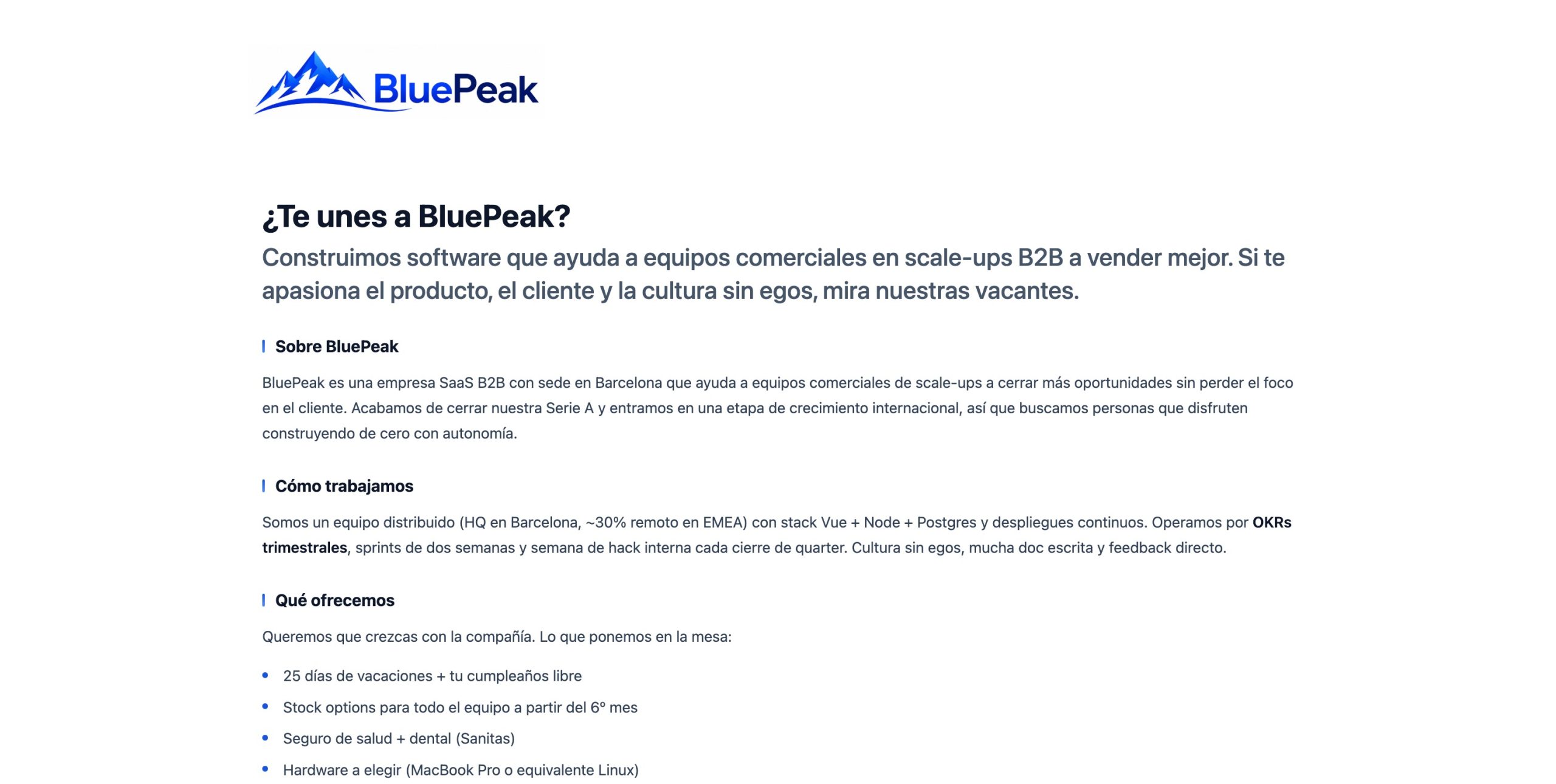
Public portal with your company pitch
A careers page with the company description, team photos and all active openings — ready to link from your website.
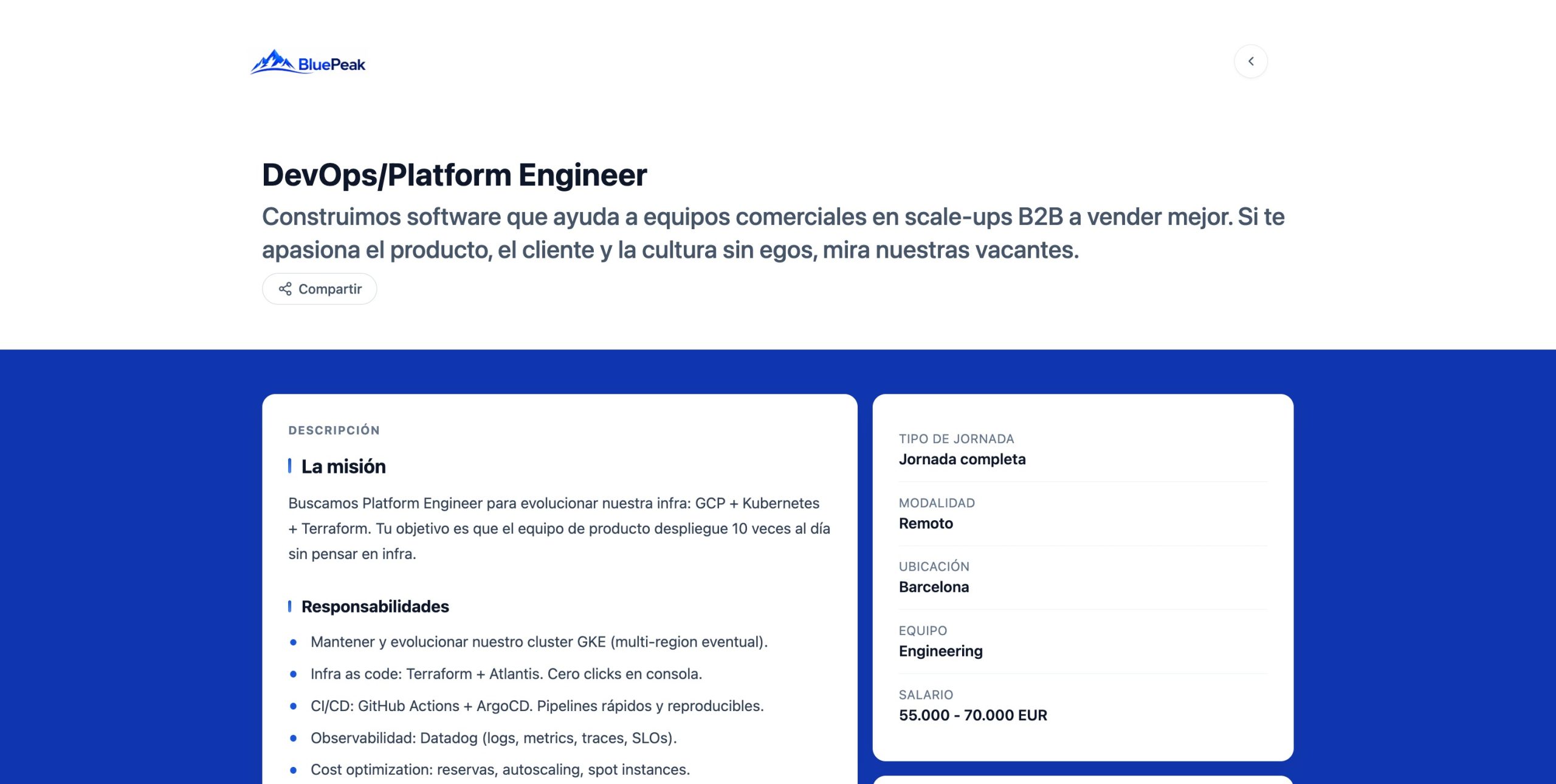
100% customization with your brand
Colors, typography, logo and your own domain. The careers portal adapts to the client's branding so it truly looks like yours.
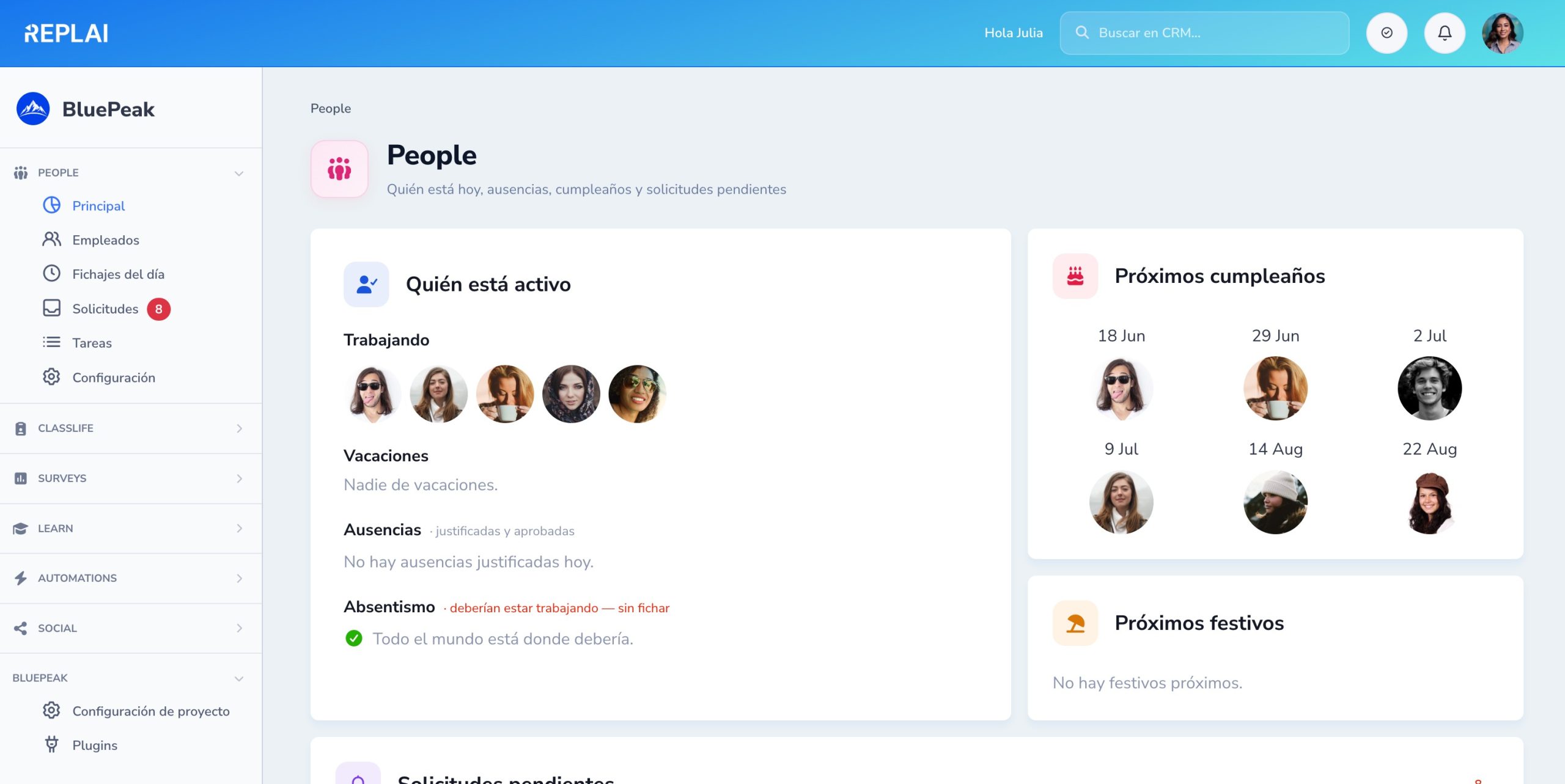
The status of your team at a glance
Who is working now, who is on holiday, upcoming birthdays and public holidays — all on a single screen.
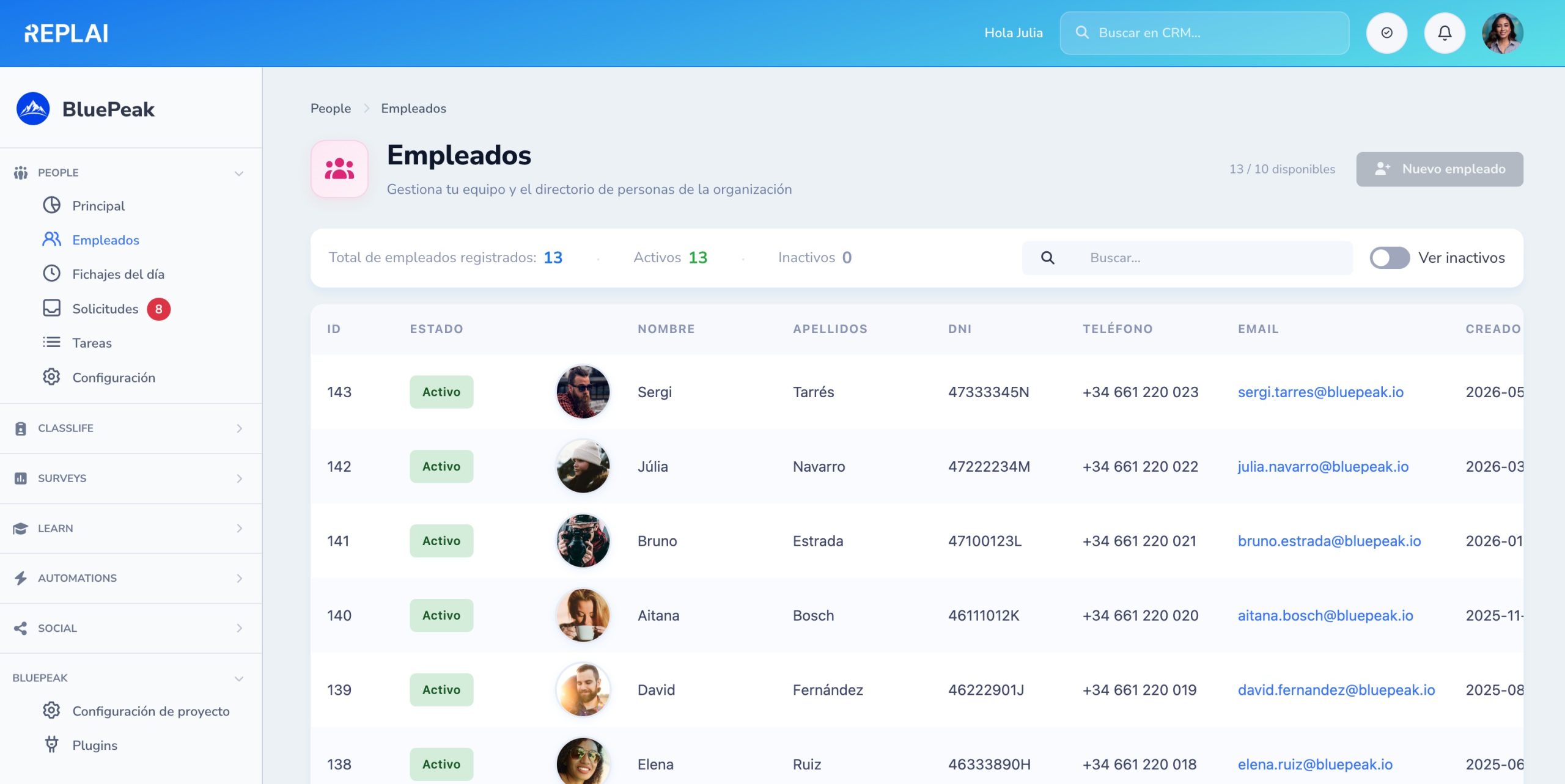
Your team organized and searchable
A complete list with ID number, phone, email, start date and status. Filters and quick search to find whoever you need.
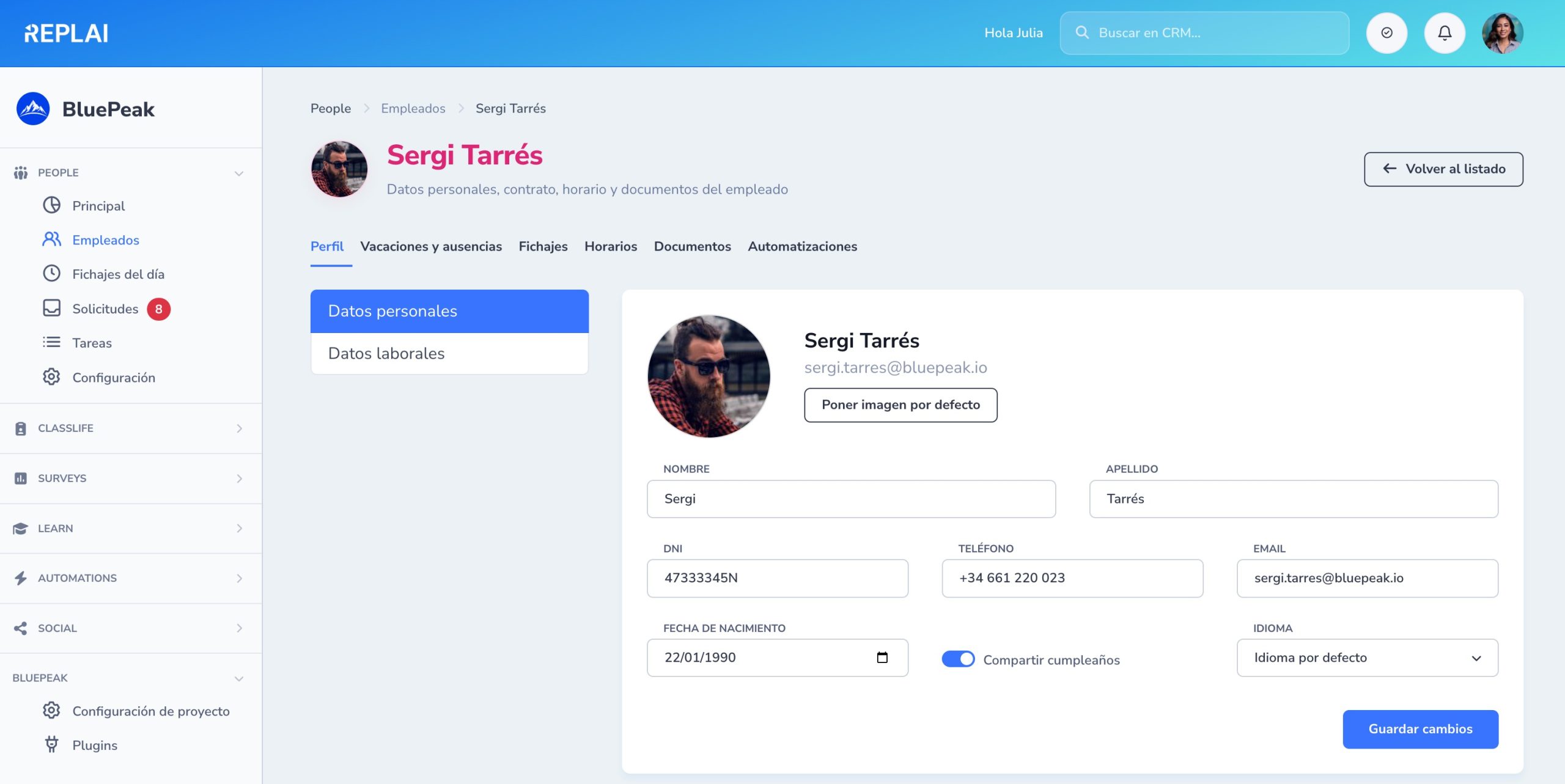
360º record of every employee
Personal data, contract, banking, assigned schedule, documents and automations. Clear tabs and inline editing.
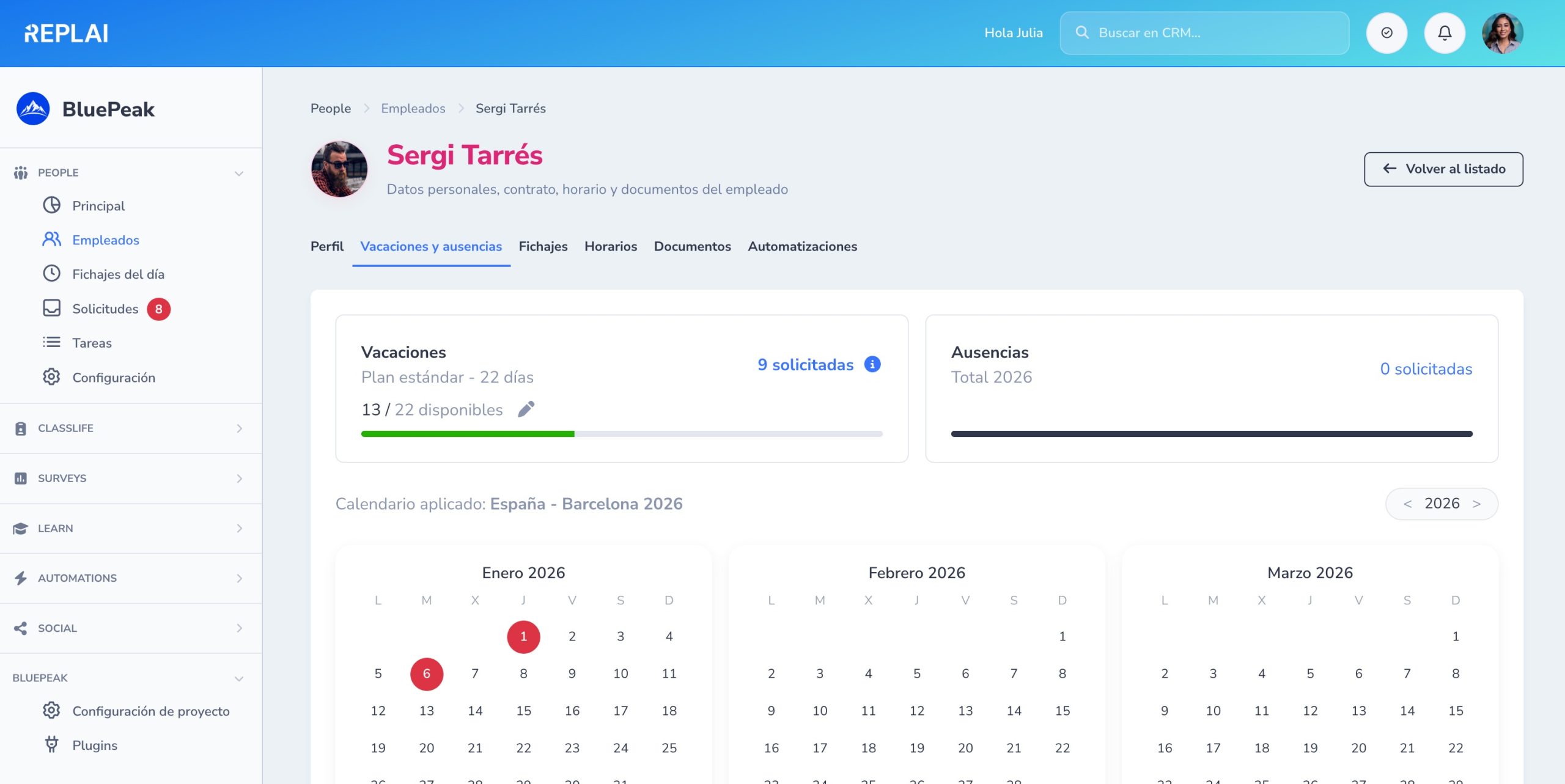
Annual calendar with holidays and absences
Available balance, a full year calendar view and the public holidays of the work calendar applied to this person.
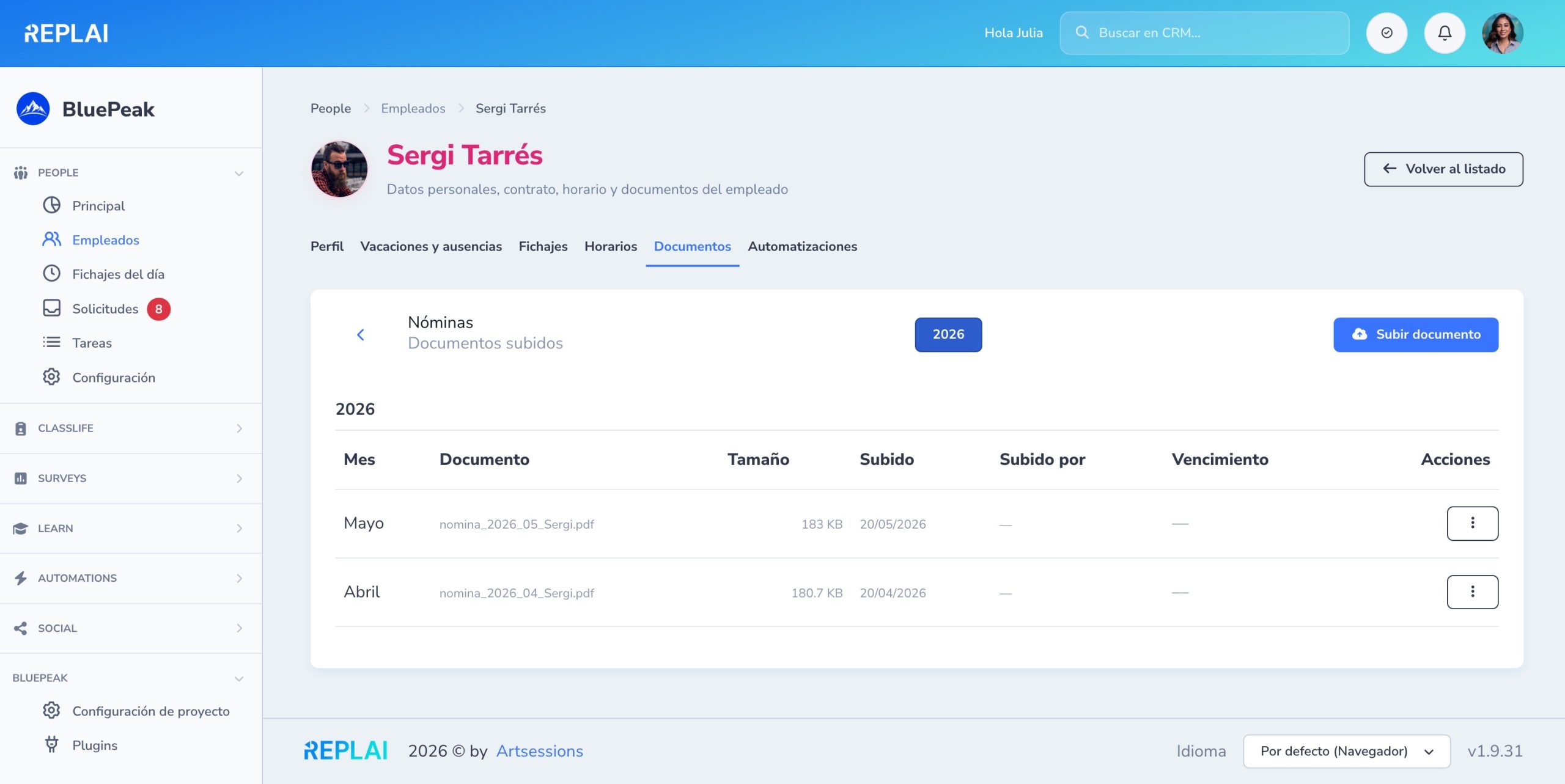
Payslips, contracts and documents in one place
Upload by category (payslips, contracts, ID…) with optional expiry dates and download instantly.
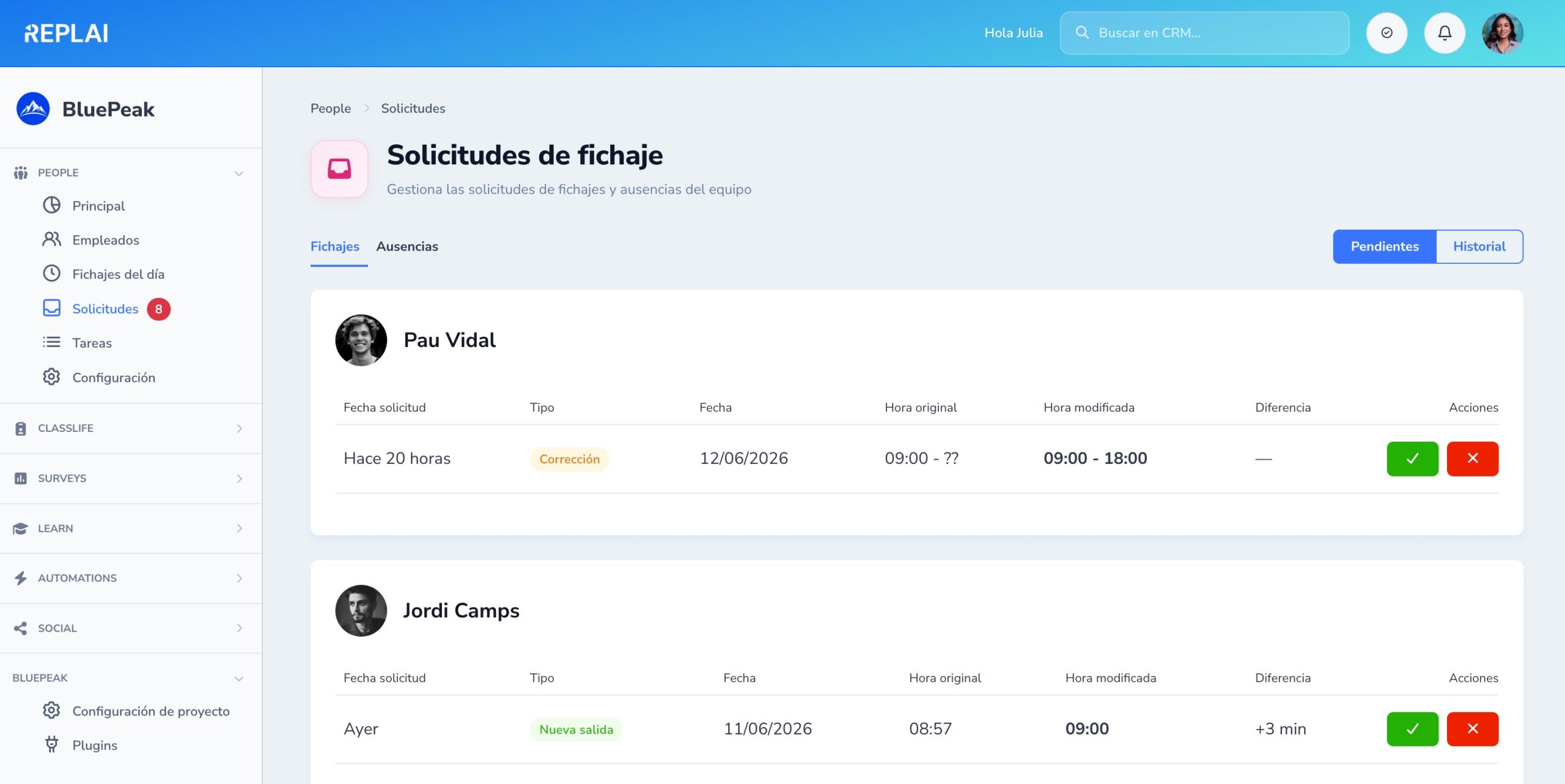
The HR team's inbox
Clock-in, correction and absence requests grouped by person. Approve or reject in one click.
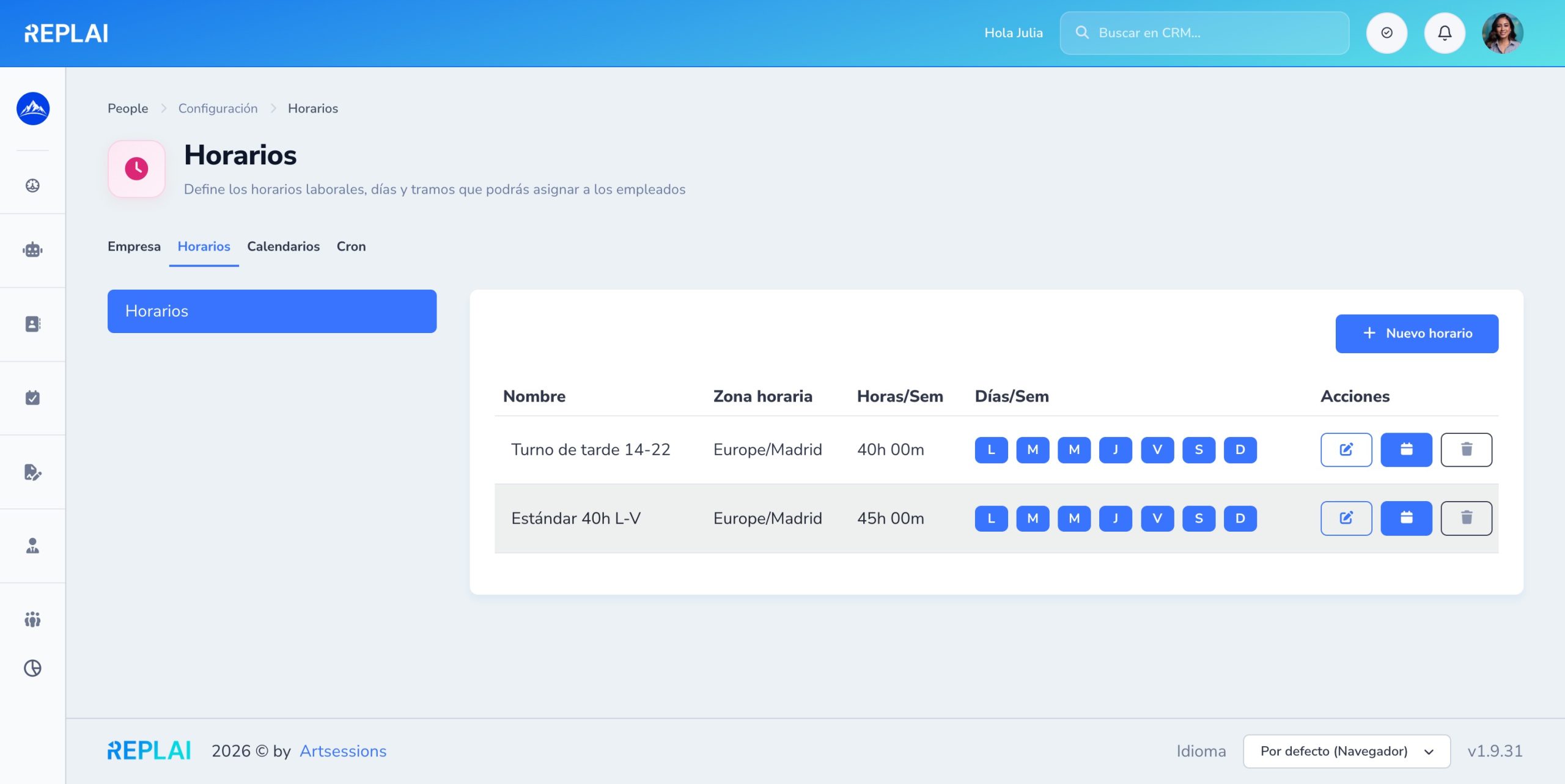
Define your company's work schedules
Standard, rotating shifts, split shift… Create the ones you need and assign each person their own.
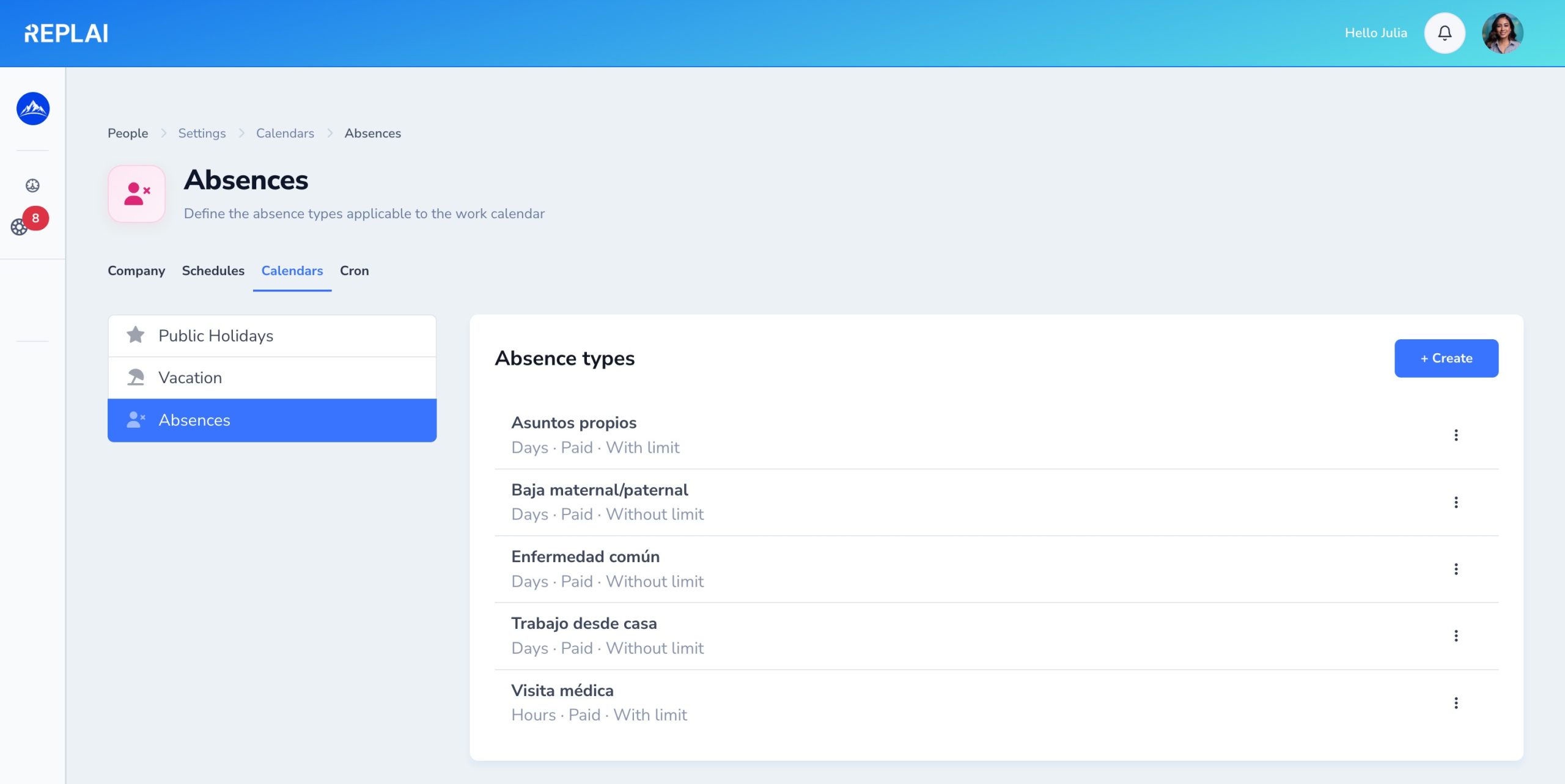
Configurable absence types
Personal days, maternity leave, sick leave, WFH… Each with its own limits, whether it counts and whether it is paid.
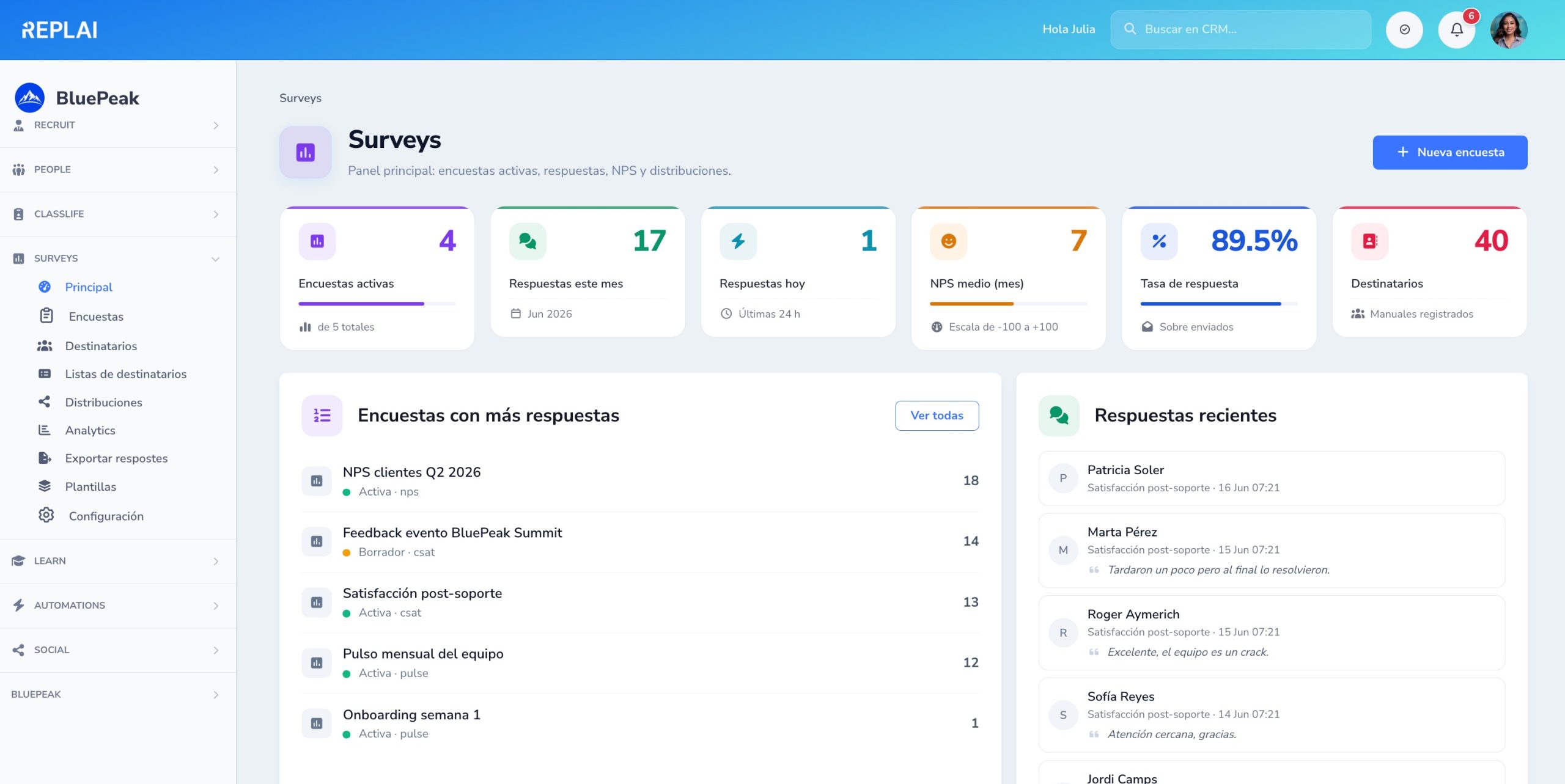
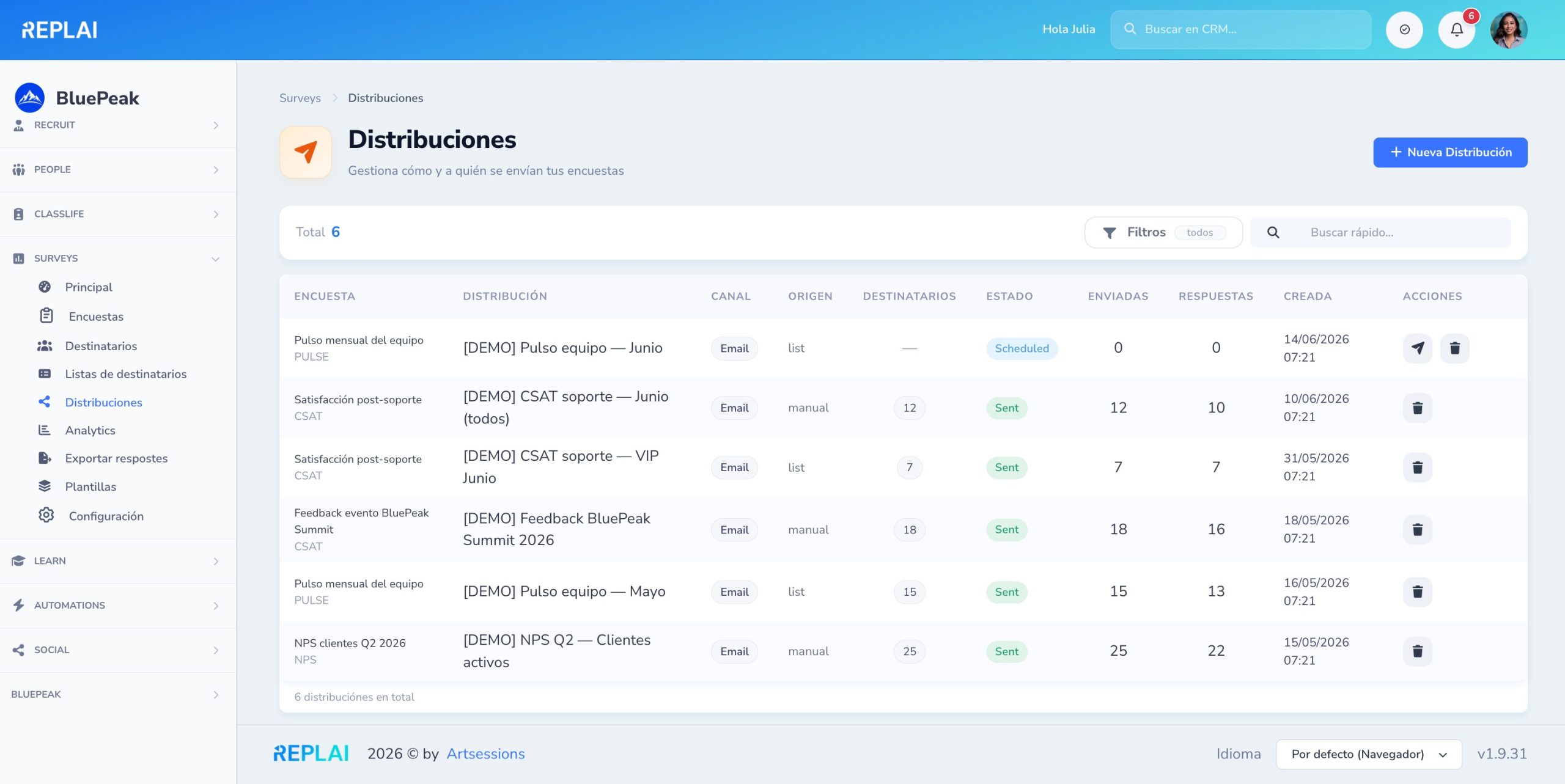
The voice of your customer, at a glance
Active surveys, responses this month, average NPS and response rate. Surveys with the most responses and recent comments with name, date and score.
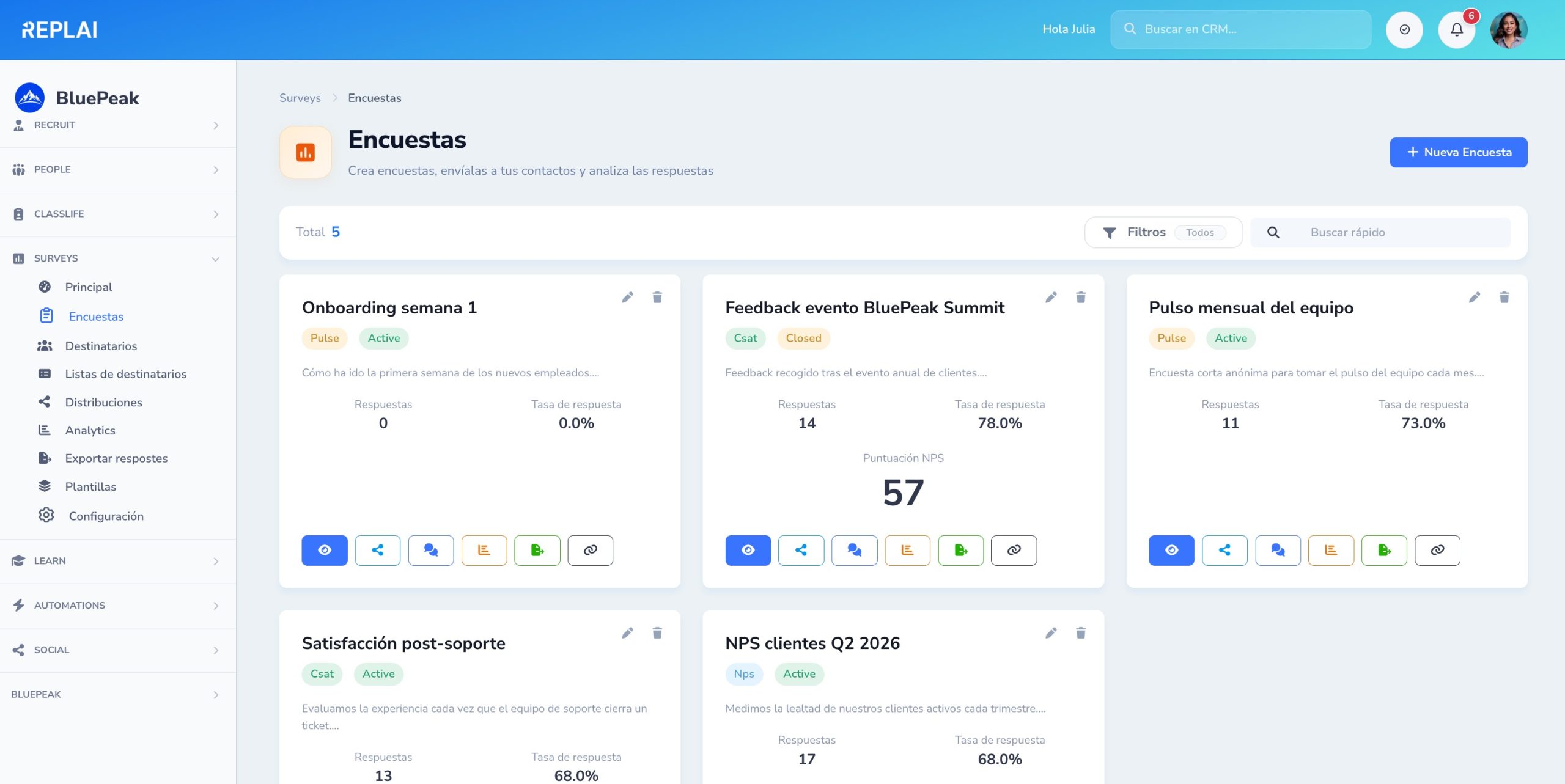
Create, organize and filter your surveys
NPS, CSAT, Pulse or custom. Each card with a type and status badge, responses and direct access to preview, distribution, responses and analytics.
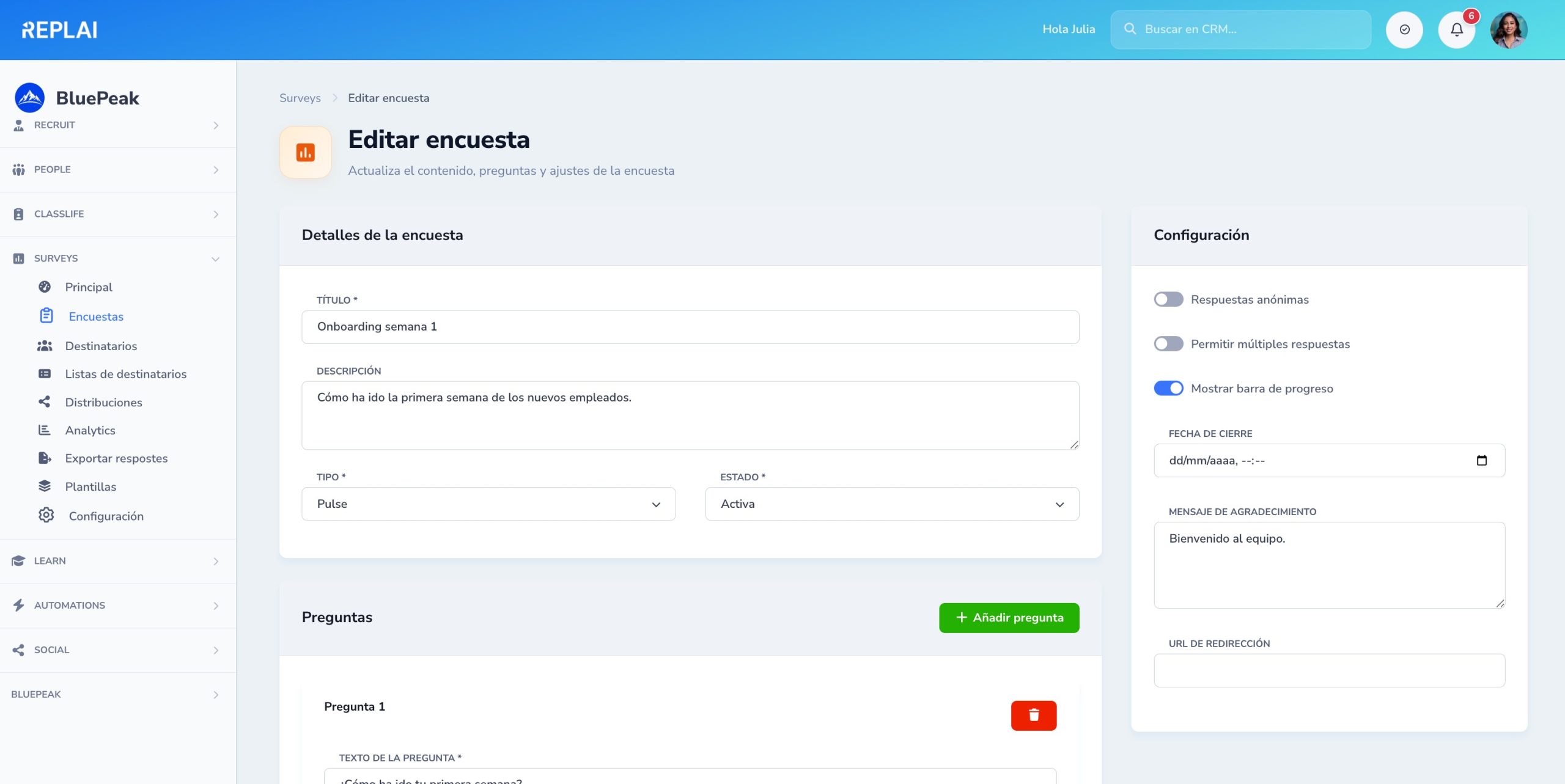
A survey ready in minutes
Title, description, anonymity, closing date and thank-you message. Add questions with drag & drop: text, scale, NPS, rating, single or multiple choice…
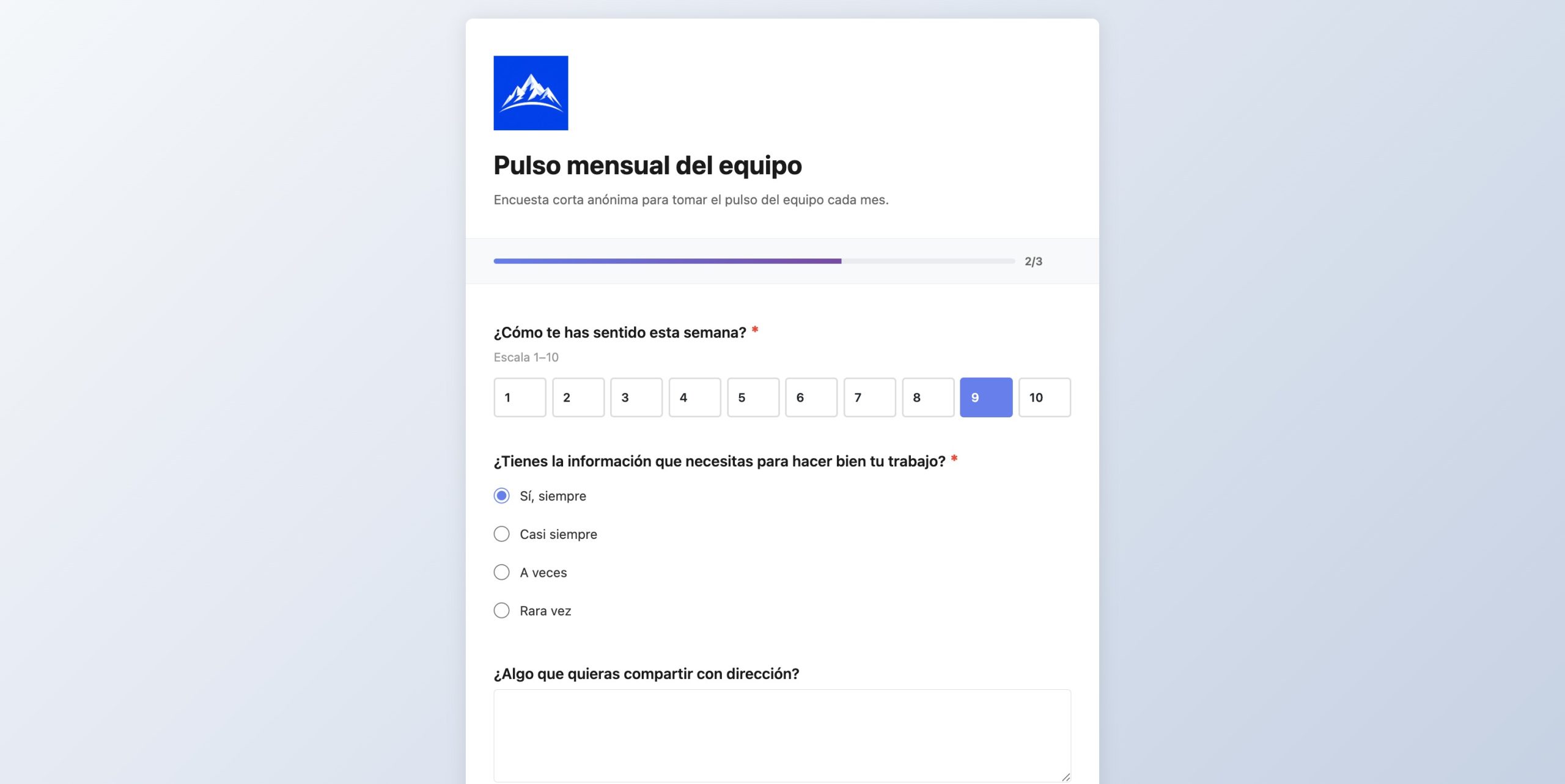
Your brand, your portal
Logo, colors, typography and custom messages. Progress bar, scales, options and open comments. Mobile-optimized and accessible.
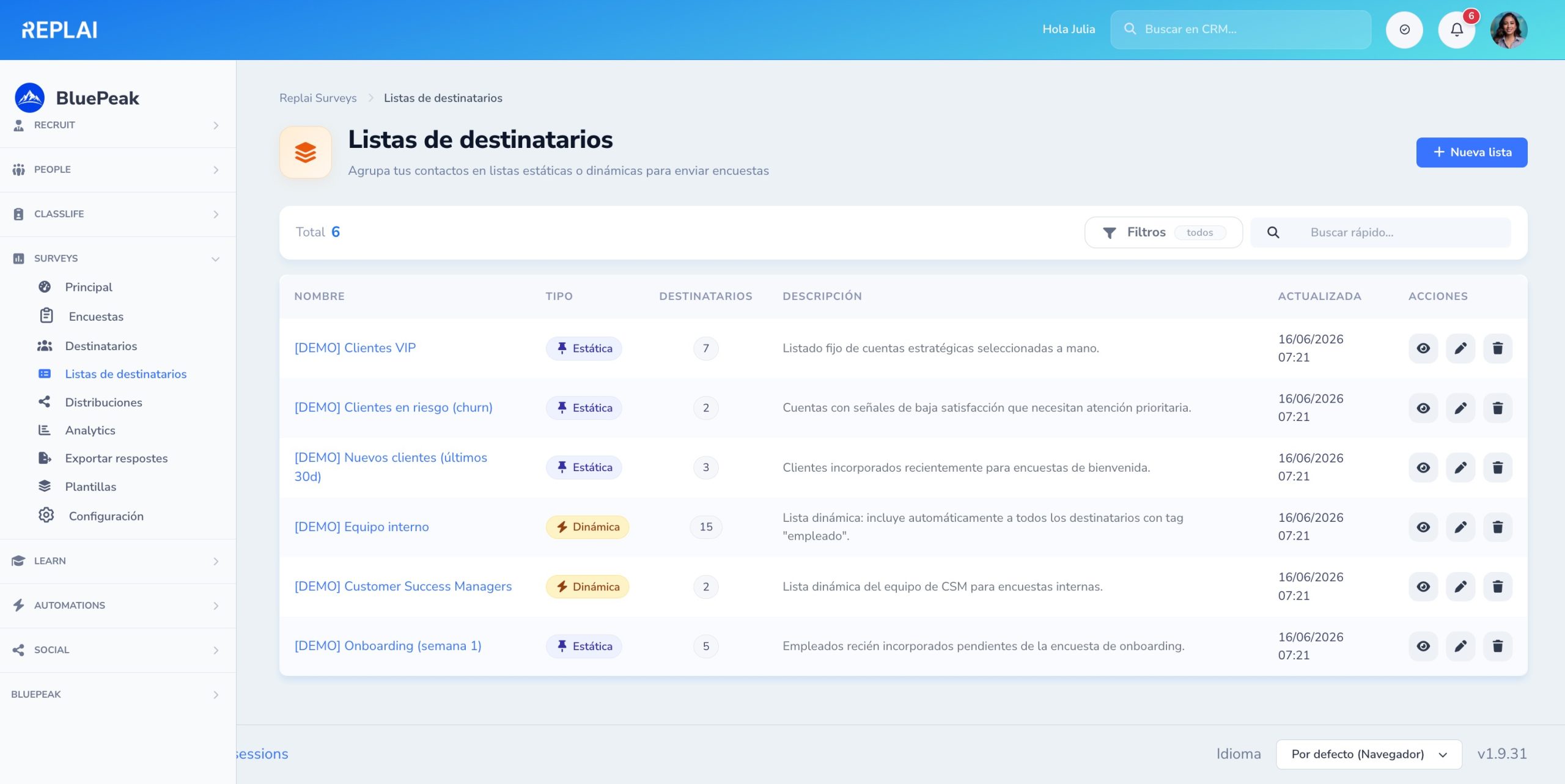
Static and dynamic lists
Group recipients by hand or with automatic rules: «everyone with the employee tag», «VIP customers created in the last 30 days».
Every send, a traceable distribution
Email or link channel, manual or list source, recipients, status, sent and responses. Schedule sends or launch them instantly.
Actionable project metrics
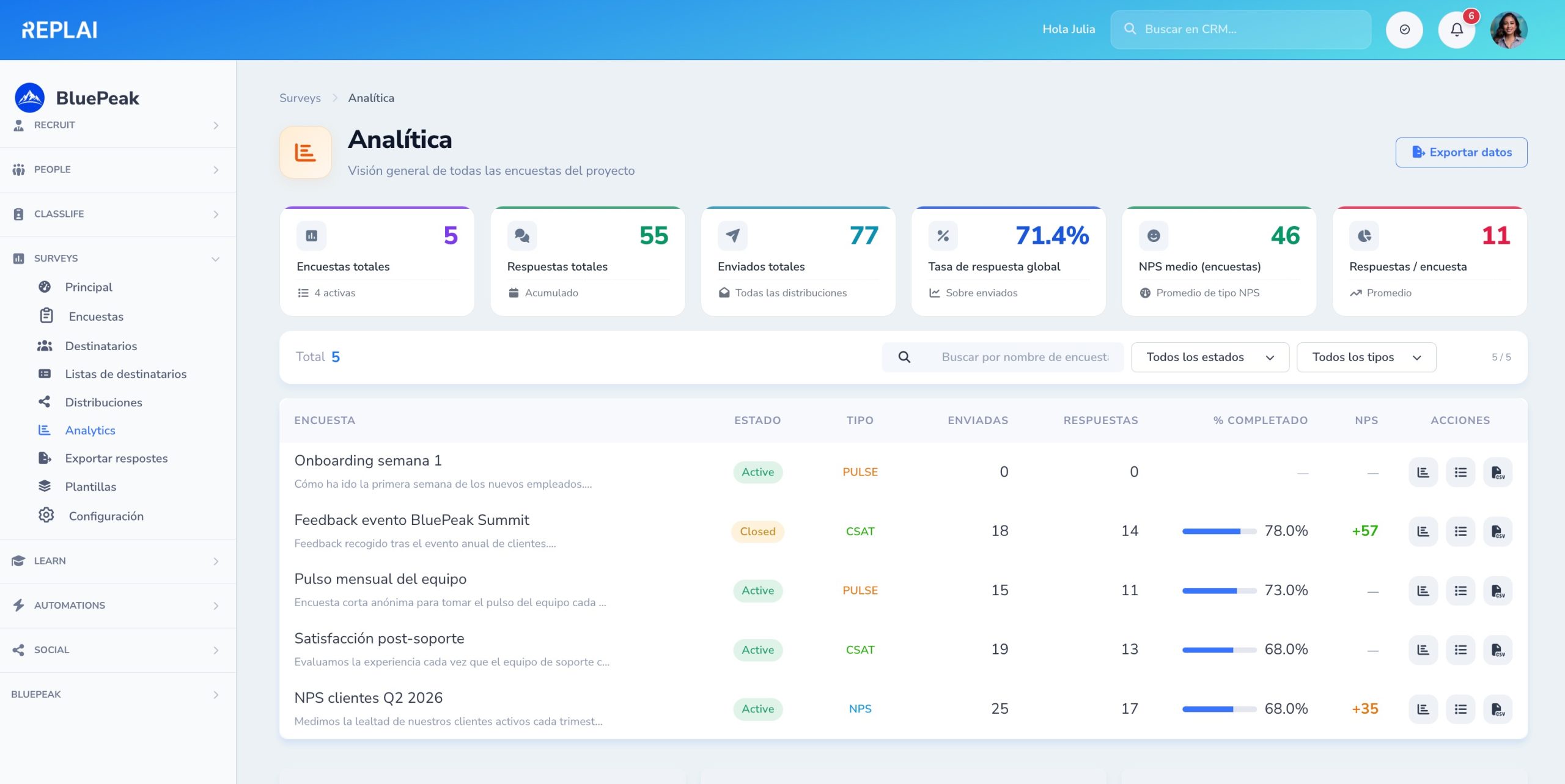
Total surveys, responses, sent, overall rate and average NPS. Ranking by survey with rate and NPS side by side.
22 ready-to-use templates
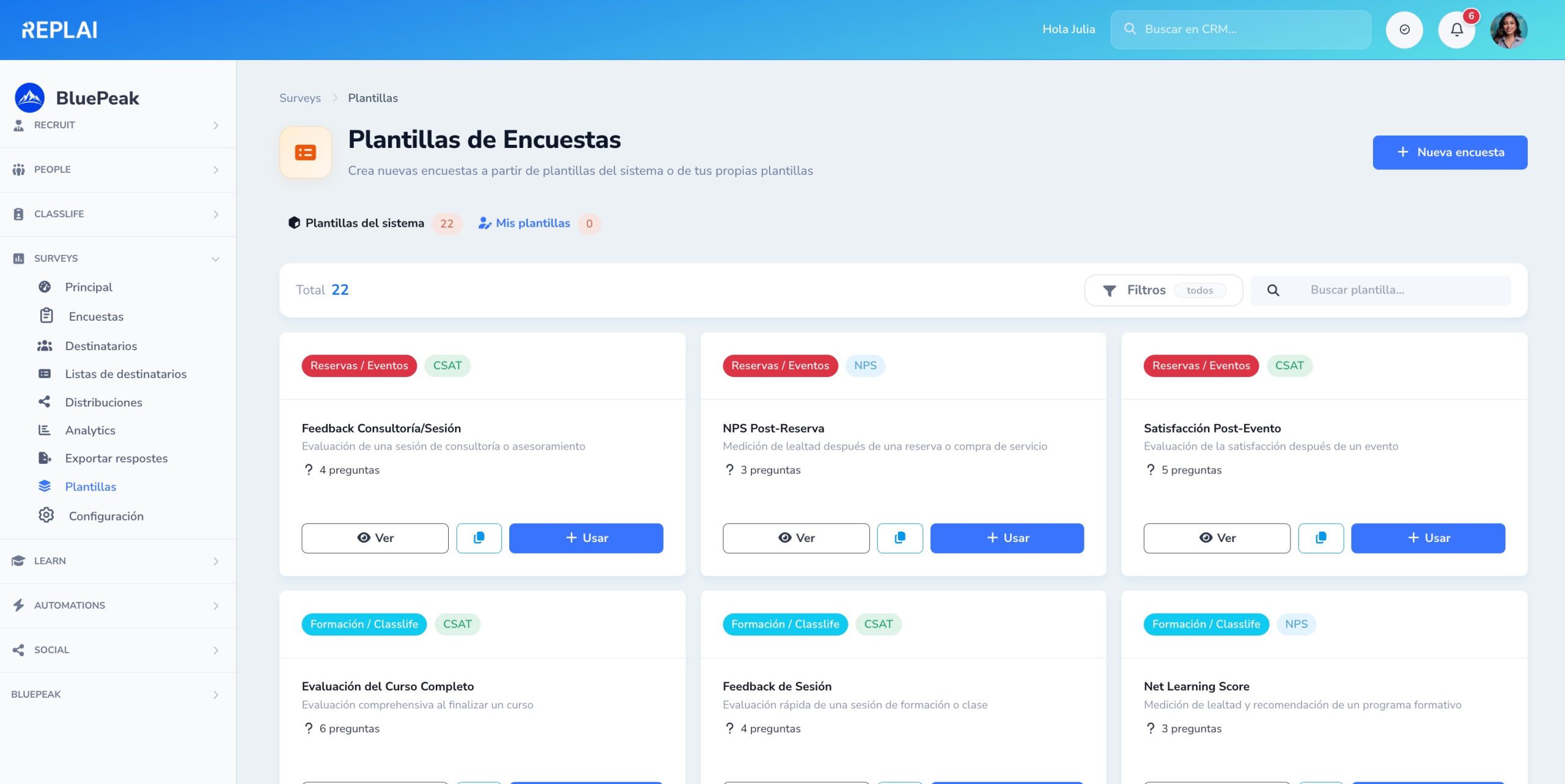
Classic NPS, post-support CSAT, employee climate, post-event, product feedback, sprint retrospective… Clone them and get started in seconds.
The status of your academy at a glance
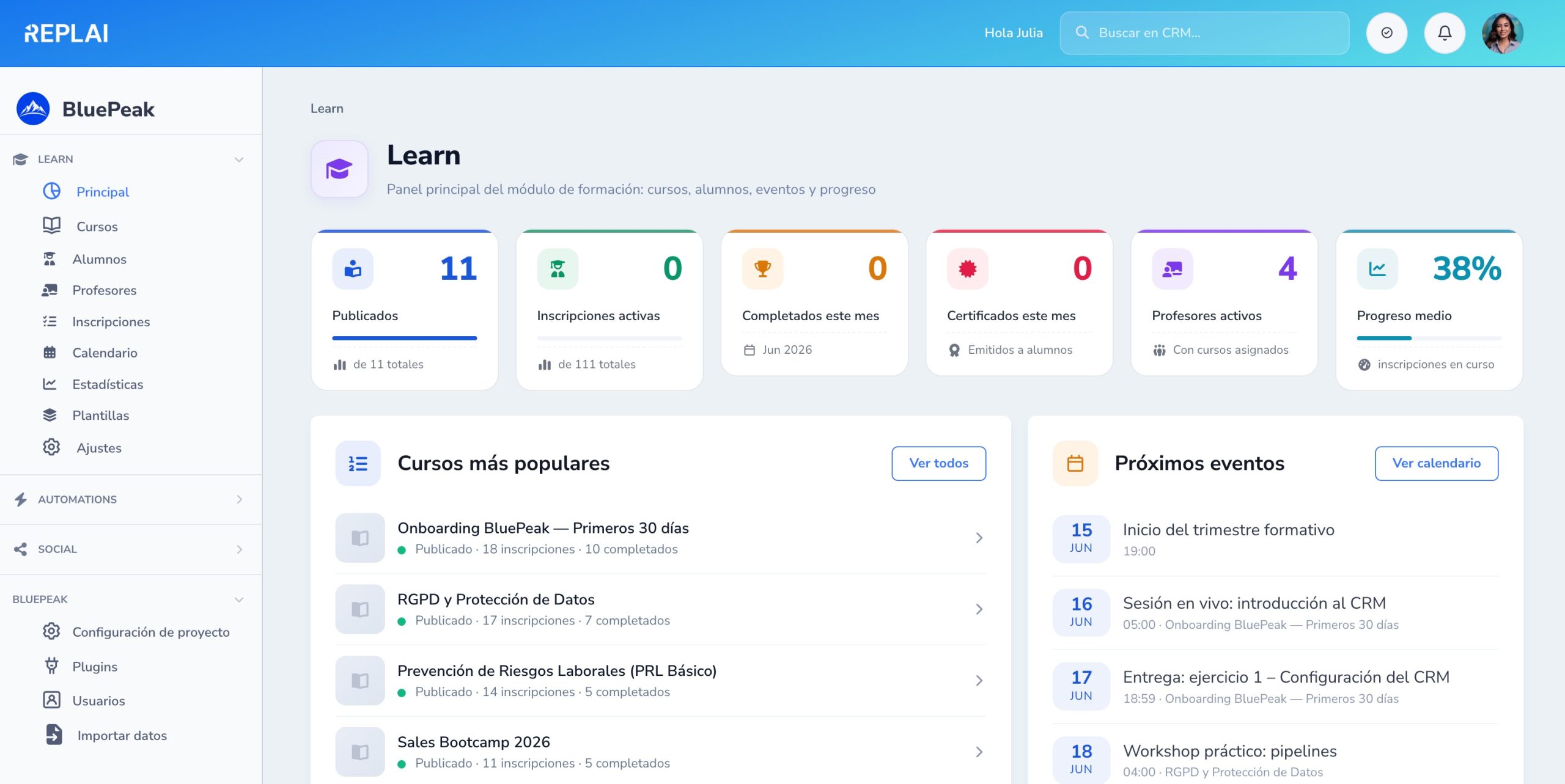
Published, active enrollments, completed, certificates and average progress. Most popular courses and upcoming events on a single screen.
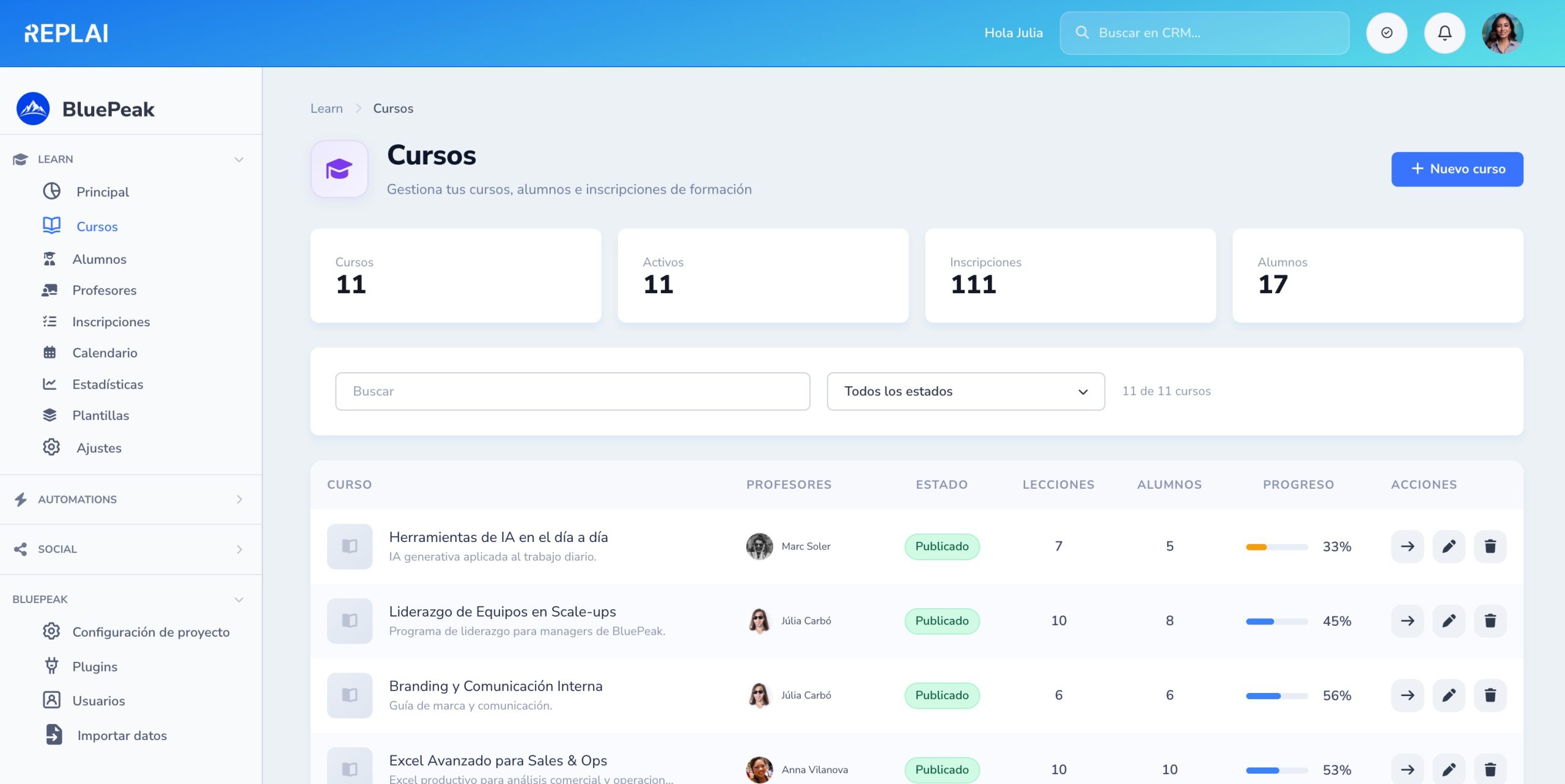
Complete course catalog
All your courses with instructor, status, lessons, enrolled students and average progress. Quick search and per-row actions.
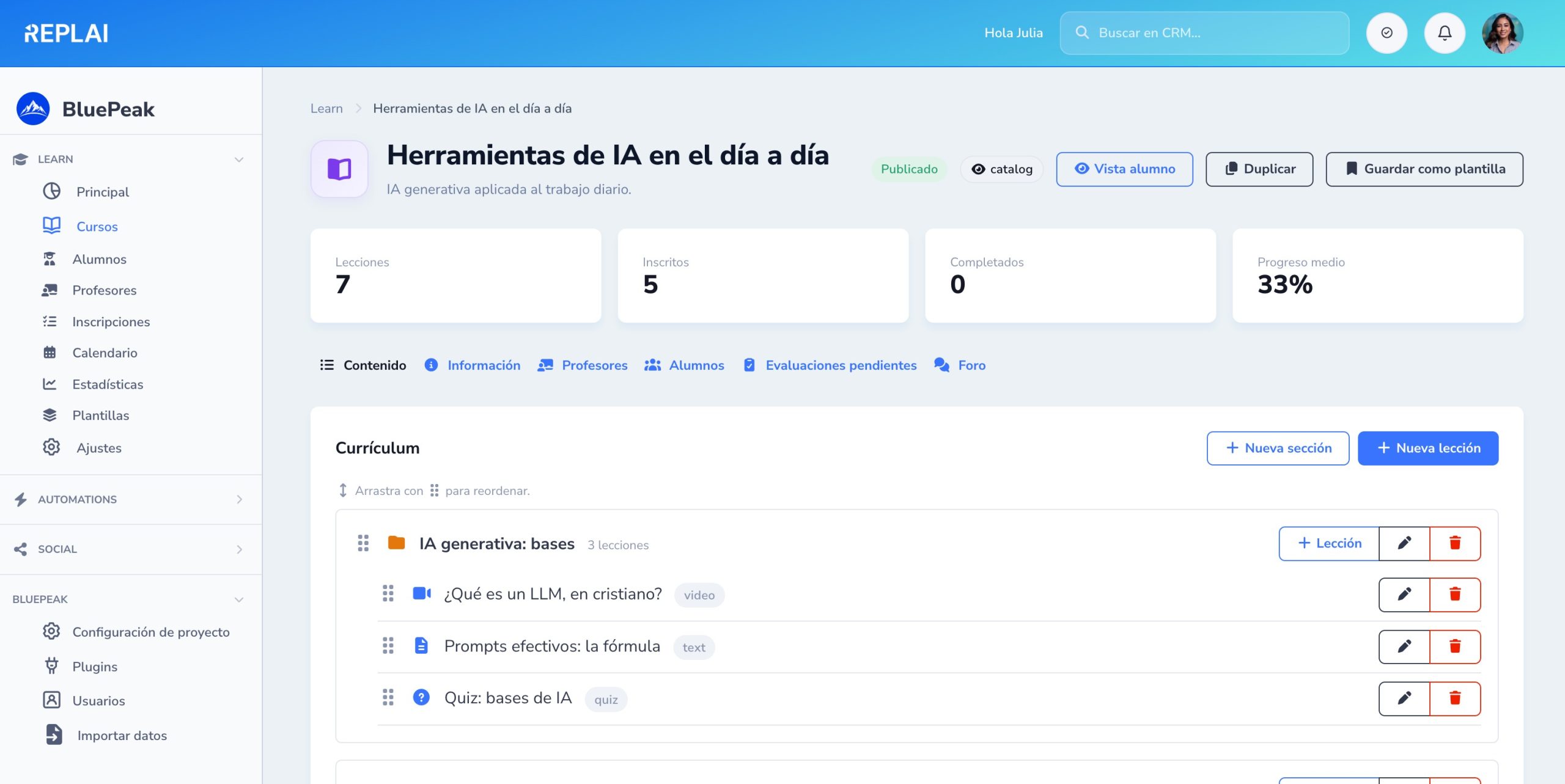
Organize content with drag & drop
Reorderable modules and lessons. Add videos, documents and quizzes in seconds. A clear structure for the student.
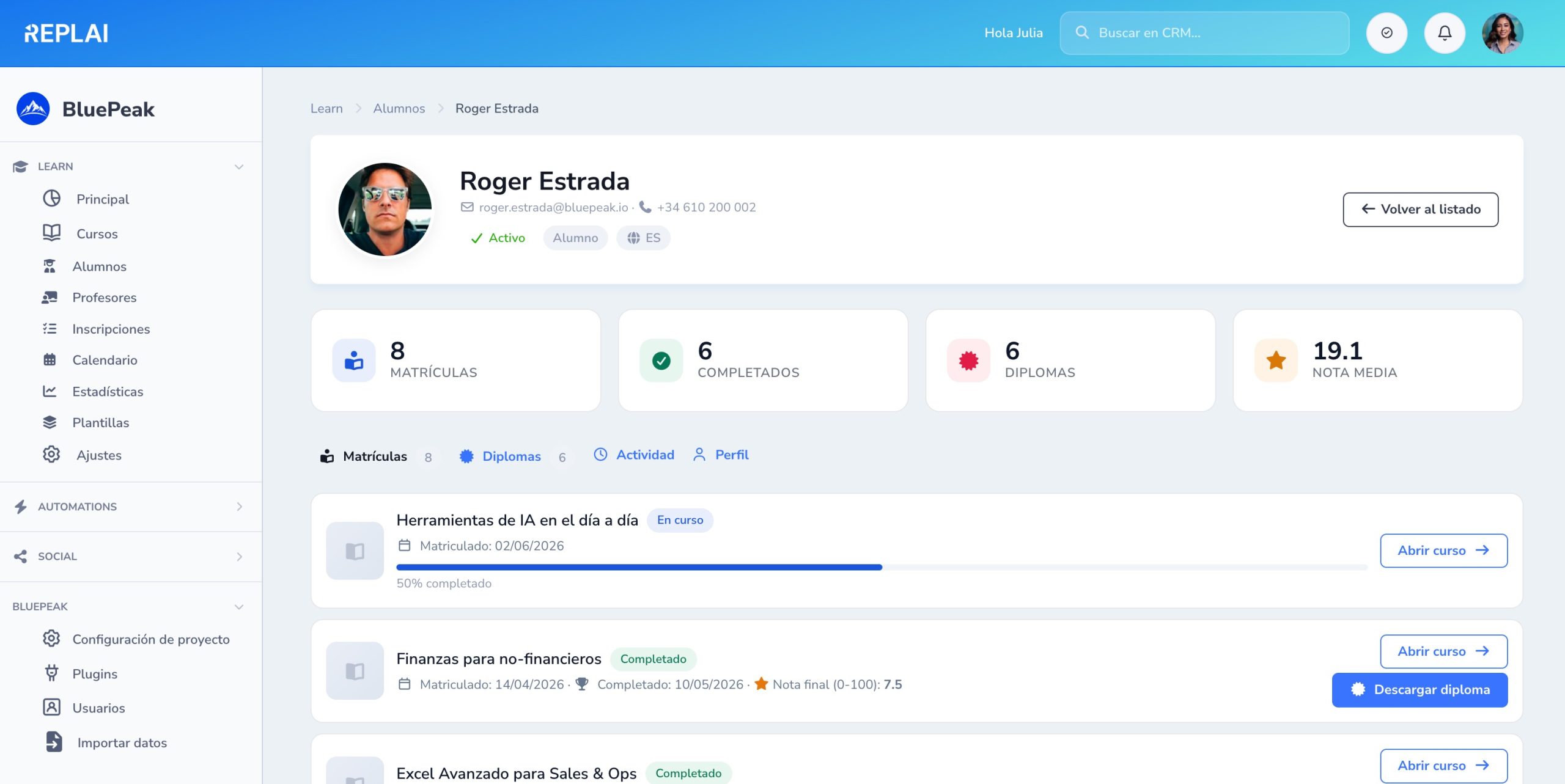
Complete history of every student
Enrollments, completions, diplomas and average grade in the header. Tabs for enrollments, diplomas, activity and profile. Download the certificate with one click.
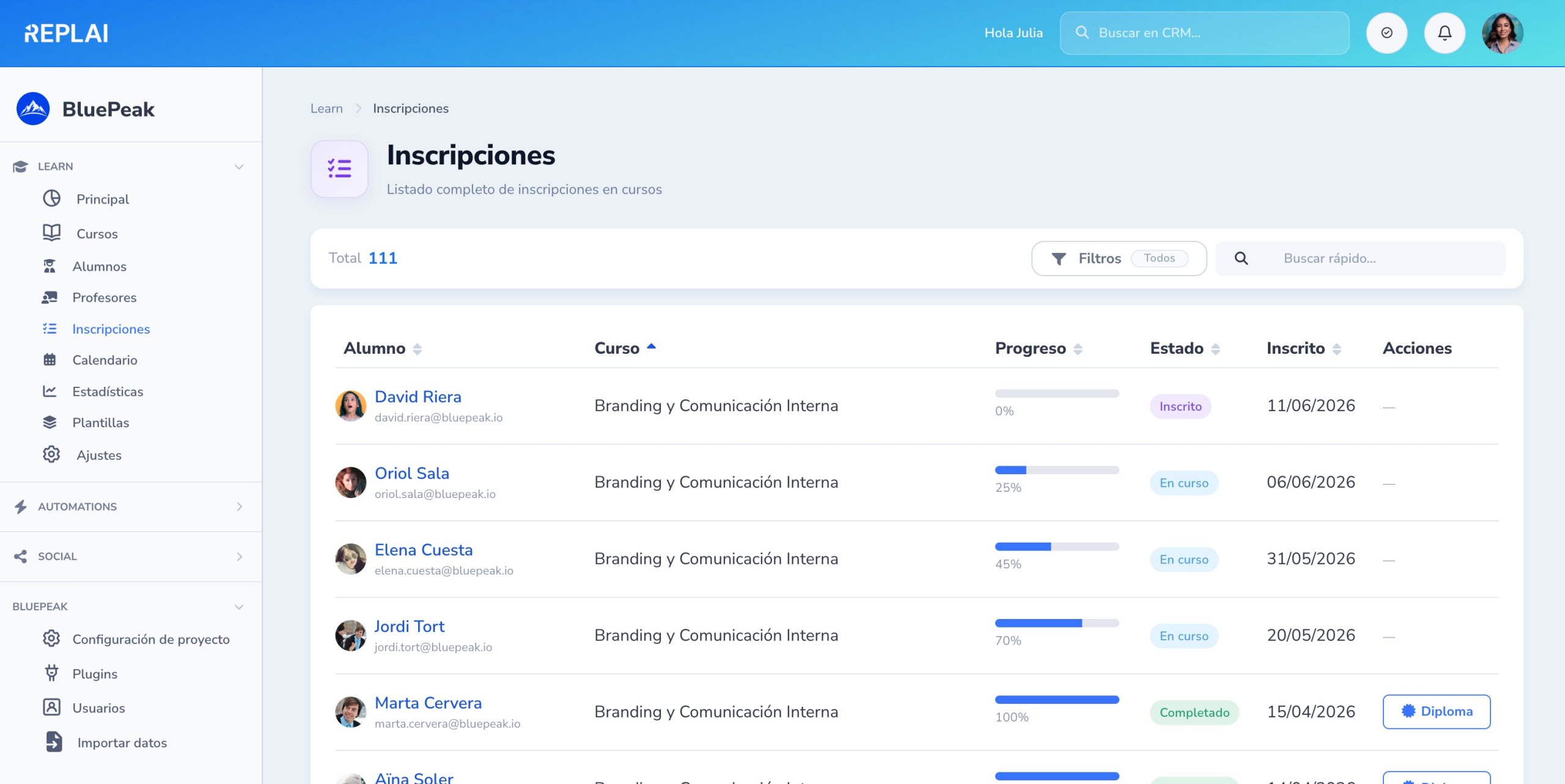
Enrollment management at scale
Global list with student, course, progress and status (Enrolled, In progress, Completed). Downloadable diploma once completed.
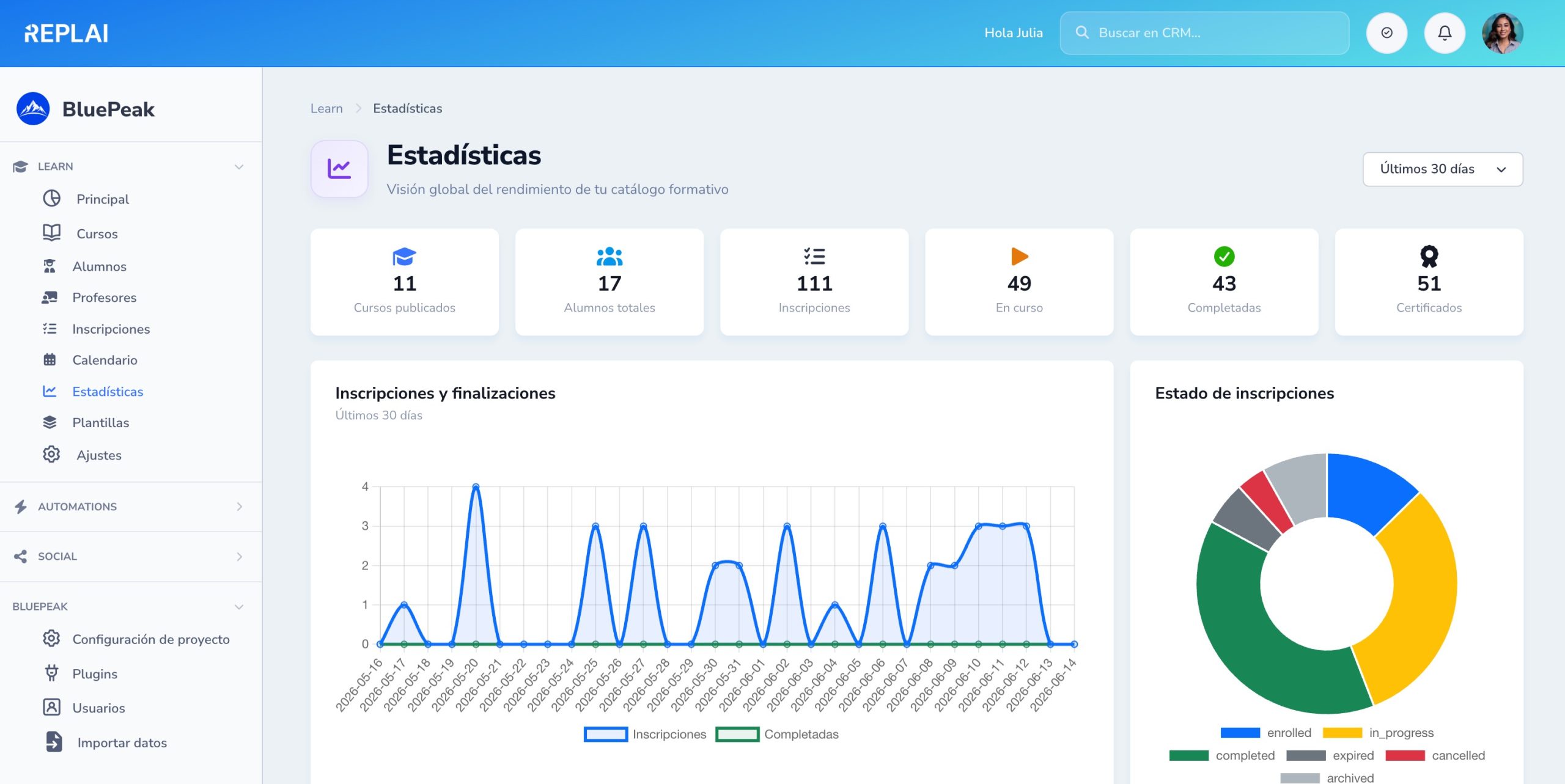
Actionable data in real time
Enrollments and completions over time, a status donut and KPIs: published, students, in progress, completed and certificates.
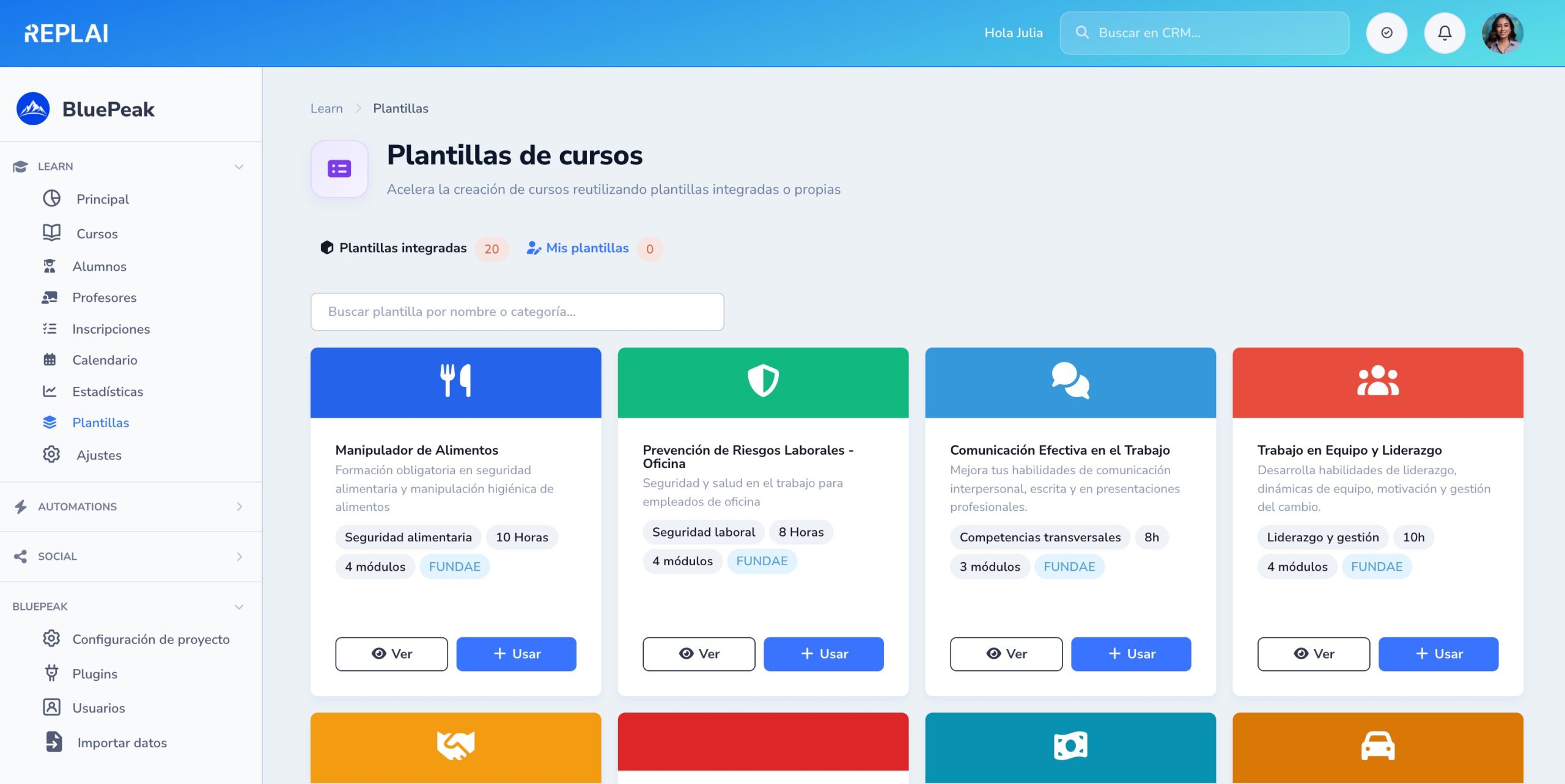
A ready-to-use FUNDAE library
Safety, sales, cross-functional and FUNDAE templates — with duration, modules and icons. Clone and adapt without starting from scratch.
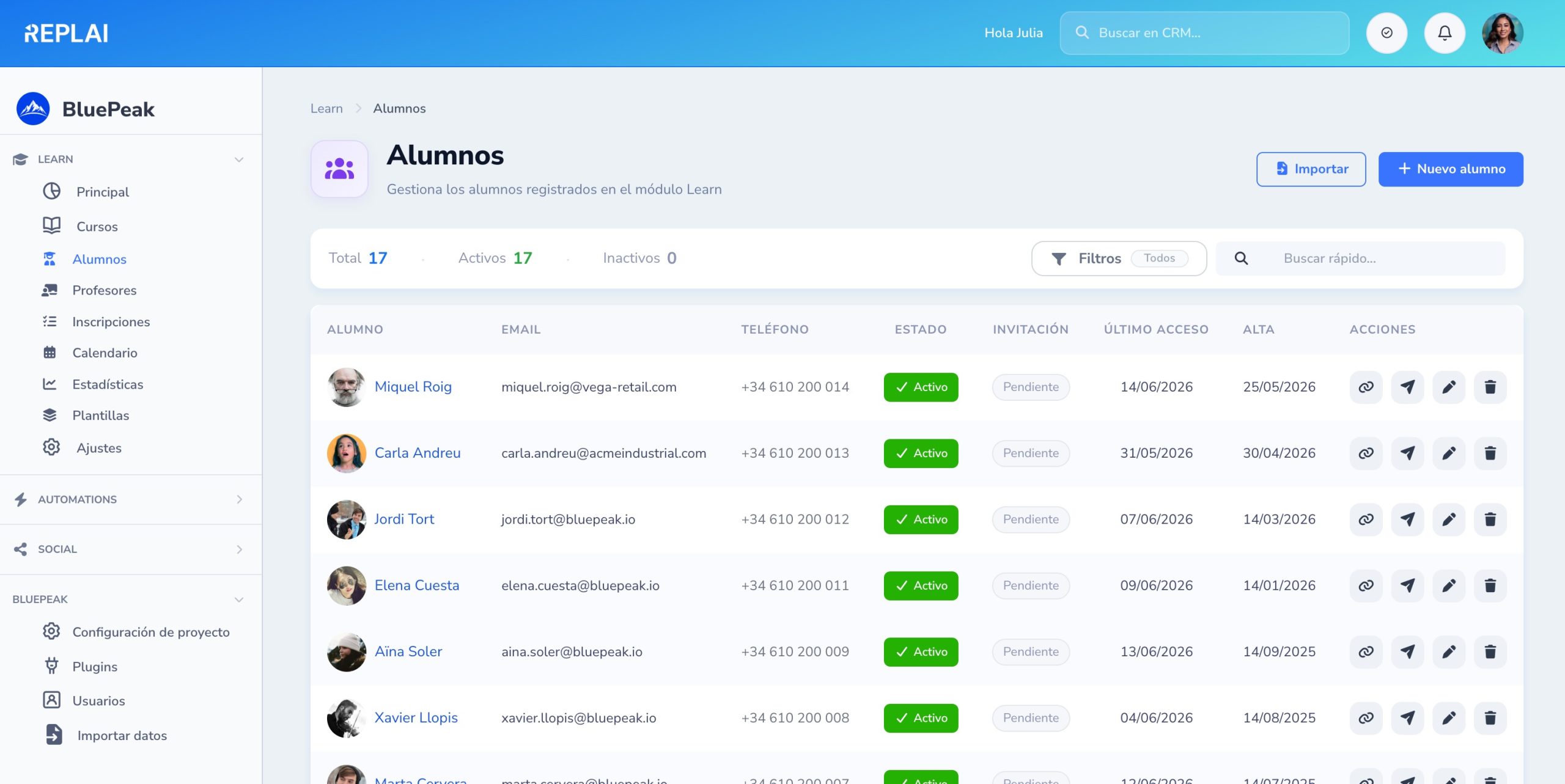
Complete student base
A list with photo, contact, status and last login. Filters and quick search to manage your entire training audience.
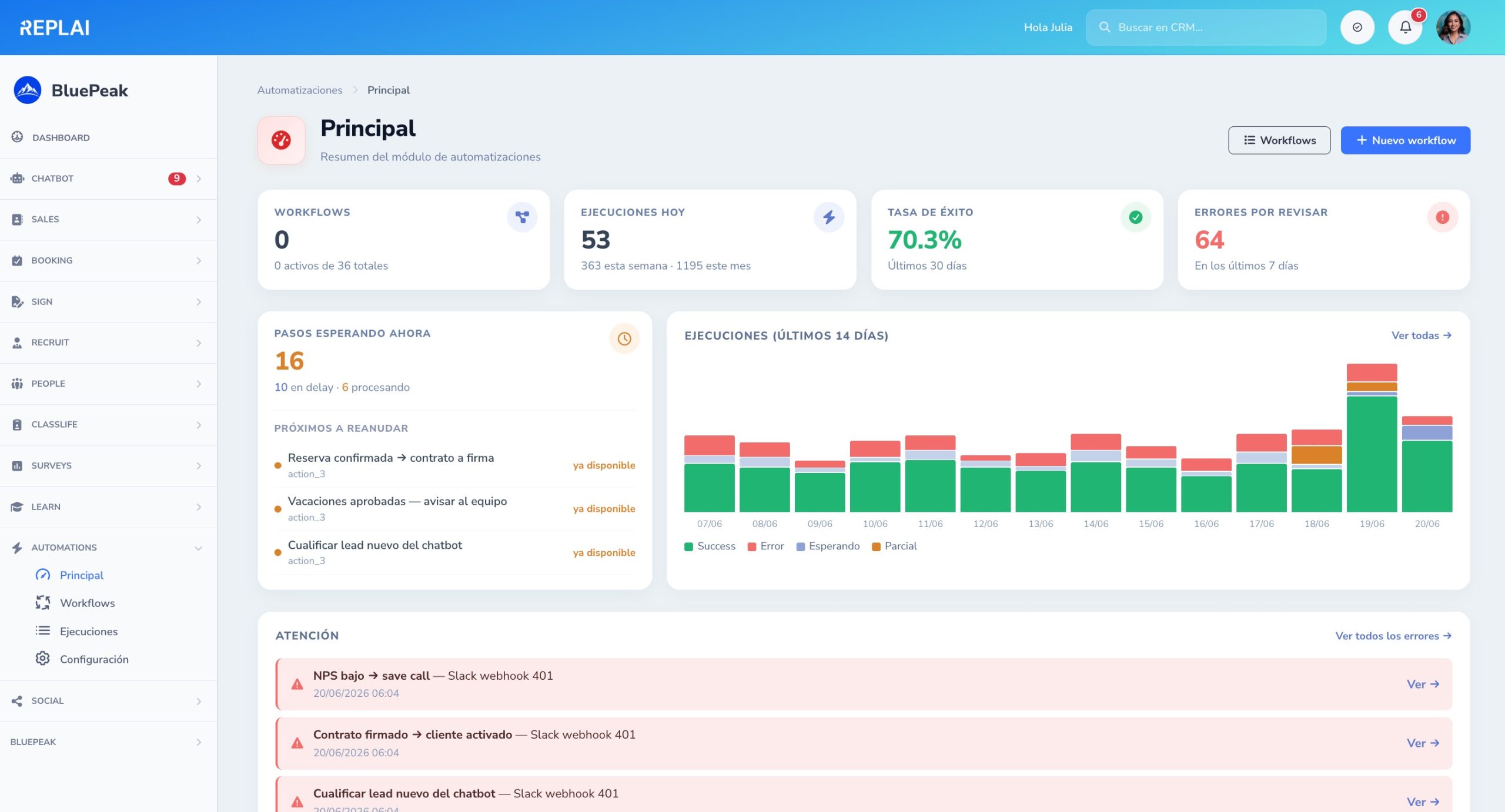
The pulse of your automations, on one screen
In five seconds you know whether everything is fine, what needs attention and what is running right now. No manual audits, no spreadsheets and no emails asking «did workflow X run?».
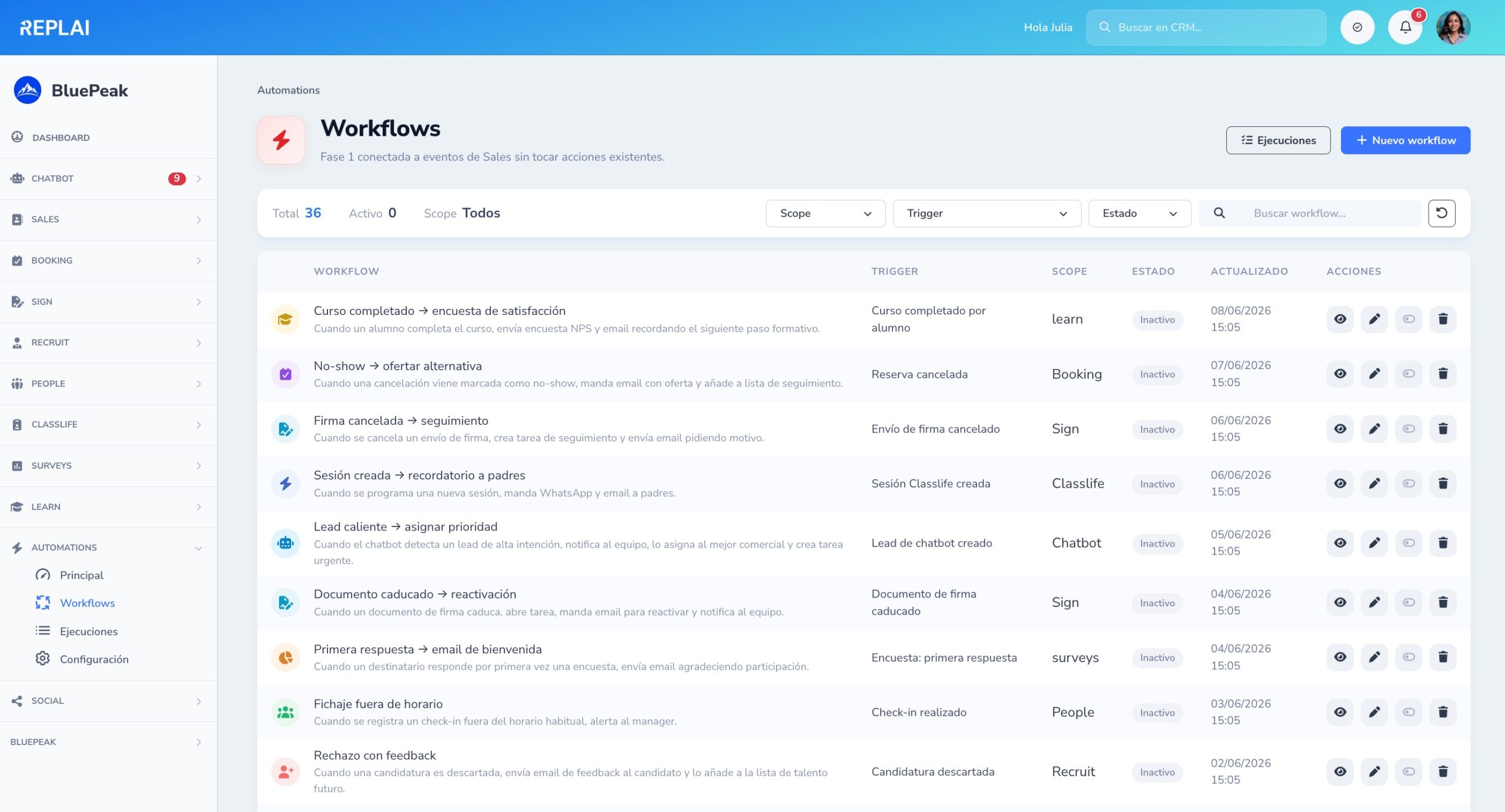
All your workflows, filtered any way you want
A list with the scope icon, trigger, number of steps and status of each workflow. Filters by module, trigger and status, plus quick search by name or description.
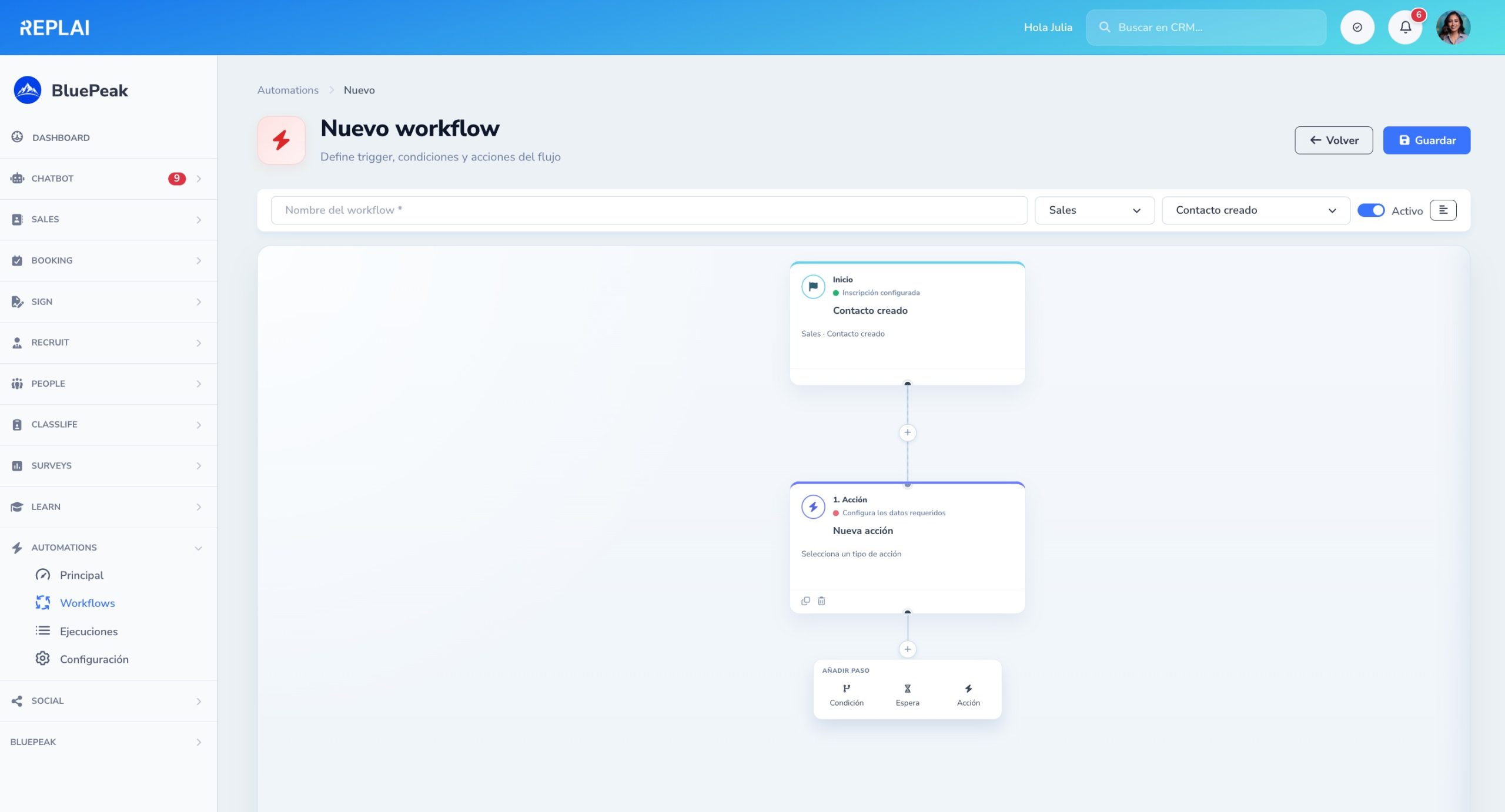
Design flows by dragging blocks
Choose the trigger, chain actions, add conditions that branch the flow (yes/no) and waits of any duration. A canvas with zoom, a bird's-eye view and per-node configuration. Without writing code.
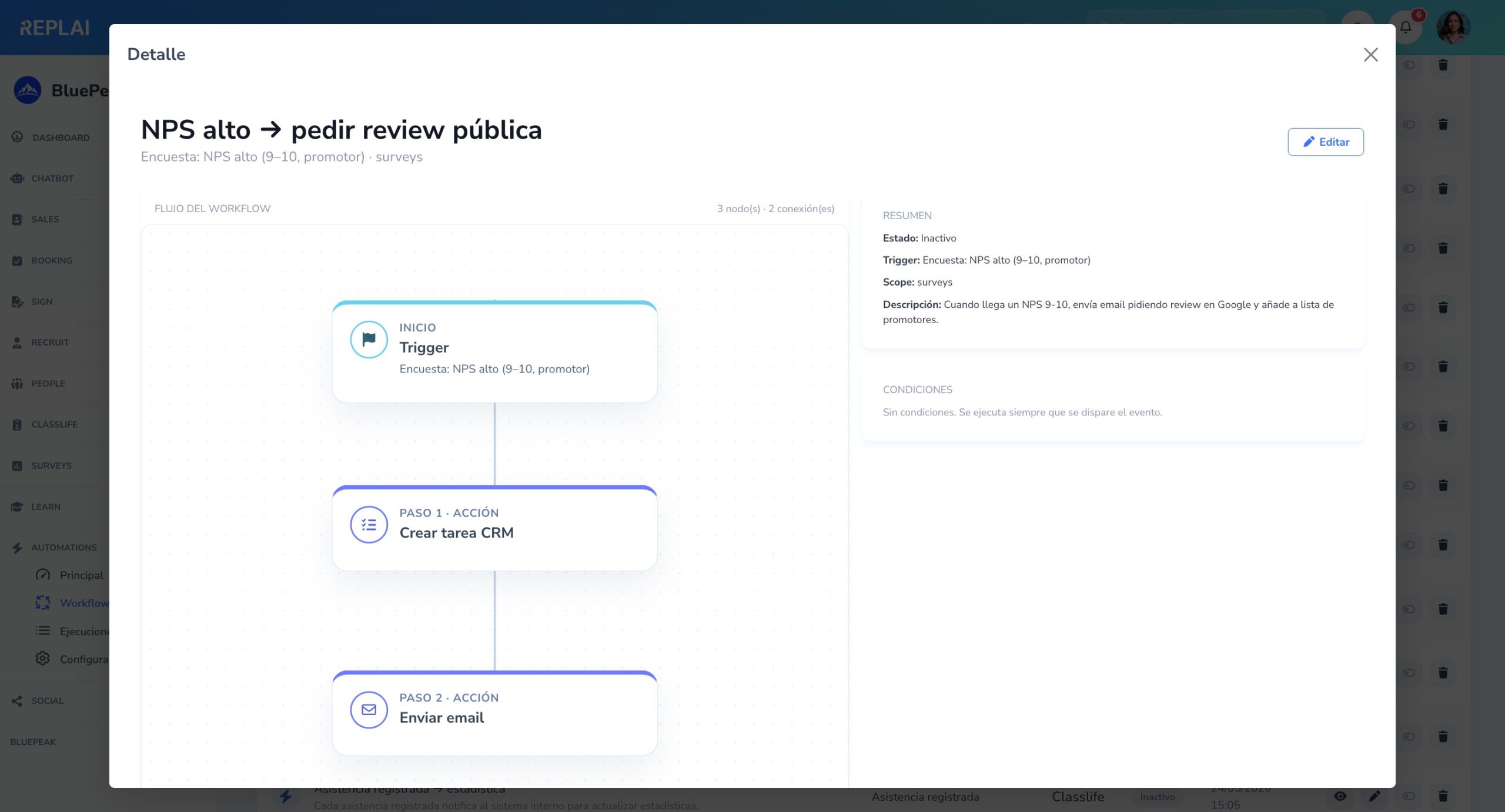
Every workflow documented from a bird's-eye view
Flow diagram, conditions that filter the trigger, the scope it belongs to and a description of what it does — ready to audit, duplicate or explain to someone without opening the editor.
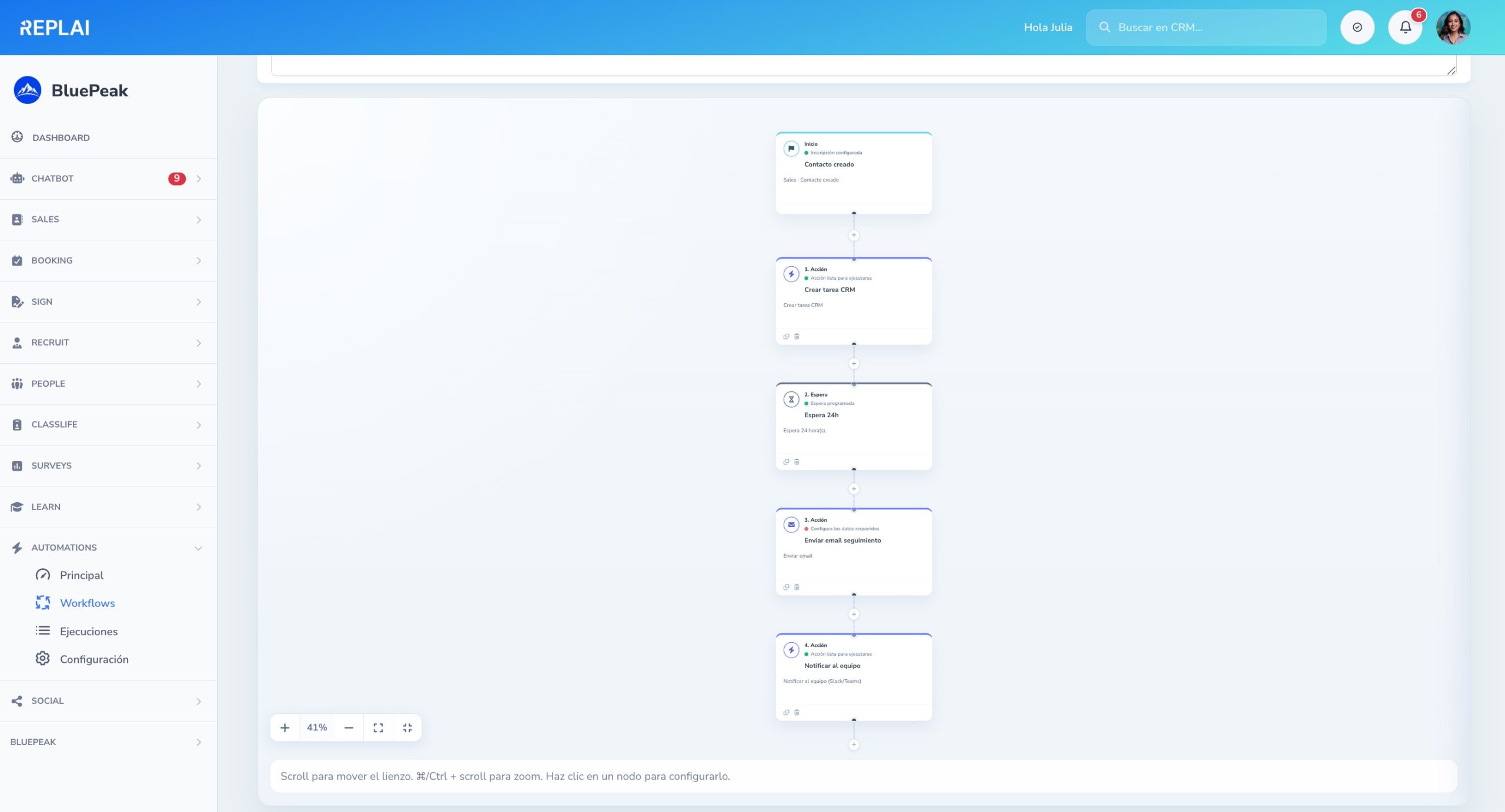
Workflows with as many steps as you need
Trigger → create task → wait 24h → follow-up email → team notification. Chain as many steps as your process requires with a full view of the flow, without missing a single link.
Every execution, with its status and progress
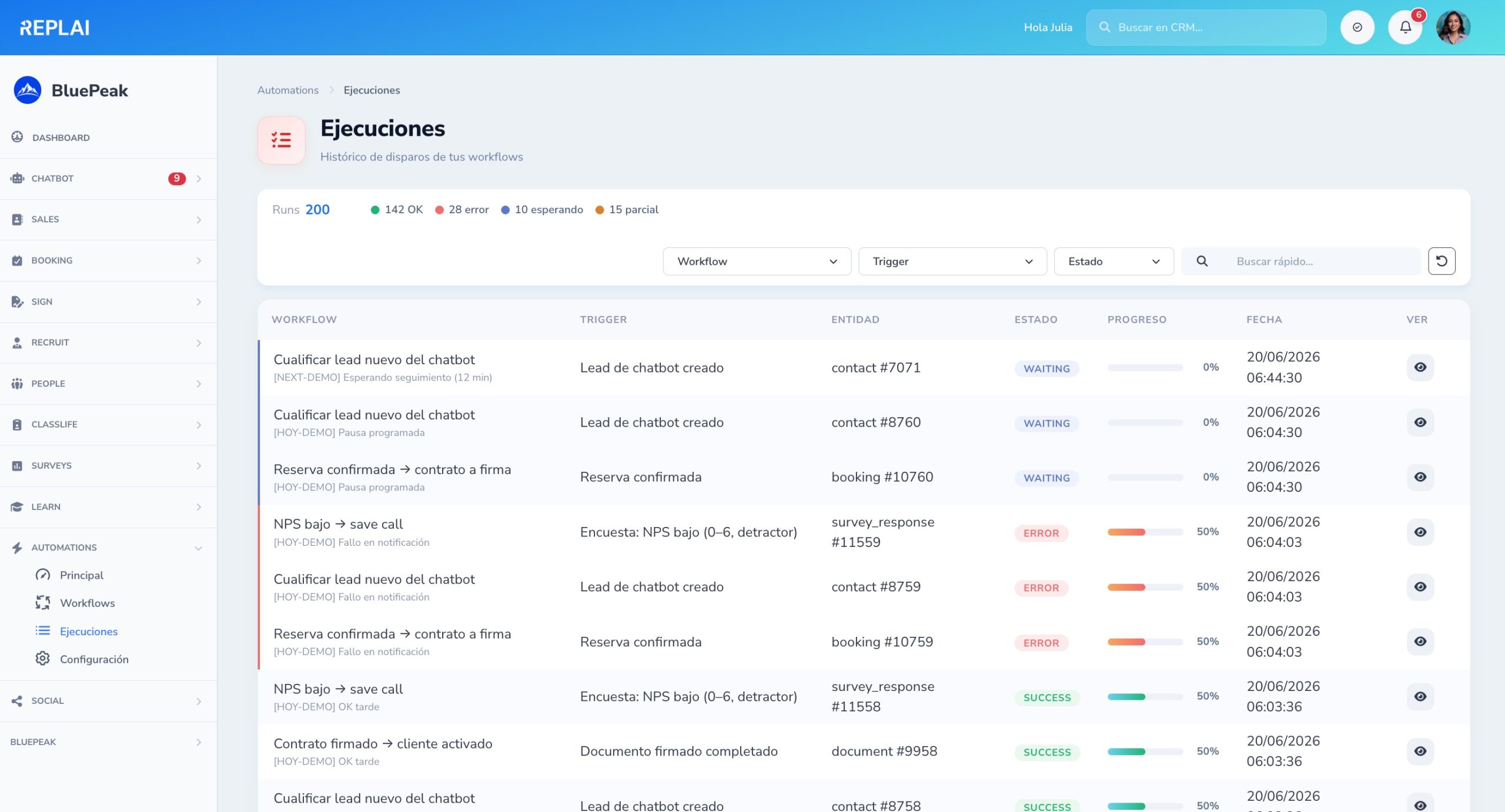
Filterable history of runs with status (OK, error, waiting, partial), a progress bar by nodes traversed and the exact date. Errors show in red at a glance, without opening them one by one.
Step-by-step replay of any execution
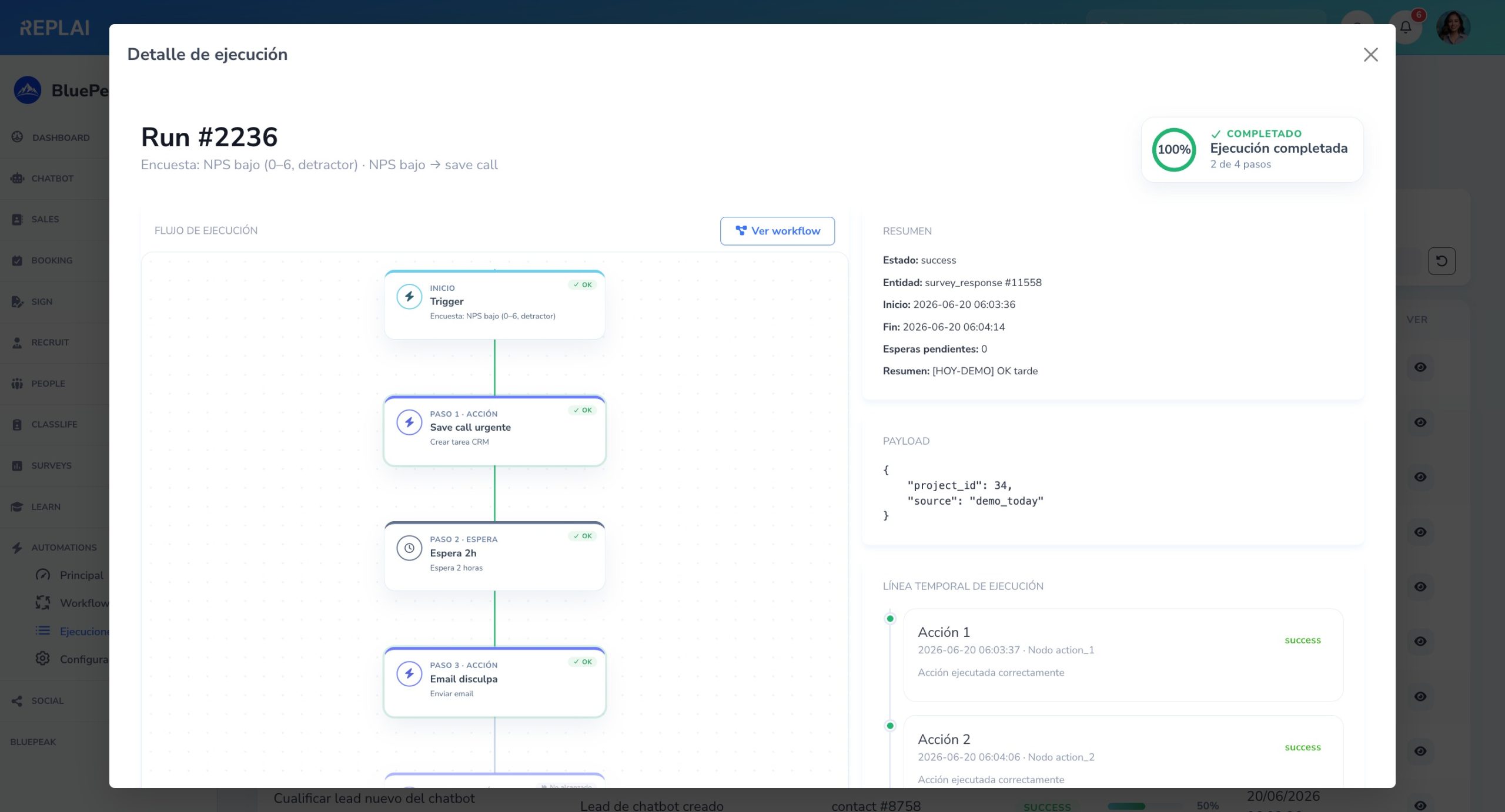
Each step colored by how it went, an OK / Error / Waiting badge per node, the original event payload, a timeline with timestamps and a progress circle. Diagnosis in seconds without rebuilding anything by hand.
You decide how the engine behaves
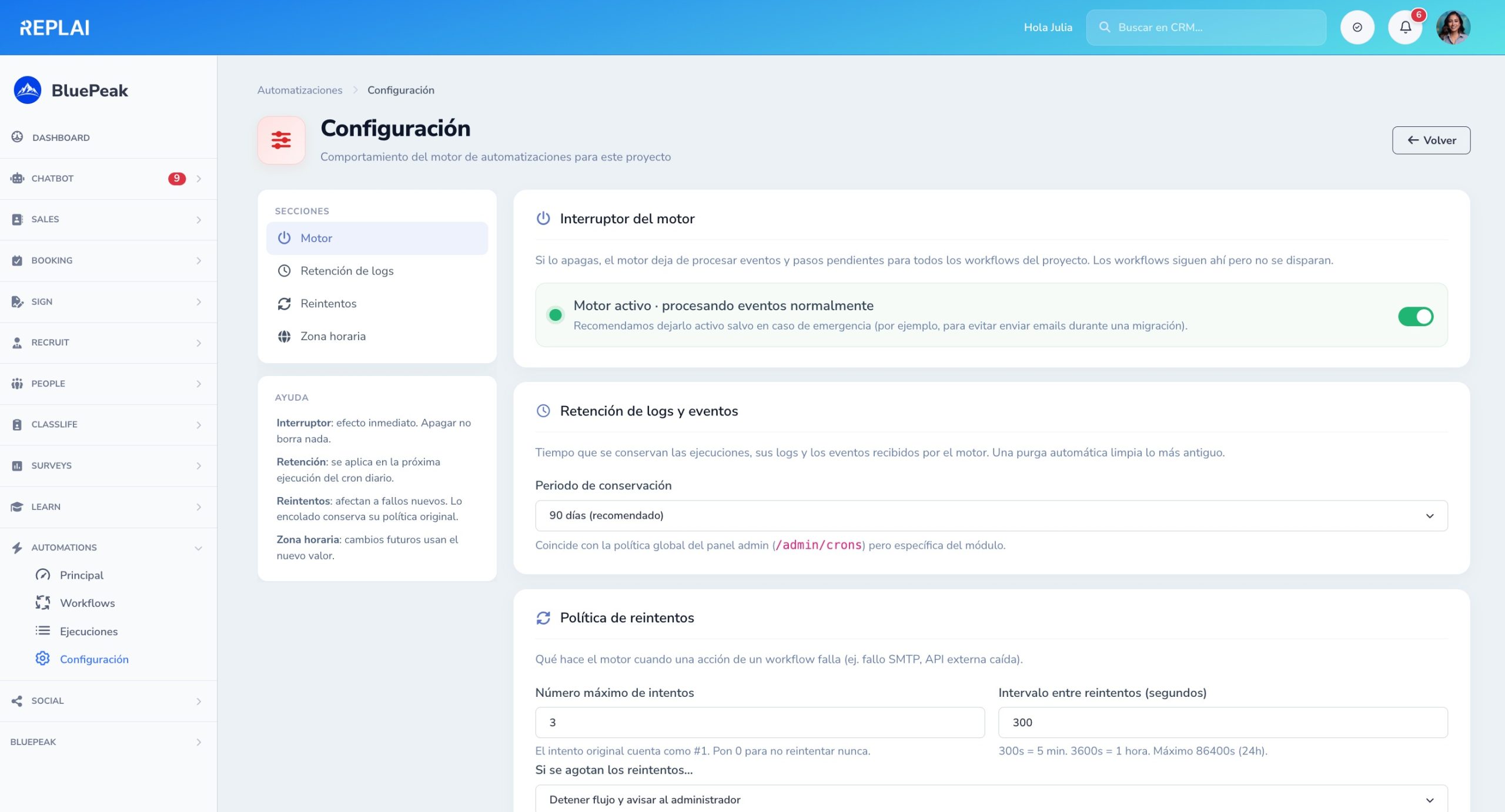
An emergency switch to pause the whole module, log and event retention, a retry policy when something fails and a time zone for delay steps. Instant changes, without touching code or restarting anything.
What our clients and partners highlight
Trust is built with results, experience and context. Here we combine brand recognition with testimonials that help you better understand REPLAI's real impact on each project.
With REPLAI's AI chat, onboarding new employees is much smoother. The information is clear and support is immediate.
REPLAI improved our sales side. Immediate, accurate answers helped us speed up conversion from the very first interaction.
With REPLAI our support gains speed and consistency. The combination of AI and a solid knowledge base delivers much more efficient answers.
REPLAI's logical order follows the real business cycle
First you capture interest, then you convert, schedule, formalize, hire, manage the team, measure satisfaction, train your team and automate everything repetitive. That is why the platform is organized in this order: Chatbot → Sales → Booking → Sign → Recruit → People → Surveys → Learn → Automations.
AI conversational assistant
Captures leads, answers frequently asked questions, handles support and escalates conversations without losing context or traceability.
- Web support and conversational channels in multiple languages
- Lead capture and support tickets connected to the rest of REPLAI
- Direct handoff to Sales, Booking or automations
CRM for contacts, companies and opportunities
Centralizes your sales pipeline, logs activity, prioritizes opportunities and connects sales with e-signature, booking and automations.
- Sales follow-up and opportunity stages
- Contacts, companies and tasks in a single view
- Automation of alerts, tasks and handoffs with other modules
Online booking synced with your calendar
Turns interest into meetings, demos or scheduled sessions without chasing emails or managing slots manually.
- Booking of appointments and services with real availability
- Google Calendar connection and a polished booking experience
- Ideal for sales demos, onboarding, support or sessions
Advanced e-signature
Send, sign, validate and store documents with full traceability, evidence and control over the status of every signature.
- Advanced signature with signer control and reminders
- Legal and commercial processes connected with Sales and People
- Ideal for contracts, consents and critical documentation
Recruiting and ATS
Post job openings, centralize applications, move candidates through stages and professionalize the hiring process.
- Visual recruiting pipeline with stages, notes and scoring
- Public careers page and a polished application experience
- Ready to link hiring with People and Sign
Digital time tracking and employee management
Manage working hours, absences, holidays, documents, onboarding and the team's daily operations from a single layer.
- Time tracking, holidays, absences and documentation
- Flows connected with Recruit, Sign and automations
- Ready for digital time-tracking regulations and traceability
NPS, CSAT surveys and more
Measure your customers' satisfaction with smart surveys. Create NPS, CSAT, CES or Pulse, distribute them by email or link and analyze results in real time.
- 10 question types and predefined templates for each metric
- Email distribution with magic links or public links
- Integration with People, Sales, Recruit, Booking and Classlife
Training and virtual campus
Complete LMS platform to create and sell online courses: multi-gateway checkout (Stripe, Redsys, PayPal, Flywire and bank transfer), public catalog on WordPress and a campus with your brand.
- Sell courses with multi-gateway checkout: Stripe, Redsys, PayPal, Flywire and bank transfer
- Public catalog on WordPress and a campus with your brand and magic-link access
- Automatic certificates, SCORM, receipts and FUNDAE compliance
Workflows and automations
Connect products and events without building an external stack: triggers, conditions, actions, emails, WhatsApp and tasks.
- Visual engine with +50 native triggers across modules
- Dashboard with success rate, executions and waiting steps
- Step-by-step replay of every execution to debug in seconds

Built for your team's real work, not for piling up tools
Fewer open tabs, less copy-pasting between systems. REPLAI connects lead capture, sales, e-signature, HR and automation over a single data flow.
Not another pile of tools, but a common operational foundation
If today you use a CRM, an ATS, a signing tool, a time-tracking system, surveys, training and automations separately, you probably already know the real cost: data duplication, more dependence on third parties and less visibility.
Data connected by design
A chatbot lead can create an opportunity, trigger a booking, fire off a contract and end in onboarding without exports or fragile integrations.
AI useful for real business
REPLAI doesn't add AI as decoration. It applies it where it generates the most value: support, productivity, classification, prioritization and operational automation.
Modular, controlled growth
You start with the module that gives you the most return now and expand when your organization needs it, keeping a coherent architecture.
Modular plans to start with what you need and scale without redoing processes
REPLAI is not conceived as a single, rigid license. Each product has its own plan structure and the general logic is simple: start, professionalize and scale. If you need to compare real capabilities per module, the full detail is on the plans page.
To get started
Ideal if you want to solve a specific problem right now: capture leads, sign documents, organize the CRM, enable booking or professionalize HR without adding unnecessary complexity.
To professionalize
When the team already needs more automation, better traceability, more users, more volume and an operation less dependent on manual tasks.
To scale
When REPLAI becomes a central part of the operation and you need more functional coverage, greater control and a rollout aligned with real growth.
Two ways to get started with REPLAI
Choose the path that best fits your team: start on your own in minutes with the free trial, or book a personalized demo if you'd prefer us to guide you.
Try it yourself
Create your account in 2 minutes and start using REPLAI Sales with 30 days free. No card, no commitments.
- 30 days of full access to REPLAI Sales
- No credit card during the trial
- Set up in under 2 minutes
- Enable more modules when you need them
Talk to an expert
A call with our team to design the rollout that best fits your organization.
- Personalized demo on your real processes
- Deployment plan adapted to your team and volume
- We resolve technical, security and integration questions
- Ideal for companies with +50 employees or multi-module
What a company usually wants to know before implementing REPLAI
Can I try REPLAI before paying?
What exactly is REPLAI?
Do I have to buy all the modules from the start?
What sets REPLAI apart from using several separate tools?
Is REPLAI only for large teams?
Can I use REPLAI for Spain and LATAM?
Which module should I implement first?
REPLAI also powers your WordPress
AI chatbot, forms that feed your CRM and an online course catalog: install the REPLAI plugins and connect your WordPress with the whole platform. (There are more tools —cookies, SEO/GEO— in the detail.)
Discover REPLAI for WordPress Don't have an account yet? Create your free accountStart with the module that has the most impact today and connect the rest later
REPLAI is designed to grow with you: capture, sell, schedule, sign, hire, manage the team, measure satisfaction, train your team and automate without switching systems every few months.